Summarize this post with:
A product receiving a fake review on Amazon is a situation that may well deserve close follow-up from its merchant.
Underneath, an opinion with no grounding in a genuine purchase experience can raise doubts about the quality of a product, which tends to be a reason for some users to choose alternatives that seem more reliable to them.
To counter this situation, one response that can work is the removal of the comment from the product’s Amazon page. However, it is not usually a simple action, since it is subject to different policies and circumstances.
In this text you will find information about Amazon’s official procedures to remove reviews, such as who can do it and under what conditions, the site’s estimated response times, and what information is preferable to add in each method.
Is it possible to delete fake reviews on Amazon?
First of all, it is important to clarify that it is indeed possible to remove a fake review on Amazon, but only if the comment violates the website’s community guidelines.
That is, an Amazon review cannot be removed solely for being negative and possibly affecting how the product is perceived by its likely consumers.
The process for removing a bad review on Amazon varies depending on whether you are the buyer or the seller of a product. However, beyond submitting formal requests to the website, neither one can directly delete the comment from the platform.
What kind of reviews can Amazon remove from its platform?
In general terms, Amazon allows comments that help people understand the qualities of a product and enable them to make better-informed decisions.
That said, when a review does not appear to come from a person’s real experience, its insights may not be valuable to people, so the opinion is eligible to be removed from the website.
In addition, to protect its users and prevent harmful content on its platform, Amazon uses its community guidelines to indicate what kind of information is not authorized on the website:
- Hate speech.
- Sexual content.
- Links to sites outside Amazon.
- Private information of users.
- Plagiarized comments.
- Reviews that encourage illegal activities.
- Promotional content.
Amazon also does not allow opinions that users post in exchange for compensation, nor reviews of products that the user had not received at the time of publishing the comment.
Violating these or other rules can lead to the removal of the comment from Amazon’s platform, as well as to limits on the use of certain features, the withholding of payments, or the temporary or permanent suspension of the account.
How long does Amazon take to remove a fake review?
To begin with, it is important to point out that Amazon does not guarantee a fixed timeframe for the removal of comments from its site, so the period may vary between requests, whether from a buyer or a seller.
In the case of the forms to report paid reviews, the platform limits itself to saying that it will investigate the case “in the coming days”, without mentioning a possible response date.
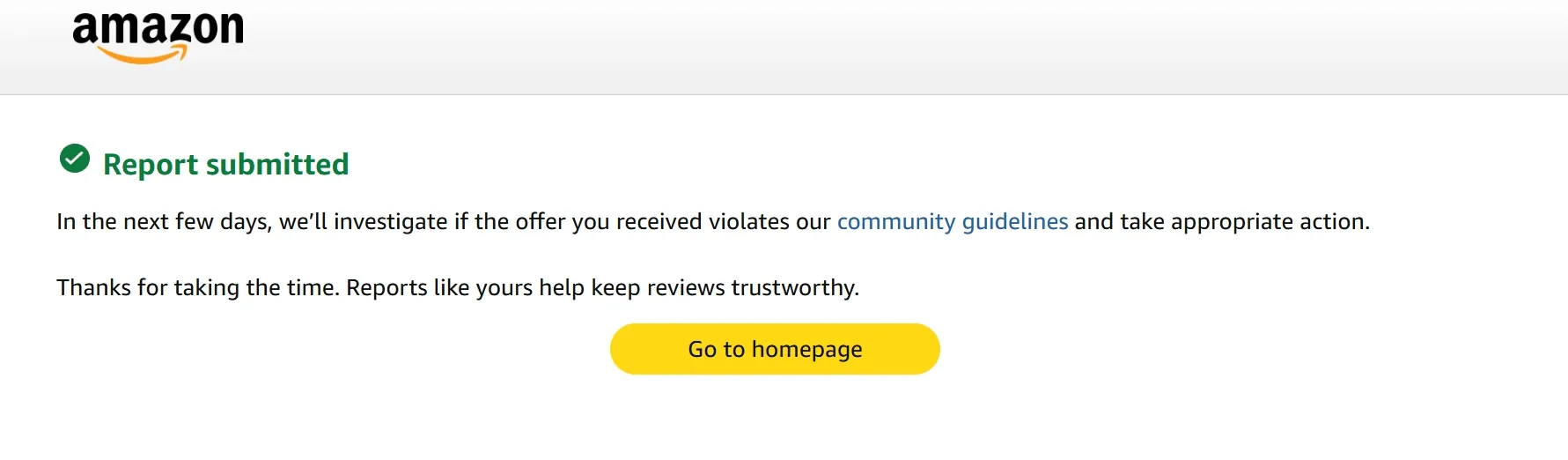
When a user turns to reporting an opinion directly with the “Report” button, Amazon does not indicate an estimated resolution date for the case either, which can be days, weeks or months.
That is why it is common to wonder later on: did Amazon remove reviews after the report, or is the case still under review?

Take back control of your online reputation
We can review your case and offer a personalized solution to take back control of what’s said about you or your business online.
Get a quote in less than 24 hours
How to directly report a fake review on Amazon if you are a buyer or seller
One of the fastest ways to report a review on Amazon tends to be using the “Report” button included in each user opinion.
This is an option enabled for both buyers and sellers on the platform, and it leads to a process that is generally quite brief and simple.
First step: locating the review you want to report
The first thing to do to report a fake comment on Amazon is to locate the opinion on the platform.
To do so, you can go to the product page on the website, which you can do by entering the item’s link in your browser or by using Amazon’s search bar.
Once you find the product, you need to scroll down to find the comments section.
Second step: clicking on the “Report” button
When you find the fake or malicious opinion on Amazon, the next thing to do is to use the “Report” button.
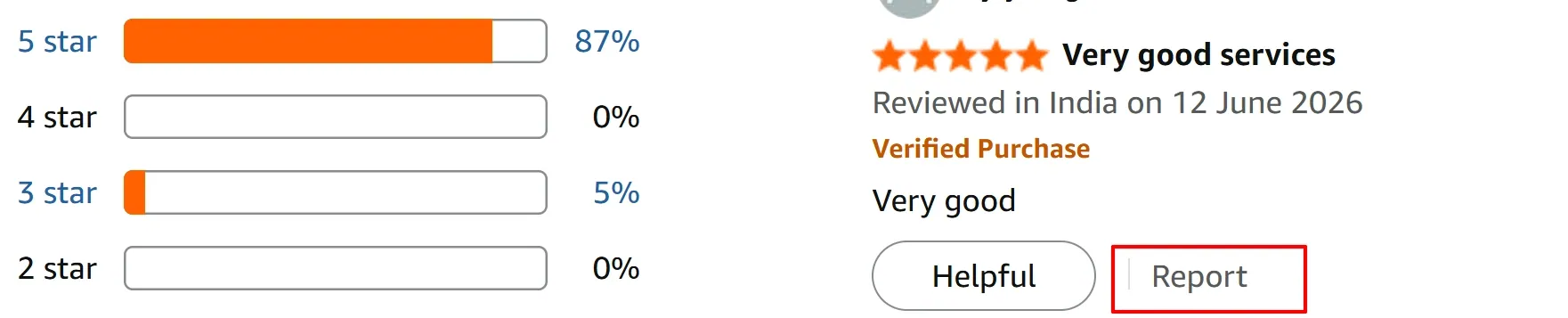
You can find this button towards the end of the review. After locating it, you need to click on it.
Third step: confirming the submission of the report
When you select the “Report” button, Amazon displays a small pop-up window as a step prior to sending the report.
In this window, the platform states that it will review whether the selected comment complies with its community guidelines. If it does not, Amazon will remove it.
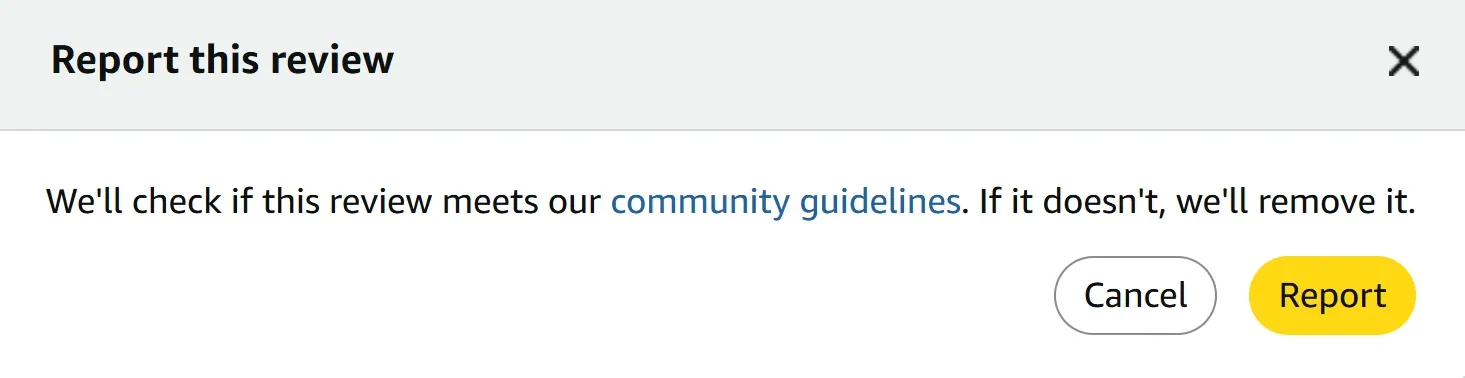
Finally, to finish reporting the comment directly, click on “Report”.
How to directly report a review on Amazon that was paid for
Amazon offers a special procedure to handle comments purchased by merchants.
This is another method that both sellers and regular users can turn to, although it is designed particularly for those people who received something in exchange for posting reviews for or against a brand.
First step: entering the report form
The first thing you can do to report a possible case of a paid opinion on Amazon is to go to the form to report paid reviews.
You can access this option directly from the community guidelines page.
Second step: adding the name of the product
After entering the form, the first piece of information you need to add is the name of the product that possibly received an incentivized comment.
This field does not have an autocomplete function, so the more specific you can be with the name of the product, the more solid the report will be.
Third step: adding multimedia information
After indicating the name of the product, Amazon will ask you to include multimedia information as evidence of the offer you would have received in exchange for posting the comment.
Such evidence can consist of photographs, screenshots, text files or videos.
Fourth step: including additional details
If you want to complement the evidence provided in the previous case, you can use a text field to add additional comments that may be useful for Amazon’s moderators. This is a completely optional step.
Finally, you can click on the “Submit” button to send the report to the platform.
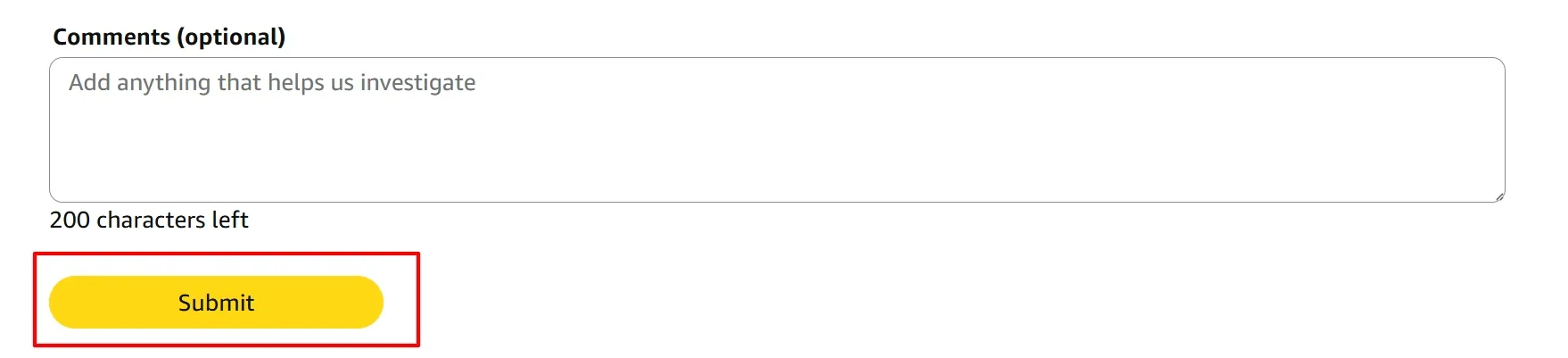
Amazon will investigate the report to determine whether or not the review violates its community guidelines.
If the answer to the case is affirmative, you as a buyer may receive different sanctions from the platform, such as the temporary or permanent suspension of the account, the removal of comments or the withholding of your balance.
How can you report a fake opinion on Amazon as a seller?
As mentioned earlier, Amazon sellers cannot remove reviews on their own. This way, the platform prevents possible manipulation attempts by merchants.
However, the website has different official channels so that sellers can report cases of opinions that unjustifiably attack their products and/or that violate the community guidelines.
First method: using the “Report a Violation” feature of Amazon Seller Central
Amazon merchants with a brand registered on the platform have access to a management panel, Amazon Seller Central, which gives them different options to manage their brand on the website.
This management panel includes a procedure that sellers can use to report reviews, and this is the “Report a Violation” tool, which is exclusive to those who registered their brand and have the “Brand Registry” panel enabled.
The steps to follow within this procedure would be:
- In the Brand Registry panel, you can click on the “Report a Violation” button.
- Then, you have to search for the content you want to report.
- Selecting the category of the report among the three available ones.
This will take you to a guided form that will ask you for certain fields that Amazon needs in order to assess your case.
If your report contains structured evidence and Amazon’s moderators identify a real violation of their community guidelines, there is a chance that your case receives a resolution within 5-7 days after submitting the request.
Second method: using the Community Help email
An additional procedure that Amazon merchants have at their disposal to report possible cases of fake reviews on the platform is writing to the community guidelines support email, community-help@amazon.com.
This is an official channel that you can use as a complement to the “Report a Violation” tool or to the “Report” option included in each comment on the platform, since it allows you to send additional information that can be useful for the case.
The more details a report contains, the more useful it can be for Amazon’s moderators, since it will give them more and better information to deliberate on the case. In this sense, you can consider adding data such as:
- Publication date of the review.
- Screenshots of the opinion.
- Direct link to the comment.
- Name or alias of the author.
- Reason why you believe the comment violates a guideline.
Amazon does not usually confirm the reception of this type of email, so the absence of a reply does not necessarily mean that the report is not being processed.
What can I do if Amazon does not remove the review?
It can happen that Amazon considers that the review does not violate its community guidelines and does not delete it from the website. That does not necessarily mean you are left without options.
In the first place, it is important to stay calm so as not to make rushed decisions that would very probably worsen the situation and give you greater difficulties.
Once you think it over with a cool head, it may be easier for you to identify different options that help you limit the possible repercussions of the review, such as:
- Responding to the comment in a professional and respectful manner.
- Hiding the bad review with a greater volume of positive opinions.
- Starting a legal procedure on the grounds of defamation.
Each course of action is surrounded by details that, as far as possible, it is advisable for you to review alongside an expert ally in public relations or in online reputation management.
Final comments on fake reviews on Amazon
A fake review on Amazon can compromise the integrity of the platform, but there are ways to address this situation and mitigate its possible effects.
Both buyers and sellers have official methods to report opinions that violate the website’s rules and, in this way, allow Amazon to review each case and respond according to its investigation.
However, Amazon’s system is not perfect, and there can be comments that, even being fake and unjustified, remain on the platform.
For these scenarios in which the official procedures are not enough, having the backing of an ally specialized in content removal can be beneficial.
At Media Removal we dedicate ourselves to this type of situation, since we develop and apply solutions to manage cases of harmful content removal that a platform like Amazon may not resolve correctly.
You can schedule a meeting with our team of experts if Amazon or another platform did not give you a satisfactory response in a case that compromises the reputation of your brand or the sales of your product.
 Subscribe to our newsletter
Reputation insights and industry news from the Media Removal team, straight to your inbox.
No spam. Unsubscribe anytime.