Summarize this post with:
Facebook is part of the digital life of millions of people and businesses, but that exposure can also become a problem when false accusations start to circulate, along with harmful posts or comments that directly affect someone’s reputation.
In many cases, the affected user does not know which channel to use, what type of content can be reported, or how to prove that a post is not a simple opinion but a potentially defamatory statement.
These problems can become more complicated because Facebook’s regular reporting flow does not always address this kind of situation.
When the content affects someone’s honor or presents false facts as if they were true, it may be necessary to turn to a more specific procedure.
The Facebook Defamation Report Form is one of the tools Meta makes available to users to file this type of claim.
What is the “Facebook Defamation Report Form”?

The Facebook Defamation Reporting Form is a channel enabled by Meta so that a person, company, or authorized representative can report the presence of potentially defamatory content within Facebook.
Its purpose is to gather the information needed for the platform to carry out a legal assessment of the case.
For this reason, the form asks for more details than an ordinary report filed directly from a post.
What does Facebook consider “defamation”?
Facebook does not decide in a general way whether any harmful comment is defamatory.
The assessment depends on the laws that apply in each jurisdiction and on the specific context in which the content was published.
As a general criterion, a defamation claim is usually related to a statement presented as a fact that harms the reputation of a person or entity.
For example, publicly accusing a company of committing a crime without any basis could raise a different issue than posting a negative opinion about its service.
Where can I access this form?
The form can be found through the Facebook Help Center, within the options related to defamatory content or violations of legal rights.
Meta may require the user to be logged in to Facebook before allowing access to the form.
If you cannot find the form, you can also use the reporting feature available on every Facebook post by clicking the three dots “•••”, or access it from this link.
How to complete the Facebook Defamation Report Form? Steps to report defamation on Facebook
Before you start, it is important to gather all the information related to the defamatory content, collecting screenshots or details about the negative post.
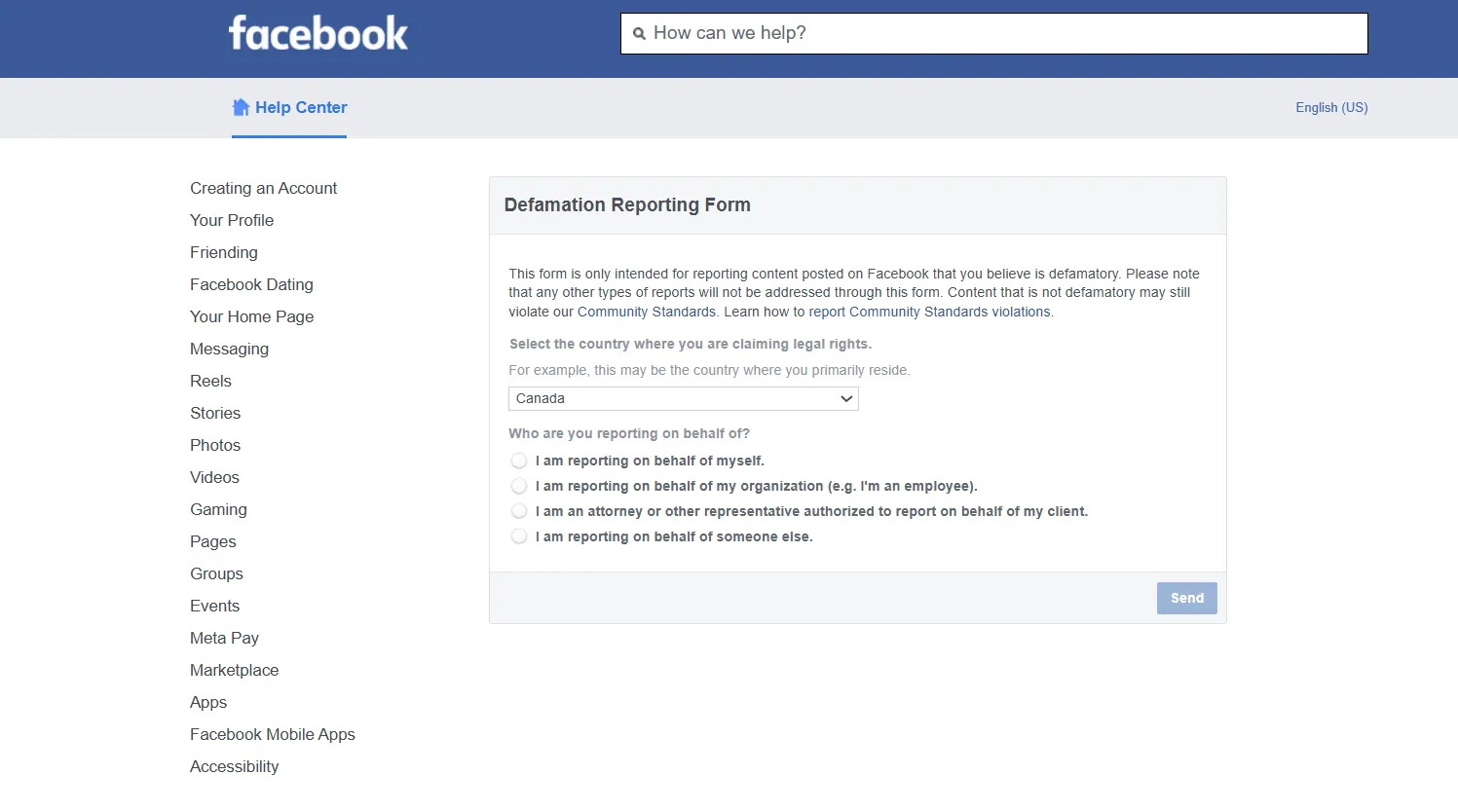
Then, you can follow the steps below to complete the Defamation Reporting Form:
- First, you must choose the country you are in and then select one of the four options the form shows, which are:
- I am filing this report on my own behalf.
- I am reporting on behalf of my organization (for example, I am an employee).
- I am a lawyer or another authorized representative filing the report on behalf of my client.
- I am filing this report on behalf of someone else.
- Then, you must complete all the information related to your report, which includes your name, address, email, the reason you want to report, the harmful URLs, attachments, electronic signature, and clicking send.
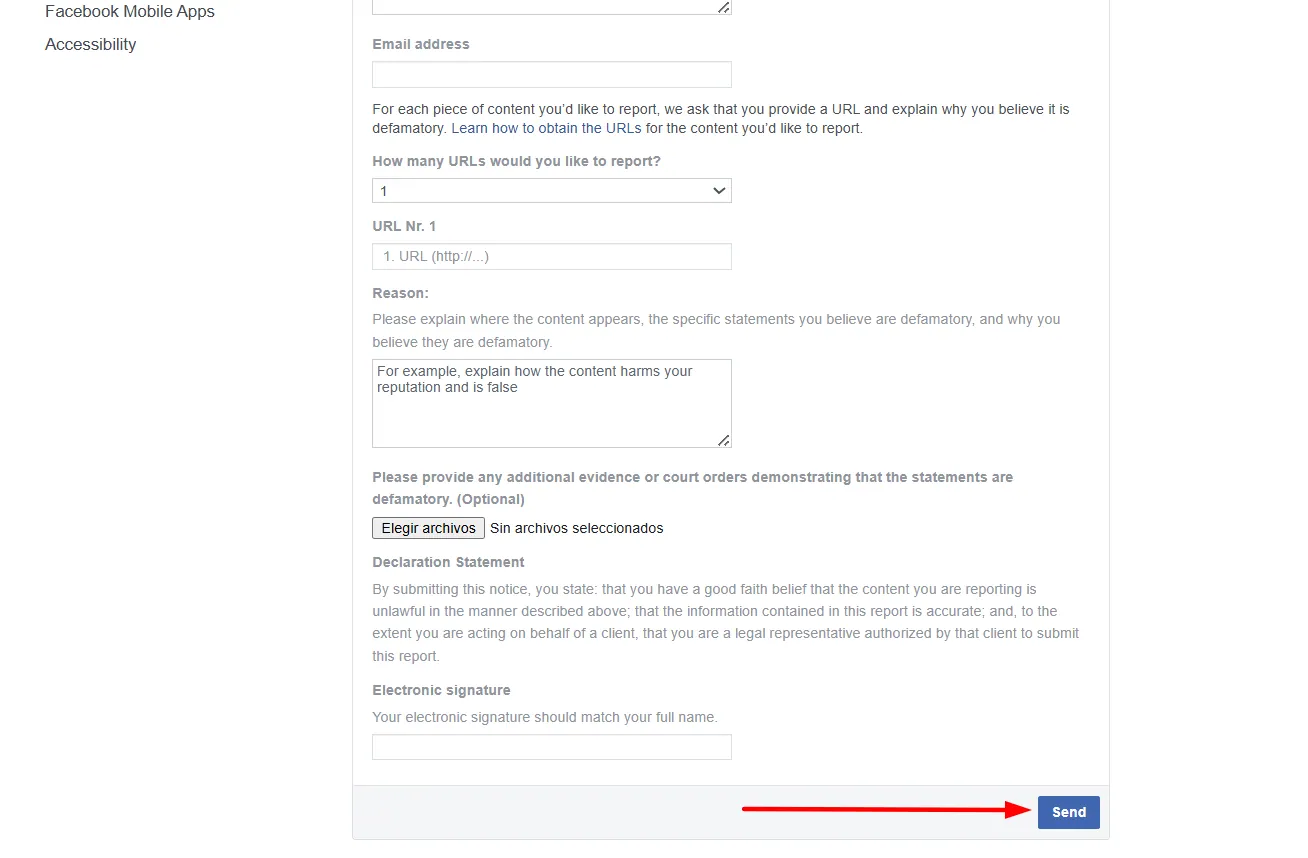
Once you complete this process, your request will be under review.
When filling in the fields, it is important to pay special attention to how you explain the reason for your claim and to the URLs or attachments you provide about the defamatory post.
The clarity and precision of this information can directly influence Facebook’s response.
What happens with the form in the United States?
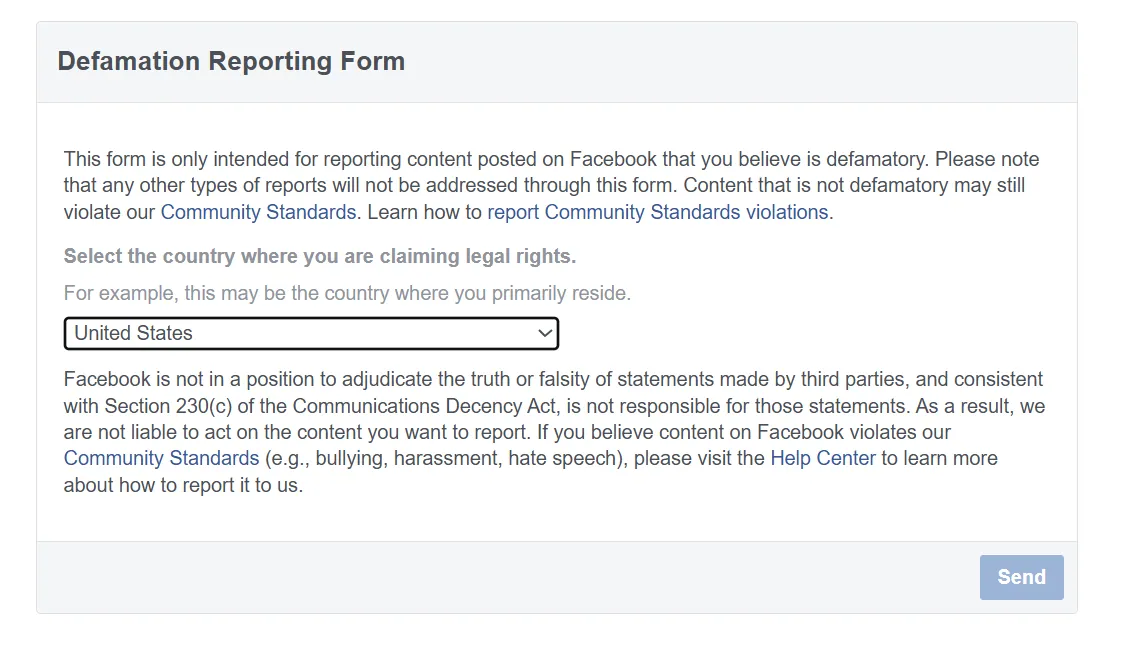
In the United States, Facebook does not allow this form to be used for legal reasons (Section 230(c) of the Communications Decency Act), showing this message:
“Facebook is not in a position to adjudicate the truth or falsity of statements made by third parties, and consistent with Section 230(c) of the Communications Decency Act, is not responsible for those statements. As a result, we are not liable to act on the content you want to report. If you believe content on Facebook violates our Community Standards (e.g., bullying, harassment, hate speech), please visit the Help Center to learn more about how to report it to us”.
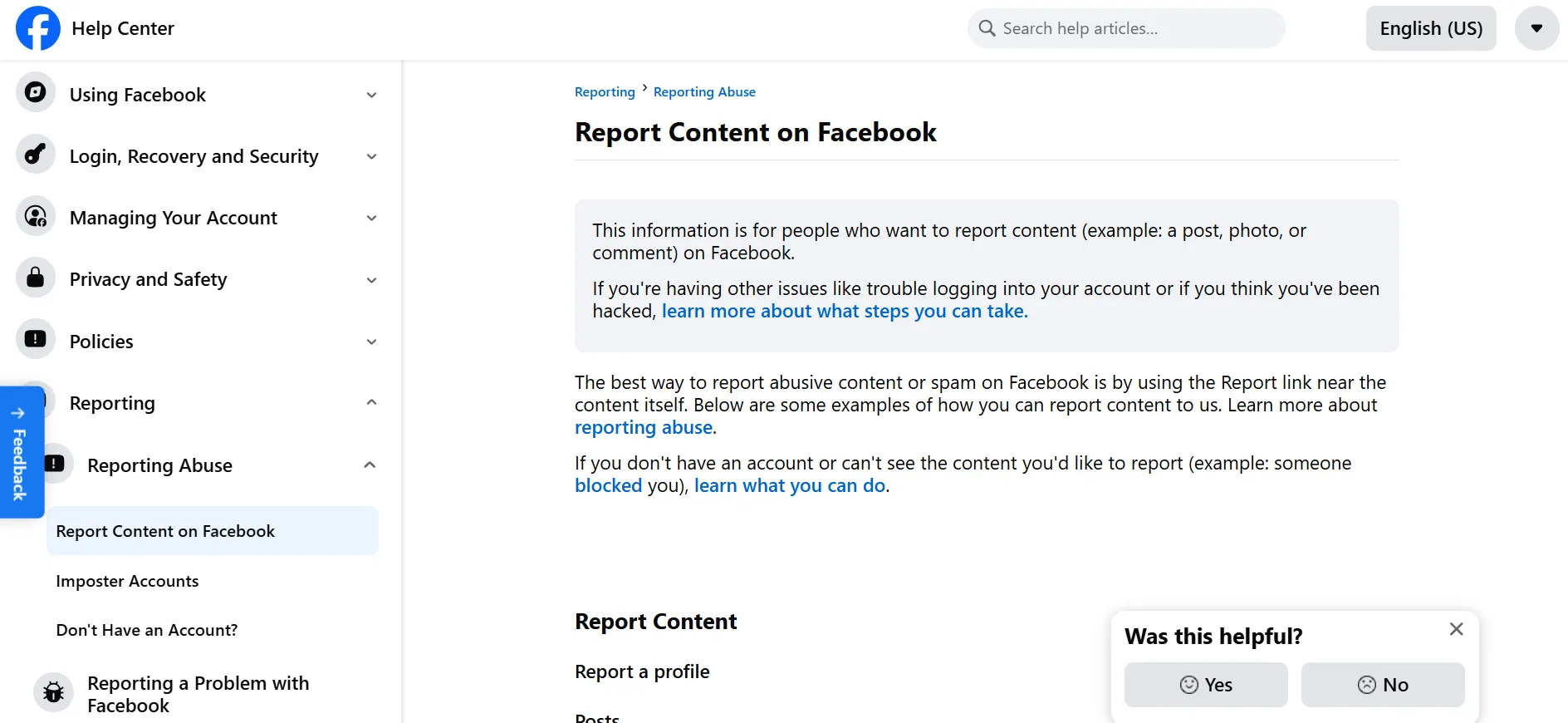
In these cases, you must go to the Facebook Help Center to report the content through the reporting options available on the platform’s posts or profiles.
What happens after you submit the form?
Once the Defamation Reporting Form is submitted, Meta may send an automated message confirming receipt of the request.
This email does not mean Facebook has agreed to remove the content.
From that moment on, the reviewing team may check whether the form is complete, whether the URLs work, and whether the claim presents a clear enough basis to continue the analysis.
How long should you wait for a response from Facebook?
Facebook does not set a single, guaranteed timeframe to resolve all defamation claims. The review time can vary depending on the complexity of the case, the number of reported posts, the jurisdiction, and the documentation provided.
Some requests may receive a first response within a few days, while others take several weeks.
Cases with incorrect URLs, incomplete explanations, or several statements that are hard to verify may need more time. The process can also take longer if Meta requests additional documents.
How do I know when Facebook has made a decision about my request?
The decision is usually communicated through the email address provided when submitting the form.
The message may state that Facebook has removed the content, restricted access to it, or found insufficient grounds to act.
You can also check directly whether the post is still available. However, content no longer being visible does not necessarily mean it was removed because of the claim, since the author may have deleted it themselves.
What happens if Facebook rejects my request?
Facebook rejecting the request does not necessarily mean the statements are true.
Instead, it means that, with the available information, Meta did not consider it appropriate to remove the content through this form.
The claim may be rejected because it does not identify a specific statement, because the content is interpreted as an opinion, because not enough evidence was provided, or because the platform considers that a court ruling is needed.
It may also happen that the post does not qualify as defamation, but can still be reported for another reason. For example, it could include personal data, threats, harassment, intimate images, impersonation, or copyright-protected content.
How can I prevent Facebook from rejecting my form submission?
One of the main ways to reduce the risk of rejection is to file a specific claim. Facebook must be able to quickly identify what was published, where it appears, and why it could be unlawful.
In addition, each reported statement should be linked to a specific URL, and instead of claiming that “the whole profile posts lies,” it is more effective to point out the exact statements and explain individually why they are false.
Final thoughts on the Facebook Defamation Report Form and what I can do if I am still affected
The Facebook Defamation Report Form can be a useful tool when there is a specific statement, potentially false and capable of causing real harm to the reputation of a person or company.
Its effectiveness largely depends on how the case is presented.
Exact URLs, a structured explanation, and relevant evidence make it easier for Meta to understand the claim and assess whether any action is warranted.
However, the form does not guarantee the removal of the content, since Facebook may interpret that the post is an opinion, that there is not enough information, or that the dispute should be resolved through an external legal channel.
If the posts remain active after you have used the available options, at Media Removal we can help you remove content and manage reputation problems on social media.
To do that, you can request a quote and our team will contact you to review your case and resolve it in the best possible way.
 Subscribe to our newsletter
Reputation insights and industry news from the Media Removal team, straight to your inbox.
No spam. Unsubscribe anytime.