Summarize this post with:
While Glassdoor tends to be a useful platform for companies looking to strengthen their online reputation, some of them may decide to leave this website in order to restructure their strategy.
That said, Glassdoor has a strict policy regarding the deletion of company profiles on its platform, something you should know if you plan to use or leave this website.
What is a company profile on Glassdoor?
A company profile is an organization’s public space within this directory, and it includes the following information:
- General company information.
- Anonymous reviews from current and former employees.
- Average salary ranges broken down by job position.
- A list of perks, services, and benefits offered by the company.
- The organization’s active job openings.
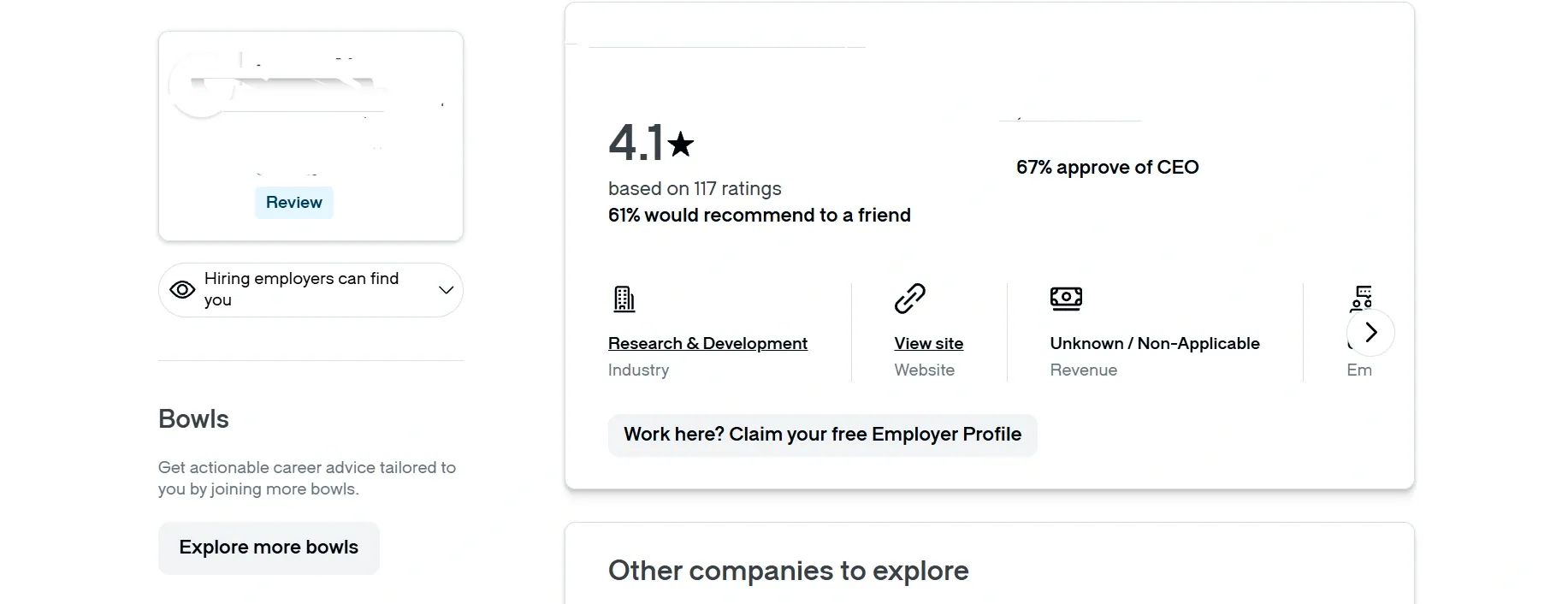
This profile should not be confused with the employer account, which is the free account that a representative authorized by the organization uses to directly manage the project’s public profile on the platform.
Is it possible to delete a company profile from Glassdoor?
While it is indeed possible for a company profile on Glassdoor to be deleted, only the directory itself has permission to carry out the removal.
That being said, Glassdoor tends to be very strict about deleting company profiles, and it will only grant an employer’s request in exceptional cases.
Glassdoor’s reason for limiting the removal of its company profiles
According to this Glassdoor trust and moderation policy page, the directory limits the deletion of company profiles to promote workplace transparency and the aggregation of job listings.
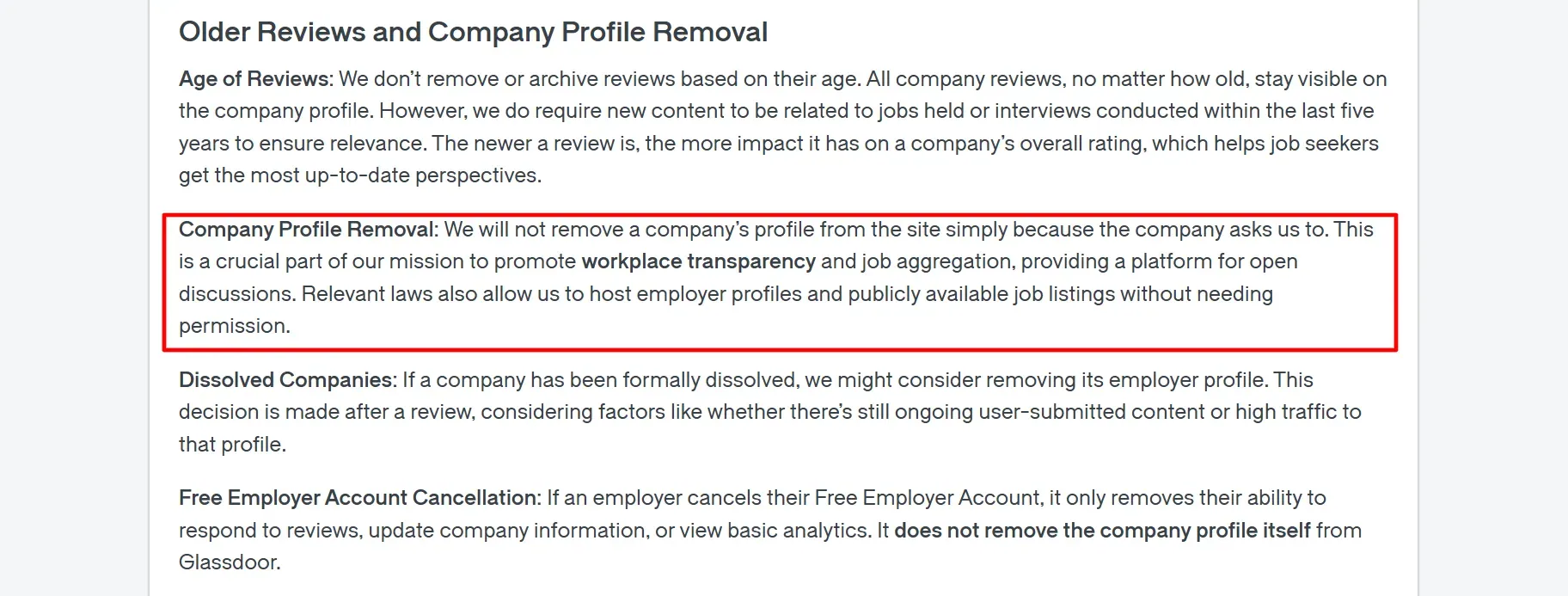
This page also states that Glassdoor is backed by laws that allow it to store employer profiles and public job listings on its website without needing to ask companies for permission.
What happens if I delete the employer account?
Deleting your employer account on Glassdoor causes you to lose the ability to manage your company profile on the platform.
That said, even though you lose the ability to manage this profile directly, it will remain active in the directory indefinitely unless an exceptional case arises.

Take back control of your online reputation
We can review your case and offer a personalized solution to take back control of what’s said about you or your business online.
Get a quote in less than 24 hours
Exceptional cases where Glassdoor could delete a company profile
According to the Glassdoor Help Center, the directory may delete a company’s profile from its directory only in the following scenarios:
- The company requesting the profile deletion has been dissolved.
- The organization was or will be acquired by another company.
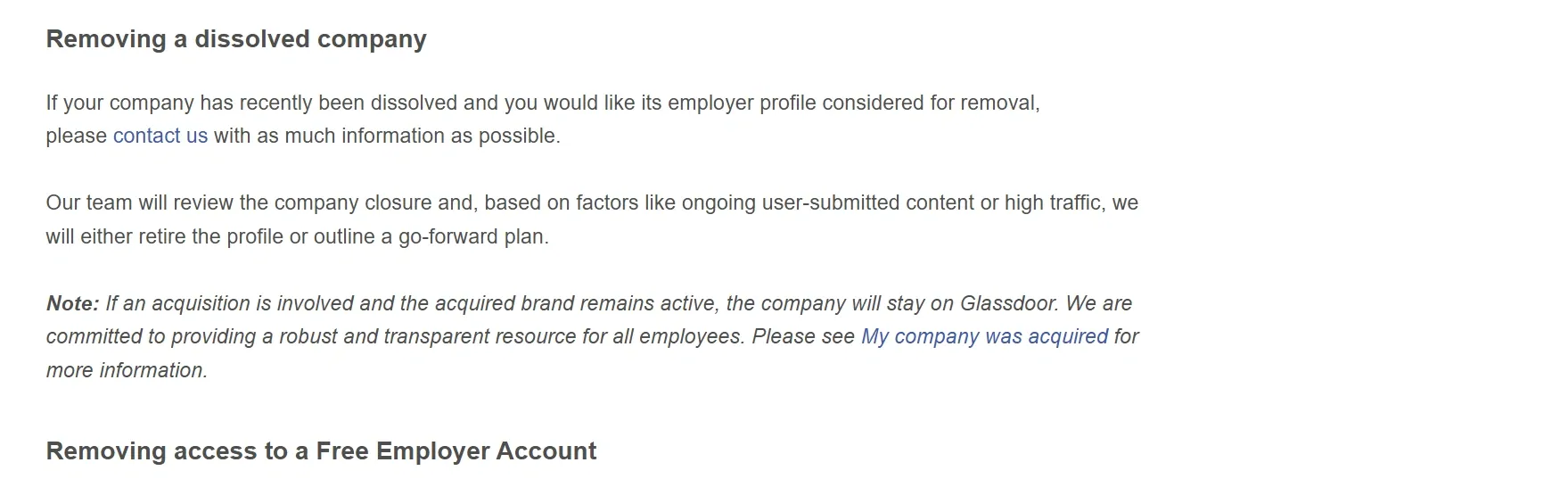
That being said, a company meeting one of these conditions does not necessarily mean that Glassdoor will remove its profile from the platform, but rather that the directory will consider doing so after a review process.
The factors Glassdoor evaluates to delete a company profile
Glassdoor considers different factors when evaluating whether to remove a company profile from its directory of organizations, such as:
- Formal closure of the company: the company requesting the removal must submit legal documentation validating the end of its operations and its corresponding dissolution.
- Profile traffic volume on the platform: Glassdoor analyzes the volume of traffic the company profile receives on the site.
- User-submitted content: the directory measures the flow of reviews the profile receives, as well as the amount of salary information shared by workers.
Glassdoor may deny a deletion request even if the organization no longer exists. For example, if user traffic to the company profile is high, the platform will likely keep it for historical preservation reasons.
Step-by-step guide to requesting the removal of a company profile on Glassdoor
The Glassdoor contact page is the appropriate channel to request the deletion of your project’s company profile after its dissolution. We guide you through the procedure to use it successfully:
- First, in the introduction section, you must choose the “I am an employer” option.
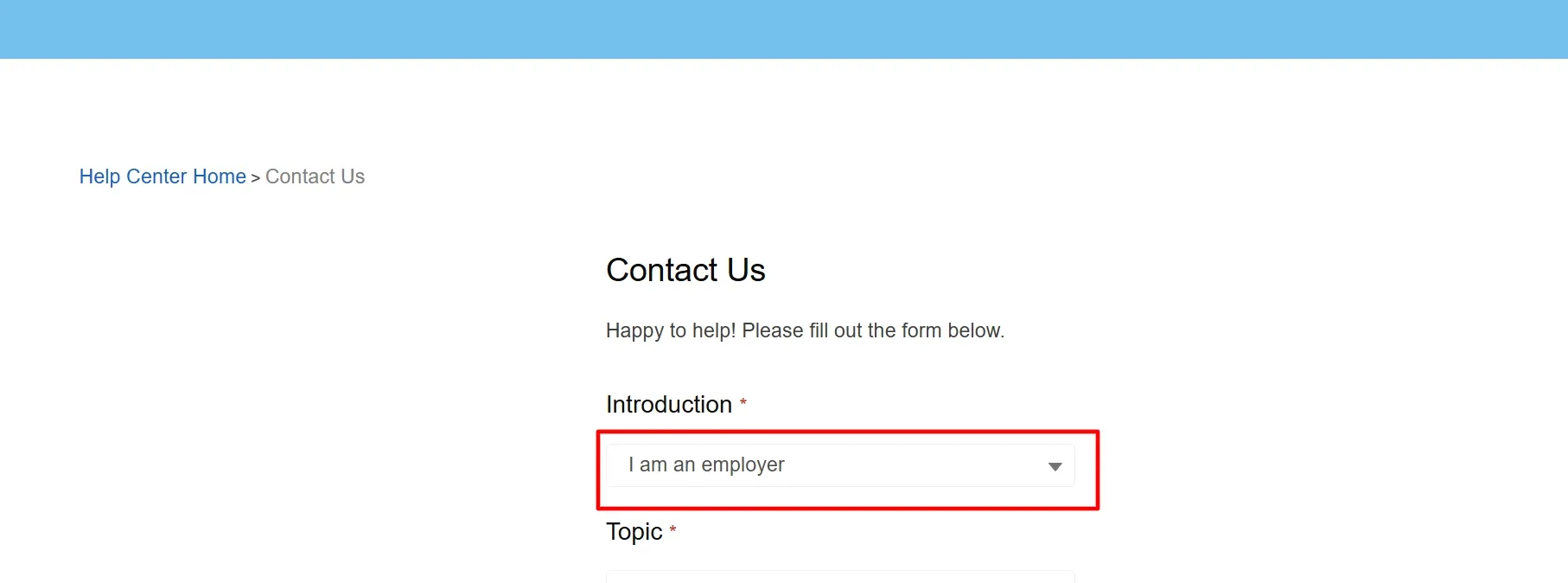
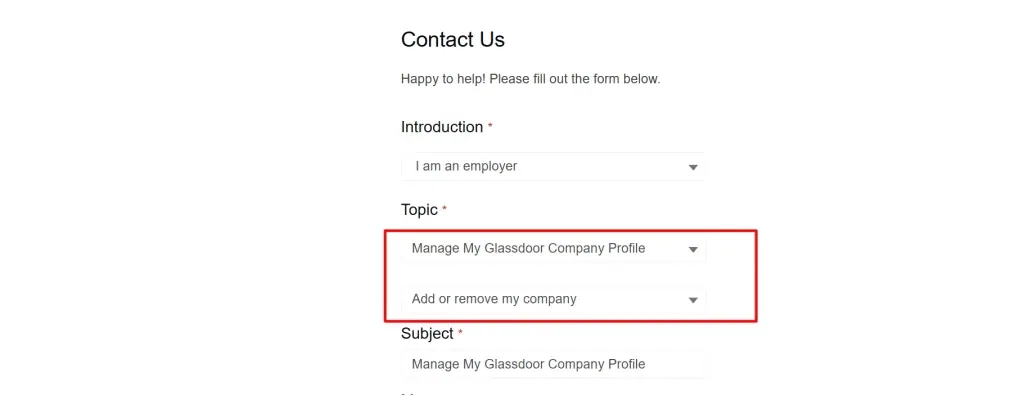
- Then, in the Topic area, you must select the “Manage My Glassdoor Company Profile” option.
- Next, when Glassdoor asks for more details about your inquiry, you must select the “Add or remove my company” option.
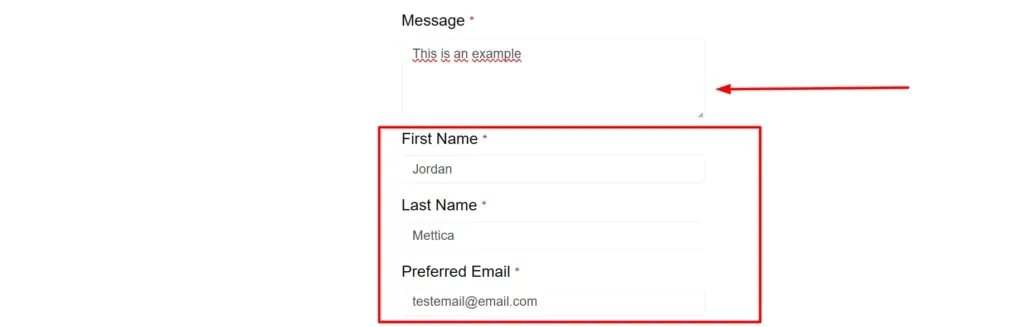
- After that, the form will allow you to add more details about your request in a text box.
- Below the text box, you must include your first name, last name, and email address.
- Then, using the “Upload Files” button, you must include the documentation that shows the dissolution of your organization or its acquisition by another project.
- To finish submitting your request, you have to click on “Send“.
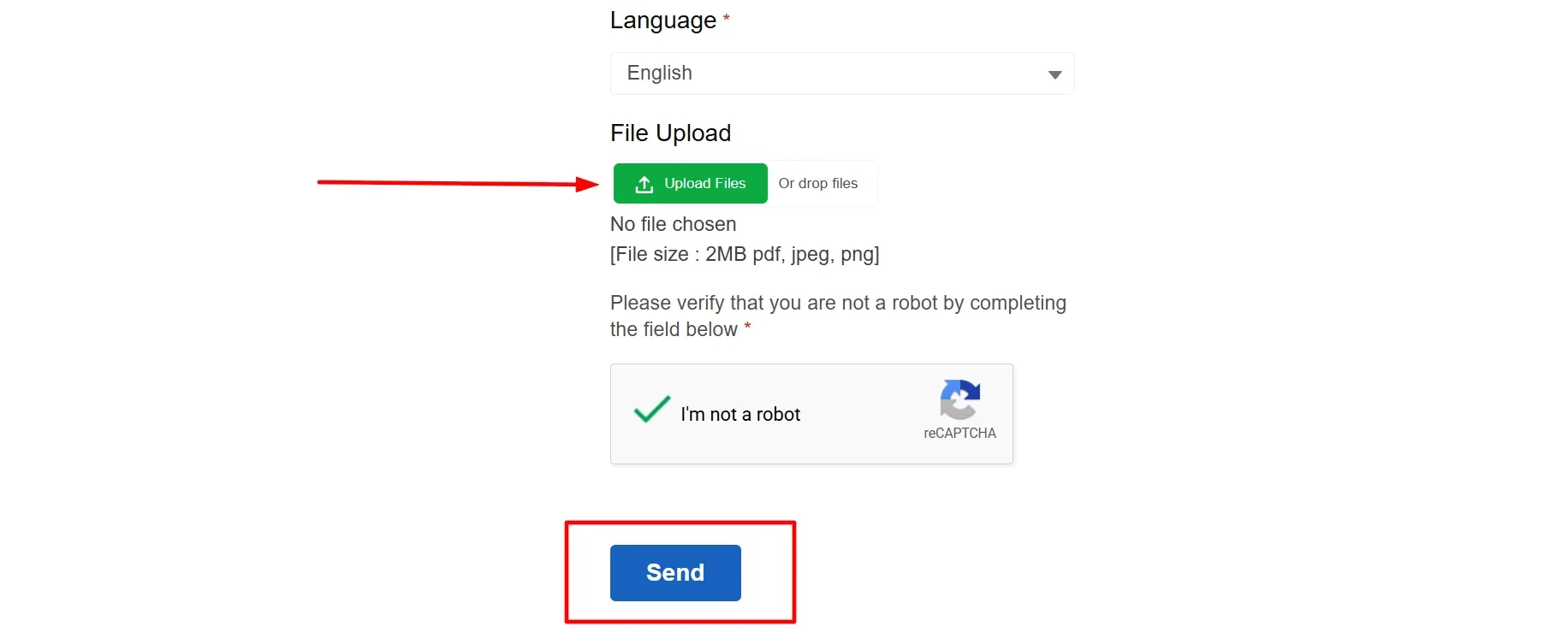
Glassdoor will thank you for using its contact page and will tell you that it will seek to respond to your request within the next 48 business days.
Final thoughts on deleting company profiles on Glassdoor
While Glassdoor has strict guidelines on removing company profiles from its directory, there are exceptions that companies can use to their advantage.
If your organization has been acquired by another or has been dissolved, but Glassdoor keeps its profile on its site, you have the option to request the deletion of the account so the platform can decide whether or not to proceed.
That said, to prepare a solid request that meets Glassdoor’s requirements, one possible alternative is to turn to the services of Media Removal.
Our knowledge of this directory’s policies and their respective procedures helps us speed up the handling of your request so you don’t waste time protecting your digital footprint.
We invite you to schedule a meeting with our team to start building a solution for your issue with Glassdoor or similar directories on the Internet.
 Subscribe to our newsletter
Reputation insights and industry news from the Media Removal team, straight to your inbox.
No spam. Unsubscribe anytime.