Summarize this post with:
Having reliable information on how to delete your Instagram account tends to be very useful when you want to take care of your digital footprint and strengthen your online privacy.
You can use this text as a guide to help you delete your Instagram account in the way that is most convenient for you.
How do I delete my Instagram account from the desktop?
First, we show you the procedure to delete an Instagram account directly from your preferred web browser once you have logged in to your profile:
- First, you need to click the “More” button in the lower left corner of the screen, next to three horizontal lines.

- Instagram will display a window with several options. Among them, you need to choose “Settings”.
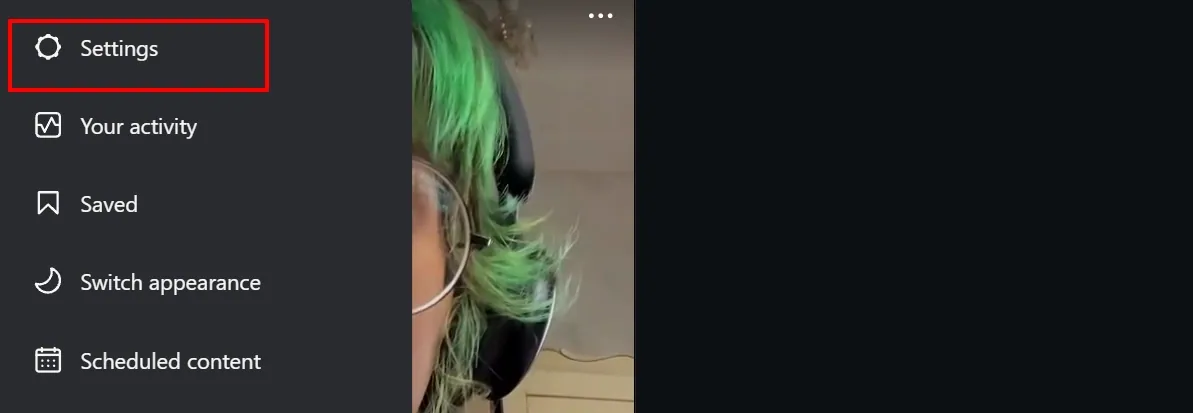
- You will land on a new Instagram page. Here, you need to choose the “Meta account” option.
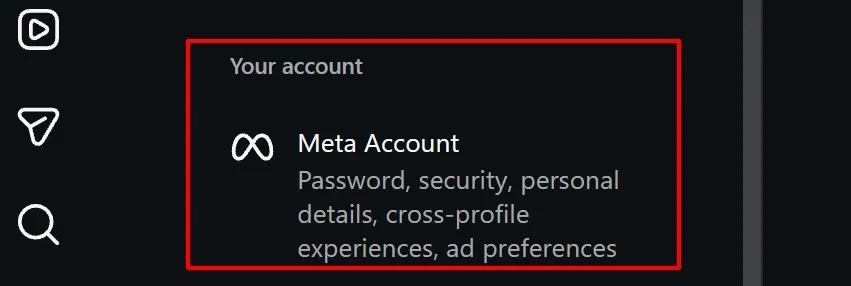
- The previous action will take you to the Meta Accounts Center. In this section, you need to click “Manage account”.

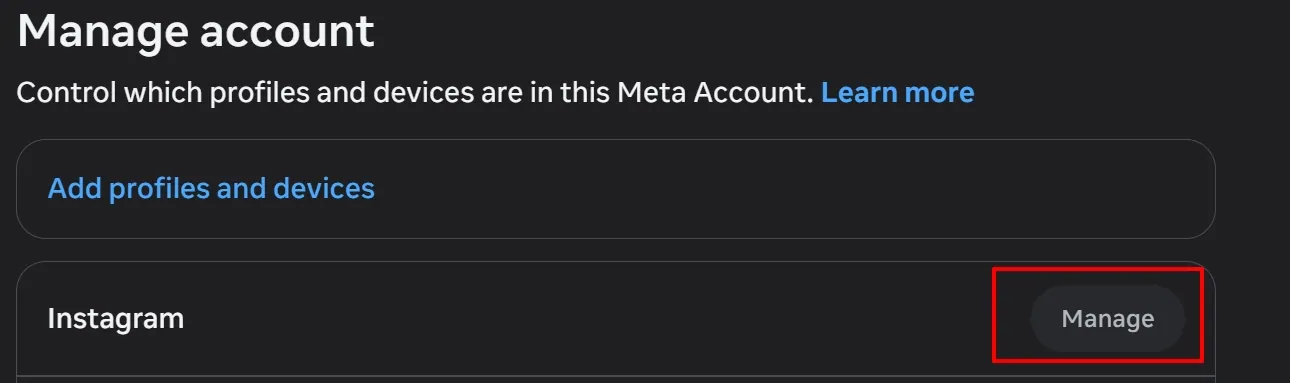
- You will reach a page with all the profiles linked to your Meta account. In this step, you need to choose the Instagram account you want to delete and click “Manage”.
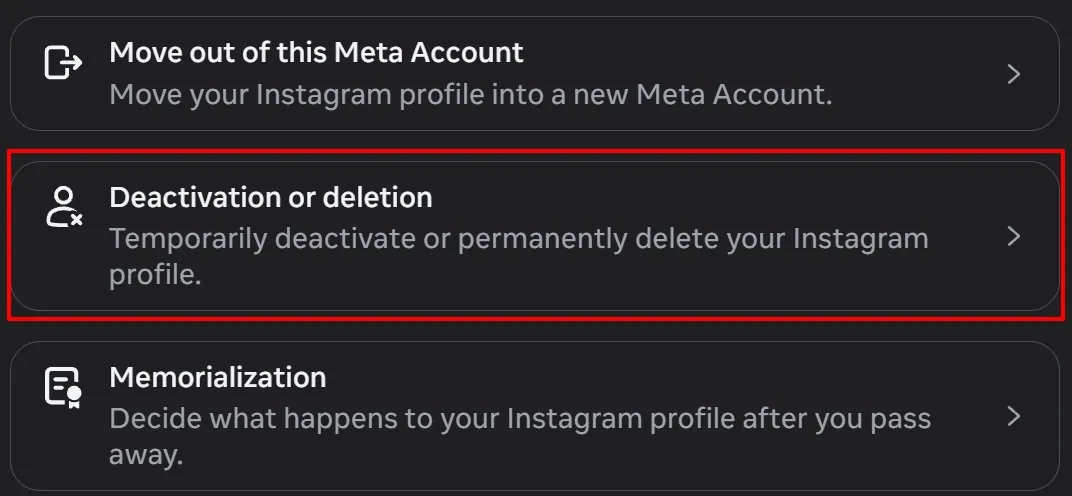
- Instagram will display a small pop-up window with three options. This time, you need to choose the middle option, “Deactivation or deletion”.
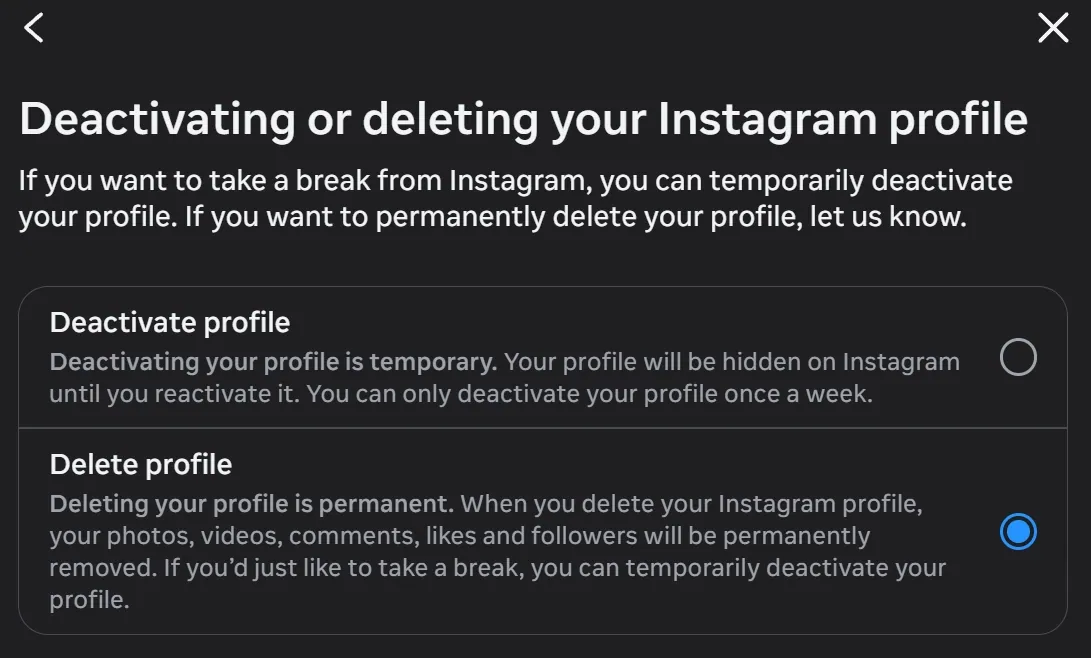
- Then, you need to select the “Delete profile” option.
- Instagram will show you a summary with the number of posts and followers you have. To continue the process, you need to click “Continue”.
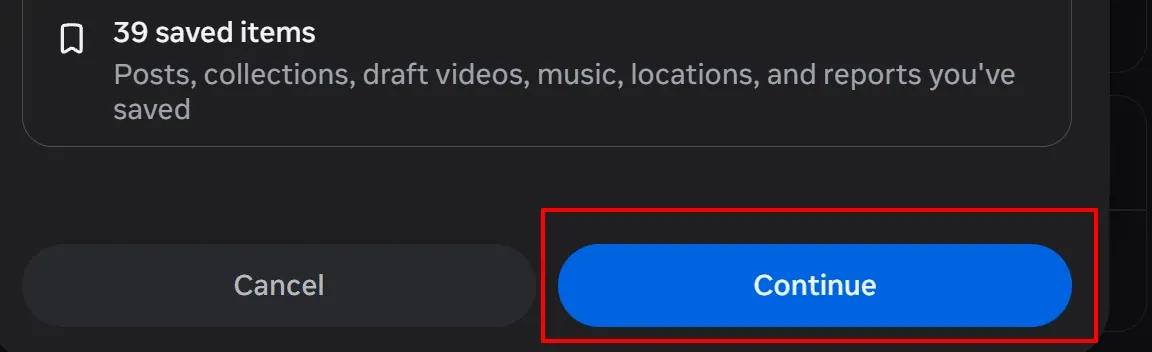
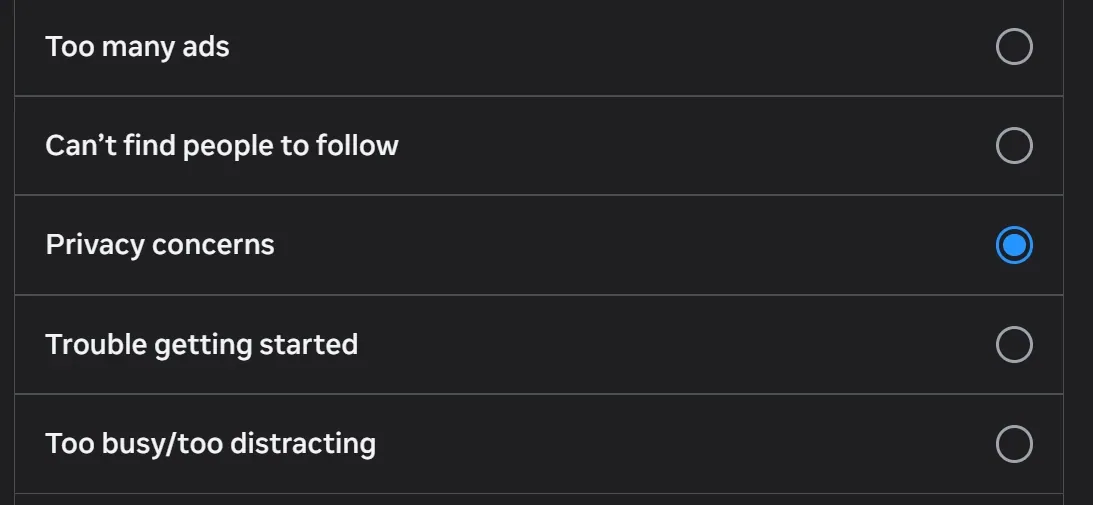
- Next, the social network will ask you to choose a reason for leaving. You can choose the one that best fits you before pressing “Continue”.
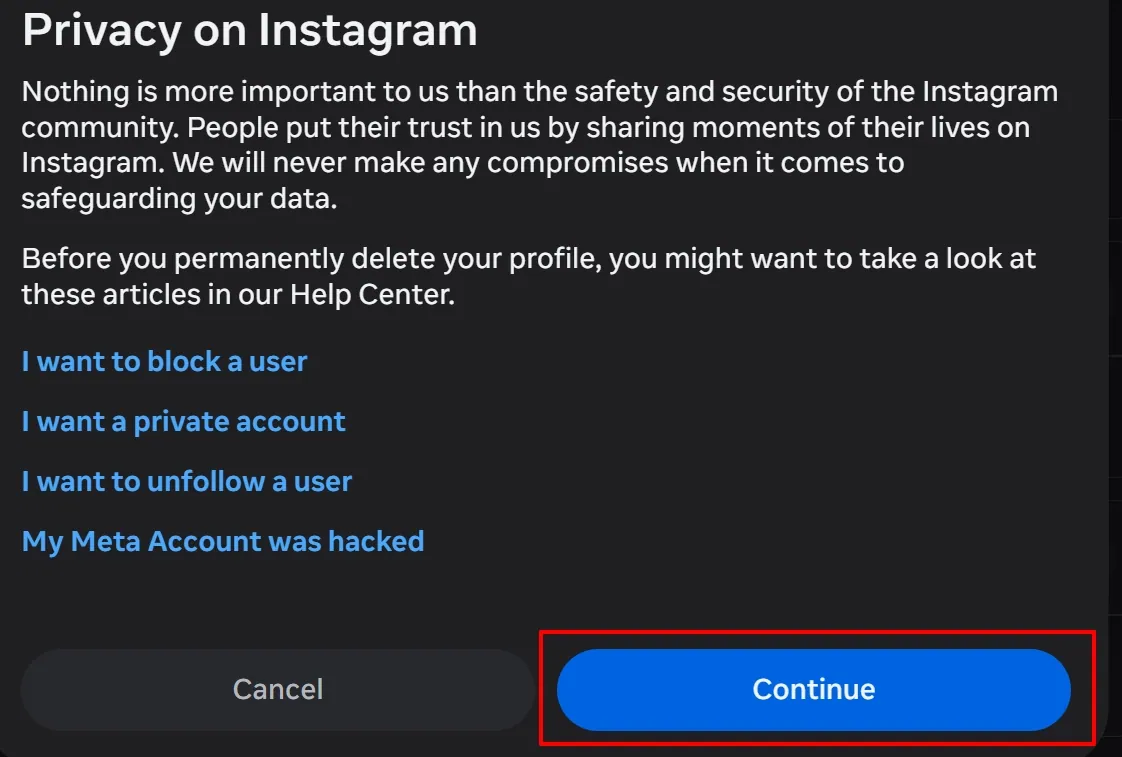
- Instagram will suggest checking some resources from its Help Center before moving forward with the process. If you are still sure about your decision, you need to click “Continue”.
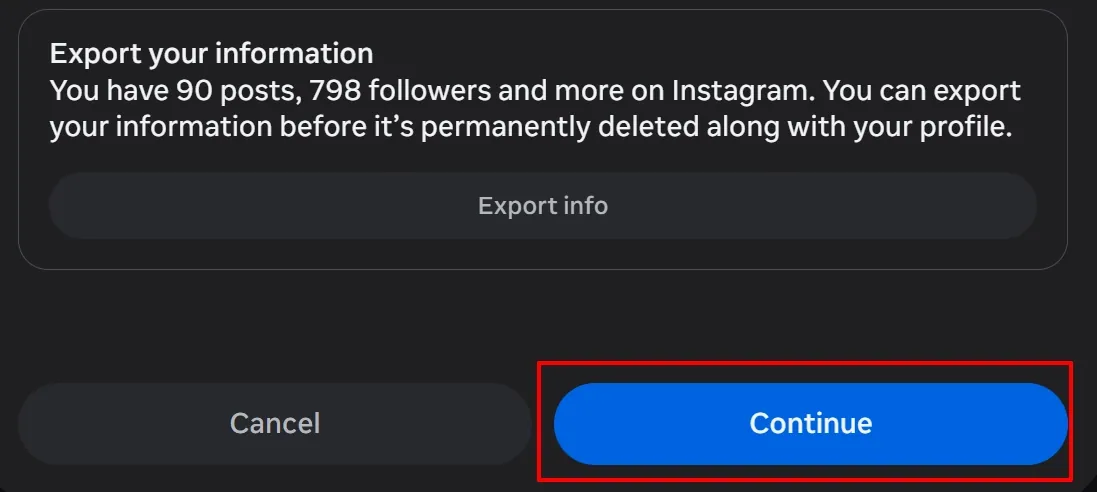
- Before moving forward, the platform will give you the option to deactivate your profile and export your information prior to deletion. To continue, you need to click “Continue”.
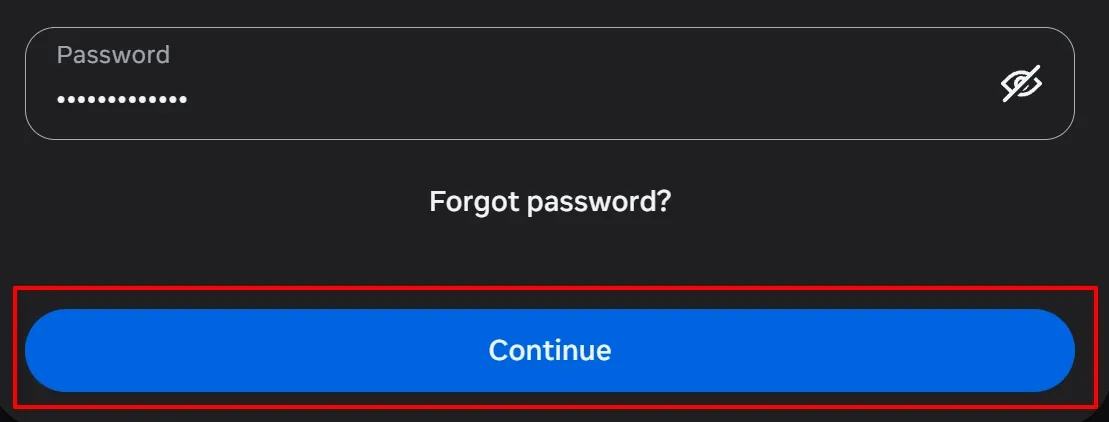
- Instagram will ask you to enter your password again to confirm that you are the one carrying out the procedure.
- Finally, the website will show you information about the final date on which your account will be deleted. To complete the procedure, you can click “Delete profile”.
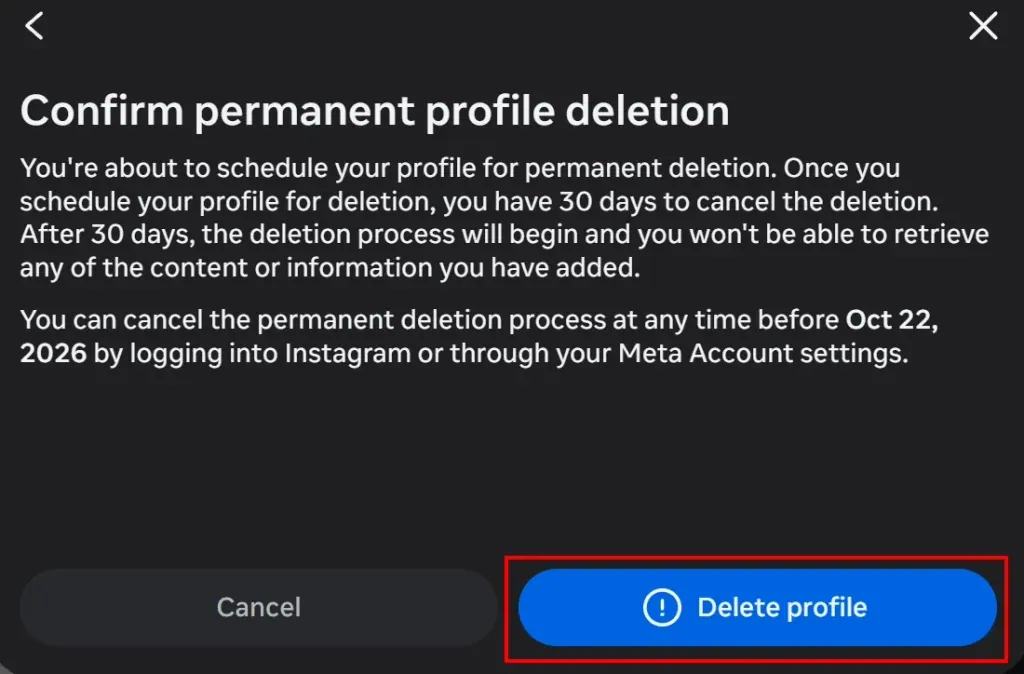
Your Instagram account is not permanently deleted as soon as you finish this procedure, but your followers will no longer be able to see you in their feed, and you will not be able to send or receive messages.
How do I delete my Instagram account from my phone?
In practical terms, the procedure to delete your Instagram account from your phone is the same process used to delete it from the browser.
The only step that changes significantly is the first one, since, to reach the Meta Accounts Center, you need to tap the three horizontal lines in the upper right corner of your screen, directly from your profile.
This will take you to the Settings and Activity screen, where you need to choose the “Meta Account” option and then repeat the steps described for the deletion procedure from desktop.

Take back control of your online reputation
We can review your case and offer a personalized solution to take back control of what’s said about you or your business online.
Get a quote in less than 24 hours
What happens right after I delete my Instagram account?
After a user deletes their Instagram account, they get a “grace period” of around 30 days to reverse their decision and reactivate their profile.
If the person does not recover their account during the first 30 days, Instagram will delete it permanently and they will have no way of recovering it.
How can I recover my account if I no longer want to delete it?
To recover your Instagram account during the grace period, you simply need to log back in to the Meta Accounts Center, choose the profile you want to recover, and click “Reactivate”.
Reactivation is immediate and you will not have any kind of limitation when using your account.
What happens to my information after deleting my account?
When a person completes the procedure to delete their Instagram account, all of their content stops being visible to other users on the platform.
Your comments and likes on other people’s posts are automatically removed. However, your direct messages with friends and acquaintances will remain in their inboxes, although you will lose your profile picture and username.
How long does it take Instagram to delete all my information?
The Instagram Help Center states that the complete deletion of your information from its databases can take up to 90 days after starting the corresponding procedure.
That said, the Help Center clarifies that copies of your information may be kept in its systems for legal reasons, violations of its terms and conditions, or harm prevention efforts.
Is deactivating an Instagram account the same as deleting it?
Deactivating an Instagram account is not the same as deleting it, and the following comparison table will probably help us easily understand why:
| Aspect | Deactivate | Delete |
|---|---|---|
| Profile visibility | The profile is hidden from the feed | The profile is permanently deleted |
| Content status | Kept, but hidden | Permanently deleted |
| Username | Still belongs to you | It may not be available for use again |
| Direct messages | Kept | Removed from your account |
| Recommended for | Taking a temporary break | Leaving the platform completely. |
The main difference between both actions is that, while deactivating the account is temporary and reversible at any time, deletion is permanent and final, not counting the 30-day grace period.
Can I delete my Instagram account if I lost access?
A person cannot directly delete their own Instagram account without having access to the profile, but they can report the account to the platform so that the moderators decide whether it is deleted or not.
That said, it is worth clarifying that Instagram will only delete an account upon an external request if it violates the community guidelines.
Final thoughts on deleting Instagram accounts

In many cases, deleting an Instagram account is not a difficult process.
That said, you should know that Instagram will ask you several times whether you genuinely want to delete your profile from the platform, which can be annoying for some users.
If you change your mind and want to recover your account on this social network, the 30-day grace period is the perfect opportunity to restore your profile without complications.
However, if your overall goal is to reduce your digital footprint, you should know that deleting your Instagram account is not enough and that getting support from a group of content removal specialists is usually helpful to know what the next steps are.
At Media Removal we have experience in digital footprint management and content removal on Instagram and other online platforms through specialized methods developed in-house.
If you have an Instagram account you want to delete and would like to know more about what is removed, what is kept on the platform, and the timelines of the process, you can schedule a meeting with our team.
 Subscribe to our newsletter
Reputation insights and industry news from the Media Removal team, straight to your inbox.
No spam. Unsubscribe anytime.