Summarize this post with:
Defamatory comments on Instagram tend to become hotspots of conflict for the reputation of a person or organization.
The problem usually becomes more serious when these opinions are repeated across several posts, a situation that often extends the relevance of a controversy over time.
Fortunately, Instagram offers different procedures to help people manage this type of comment in favor of their image, both within and outside the platform.
Is it possible to directly delete a defamatory comment on Instagram?
An Instagram user can indeed delete a defamatory opinion directly, but only when the comment was made on their own post.
If the opinion was made on a post belonging to an account other than the victim’s, the person has the option to report the content so that moderators can decide whether it violates community guidelines and, therefore, whether it is eligible for removal.
Step by step to delete a defamatory comment on my Instagram posts from mobile
The procedure to delete a defamatory comment on Instagram, whether from mobile or the web browser, involves very few steps.
First, we’ll walk you through this procedure from your device:
- First, you need to go to your Instagram profile and select the post with the opinion you want to delete.
- Once you’re on the post, you must tap the comment you want to delete.
- Instagram will display a window with several options. To finish the process, tap “Delete”.
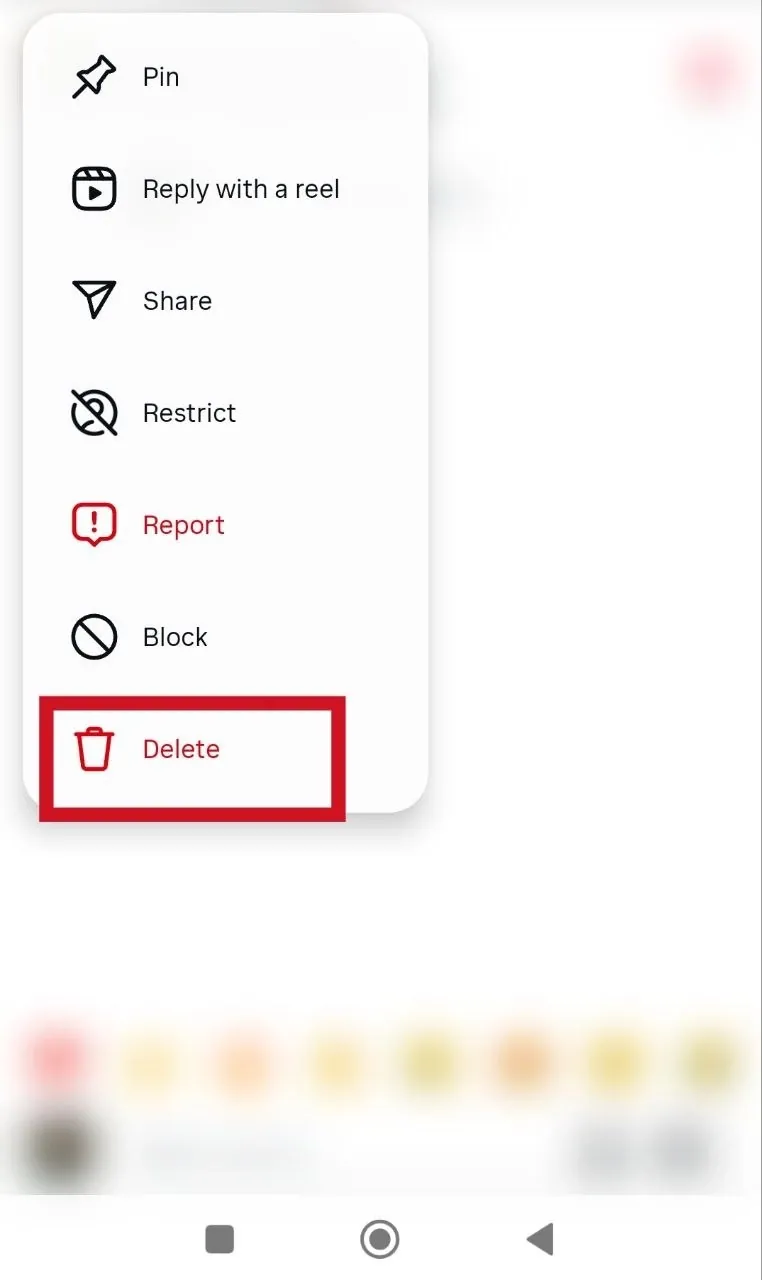
Instagram will display a small window asking you right away whether you want to undo the action in case you made a mistake. If you don’t want to undo the deletion, you can simply switch screens.
Other options Instagram offers to manage opinions on your own posts
On mobile devices, Instagram offers more options besides simply deleting a comment on your own post. Let’s briefly look at the differences between each:
- Restrict: only the author of the comment will be able to see it on your post unless you approve it.
- Block: the user won’t be able to find you on Instagram in any way, and won’t be able to comment on your posts.
- Hide: simply hides the user’s opinion from everyone else on your post until you decide to undo this action.
- Report: notifies the Instagram team of a possible violation of their community guidelines so they can take action against the opinion and its author.
- Delete: the user’s opinion will be permanently removed from your post, and if you don’t undo this action, it will be completely irreversible.
If you’re only interested in a direct deletion, the last option is the best choice. On the other hand, if you want to delete the comment and limit the interaction the author of the opinion can have with you, you’ll likely prefer to block the user.

Take back control of your online reputation
We can review your case and offer a personalized solution to take back control of what’s said about you or your business online.
Get a quote in less than 24 hours
How to delete a defamatory opinion on my post from desktop?
The process Instagram offers users to delete defamatory comments on their own posts from desktop is very similar to the mobile method, as we’ll detail in the following instructions:
- To start, you must find the post that includes the opinion you want to delete.
- Next, you need to select the three dots included by default on each comment to open a pop-up window.
- To finish this procedure, you must click “Delete”.

Instagram doesn’t include the block or restrict options in the browser procedure. While it does allow you to report a comment, this is likely a less useful alternative for you if all you want is to directly delete the content.
What to do when the defamatory comment wasn’t made on my account?
If you’re the victim of a defamatory comment on an Instagram account that isn’t yours, the first thing you should know is that you can report the opinion to the platform so that its moderators decide whether or not to remove it.
That said, it’s important to clarify that removal of the comment, in many cases, will only be possible if the opinion violates Instagram’s community guidelines and puts users’ safety and trust in the social network at risk.
How does Instagram apply its community guidelines to comments?
Instagram uses its community guidelines to indicate what content is allowed or prohibited on the platform and, in that way, protect its users’ experience.
In this sense, a defamatory comment on Instagram is usually removed if it contains any of the following:
- Intellectual property violation.
- Spam.
- Promotion of terrorism, organized crime, or hate groups.
- Harassment or bullying.
- Graphic violence.
- Nudity.
For purposes of reporting a comment as defamatory, it should contain gestures of harassment directed at you or your organization. However, if the opinion violates another item and is removed from the platform, it will stop being visible regardless.
Step by step to report a defamatory comment on Instagram on another user’s post
Reporting a potentially defamatory opinion on Instagram on another user’s account is a somewhat longer procedure compared to deleting the same content, and this applies both to mobile devices and the browser.
You have the following instructions available to make this process much easier for you:
- First, you must locate the Instagram post with the opinion you want to report to the platform.
- In the top right corner you’ll find three dots that you must press to continue the process.
- At this point, Instagram will display a window with three possible options. We suggest choosing “Report” to continue this procedure.

- Next, among the justifications the social network offers for reporting the comment, you must choose “Bullying or unwanted contact”.
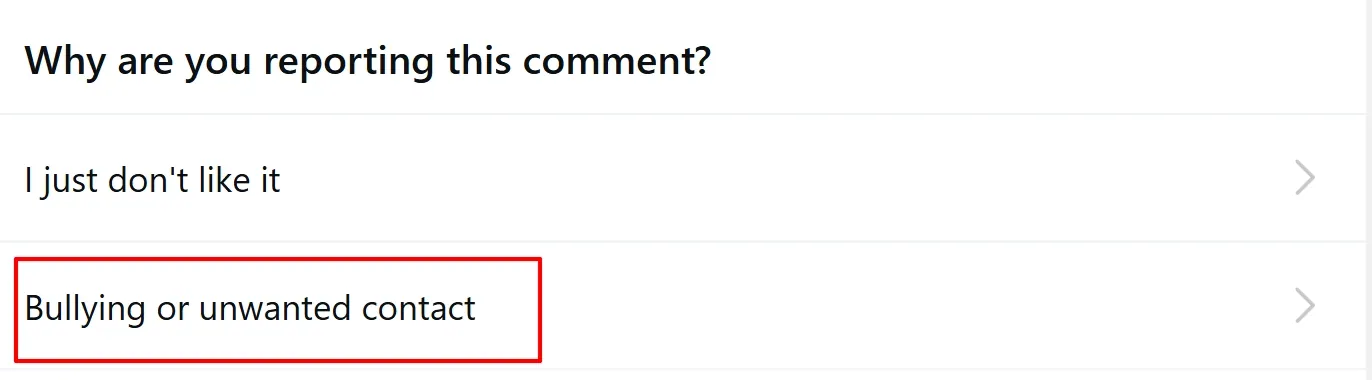
- Then, the platform will ask you to choose between three options to get more detail about your request. We recommend selecting “Bullying or harassment”.
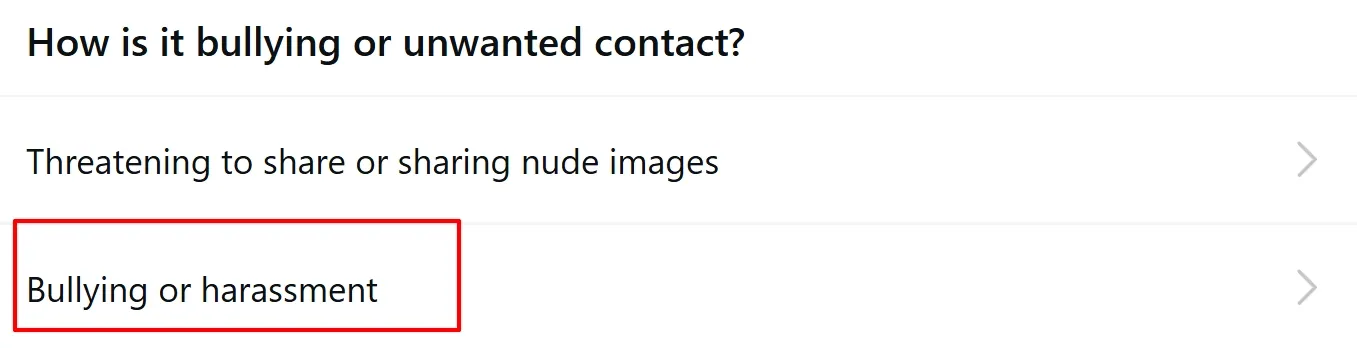
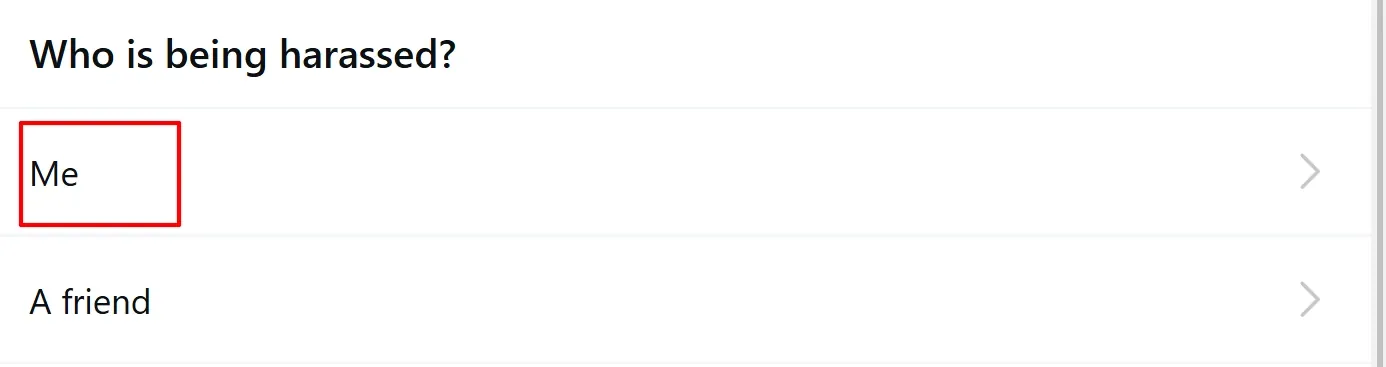
- At this step, Instagram will ask whether you, someone you know, or a stranger is the victim of the comment you’re reporting. Here, you can select “Me”.
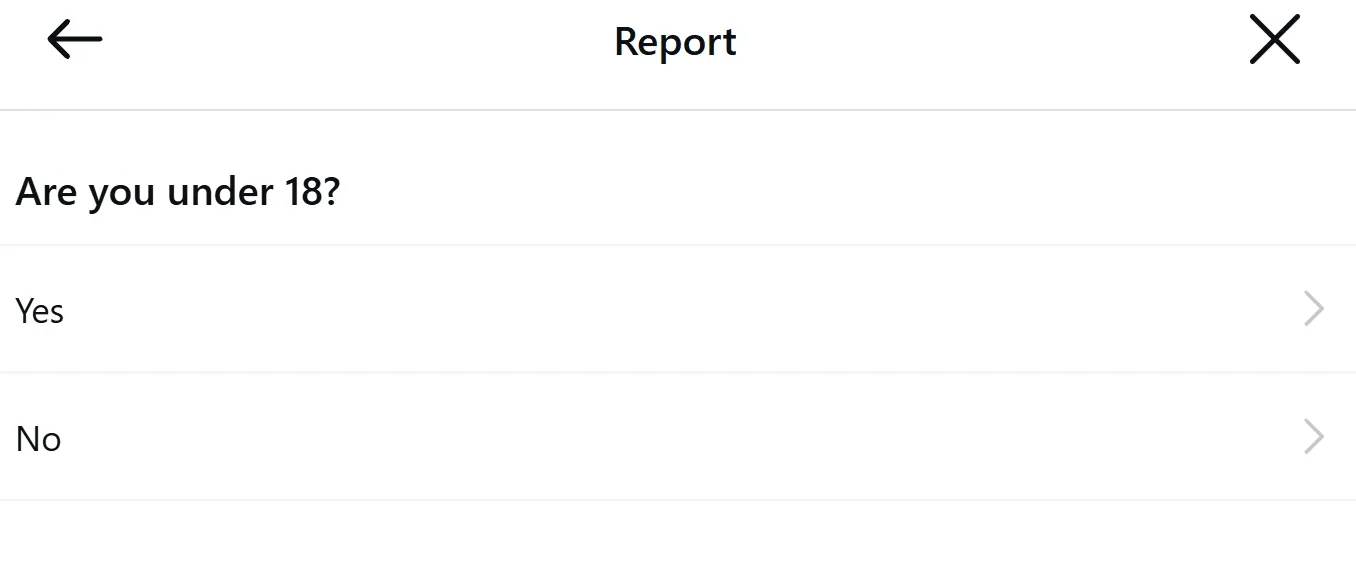
- To finish reporting the potentially defamatory opinion, you must indicate whether you or the possible victim of the comment is of legal age or not.
Instagram will thank you for filing the report and helping users feel safer. It will also offer you the option to block the user who made the comment so you can limit your interaction with them.
Is there another way to report a defamatory comment from a user on an account that isn’t mine?
Instagram’s defamation form represents, after the report option, a second alternative people can use to notify the platform of possible cases of defamatory opinions.
It’s important to clarify that the availability of this form is subject to your local laws, so it’s possible this option is disabled for you.
What to do if Instagram doesn’t remove the comment I reported on someone else’s account?
If Instagram determines that the defamatory comment you reported doesn’t violate its community guidelines, you have the option to request a second review of the opinion by moderators.
Instagram’s moderators commonly respond to second reviews of content within 24 hours of the user submitting their request.
What can I do if Instagram’s second review doesn’t help me either?
If the second review by Instagram’s moderators doesn’t work in your favor and the comment remains on the platform, you can turn to Meta’s Oversight Board to try to resolve this case.
That said, it should be noted that not all user reports are eligible for evaluation by the Oversight Board, and that you can only request its support within the first 15 days following receipt of a decision.
Final thoughts on defamatory opinions on Instagram

What you can do about a potentially defamatory comment on Instagram usually depends on what type of post received the opinion.
If the comment wasn’t made on your own post, you’ll need to turn to Instagram’s moderators for them to decide whether the content is eligible for removal or not.
That said, when you receive the opinion on your own posts, you have the option to delete the comment without Instagram needing to intervene.
Now, there may be cases of opinions that Instagram’s official procedures won’t let you delete in any way. For these scenarios, turning to content removal specialists is usually a good option.
At Media Removal we specialize in removing potentially harmful content that each platform’s official methods may not resolve in your favor.
If there’s a defamatory comment on Instagram that you couldn’t resolve through this social network’s official procedures, you can schedule a meeting with us so we can find a solution together.
 Subscribe to our newsletter
Reputation insights and industry news from the Media Removal team, straight to your inbox.
No spam. Unsubscribe anytime.