Summarize this post with:
A person’s reputation tends to take a serious hit when their mugshot shows up in Google search results.
This is a situation that can put family relationships, professional connections, and public perception of the individual at risk.
Fortunately, someone whose mugshot appears in Google search can turn to different procedures to remove the image and, in doing so, avoid damage to their reputation.
Can I directly remove my mugshot from Google’s results?
No, a person cannot directly remove their mugshot from Google’s results, but they can contact the search engine to request that it delete the image.
In most scenarios, the usual process to remove mugshots from Google begins by deleting the image from the website hosting it.
First step: remove the mugshot from the original source
The first thing you can do to get a mugshot removed from Google search is, above all, delete the image from the original site hosting it.
If you manage to remove the mugshot from its original source, Google may eventually drop the image from its results as part of its normal deindexing process.
How to remove a mugshot from a regular website
When the image is published on a web page unrelated to policing, criminal justice, or the courts, it may only be necessary to contact the site administrator and politely request that the image be taken down.
In these cases, it can be enough to locate the website’s contact information so you can call the administrator, or find an email address where you can send a message requesting removal of the mugshot.
How to remove a mugshot from a specialized site
If the photo is on a police department’s website, a court’s website, or a site like Mugshots.com, the removal process can be more complicated.
Besides requesting removal of the image by email or phone call, you may need to submit supporting documents, such as:
- An expungement order for your criminal record.
- A court record showing that the case was dismissed.
- Documents confirming your identity.
These sites, as well as a regular website, will likely ask for an email address they can use to send confirmation of the removal or periodic updates on the process.
What can I do if the website refuses to remove the mugshot?
If a website refuses to take down your mugshot, you can formally request that Google remove the image through its official personal content removal form in its Help Center.
To use this form correctly, you can follow these steps:
- First, you need to state why you are requesting removal of content from Google’s results and your country of residence.
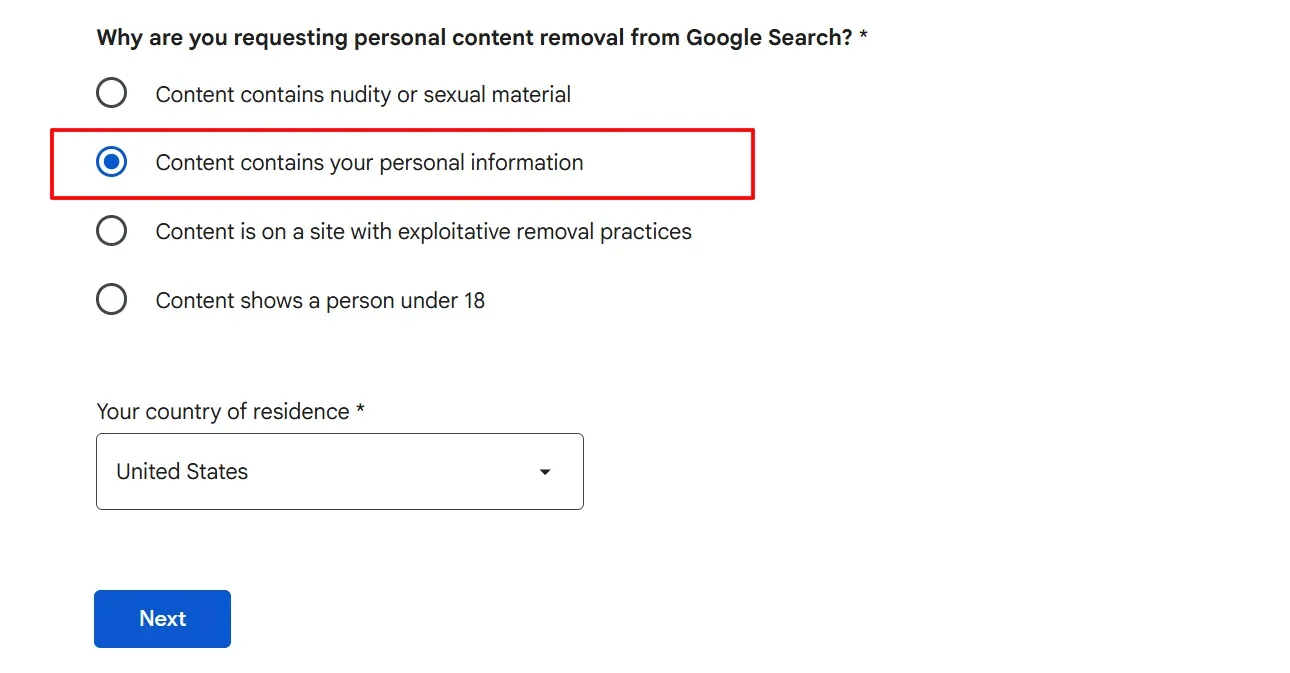
- Then, you need to indicate what type of personal information is hosted on the website.
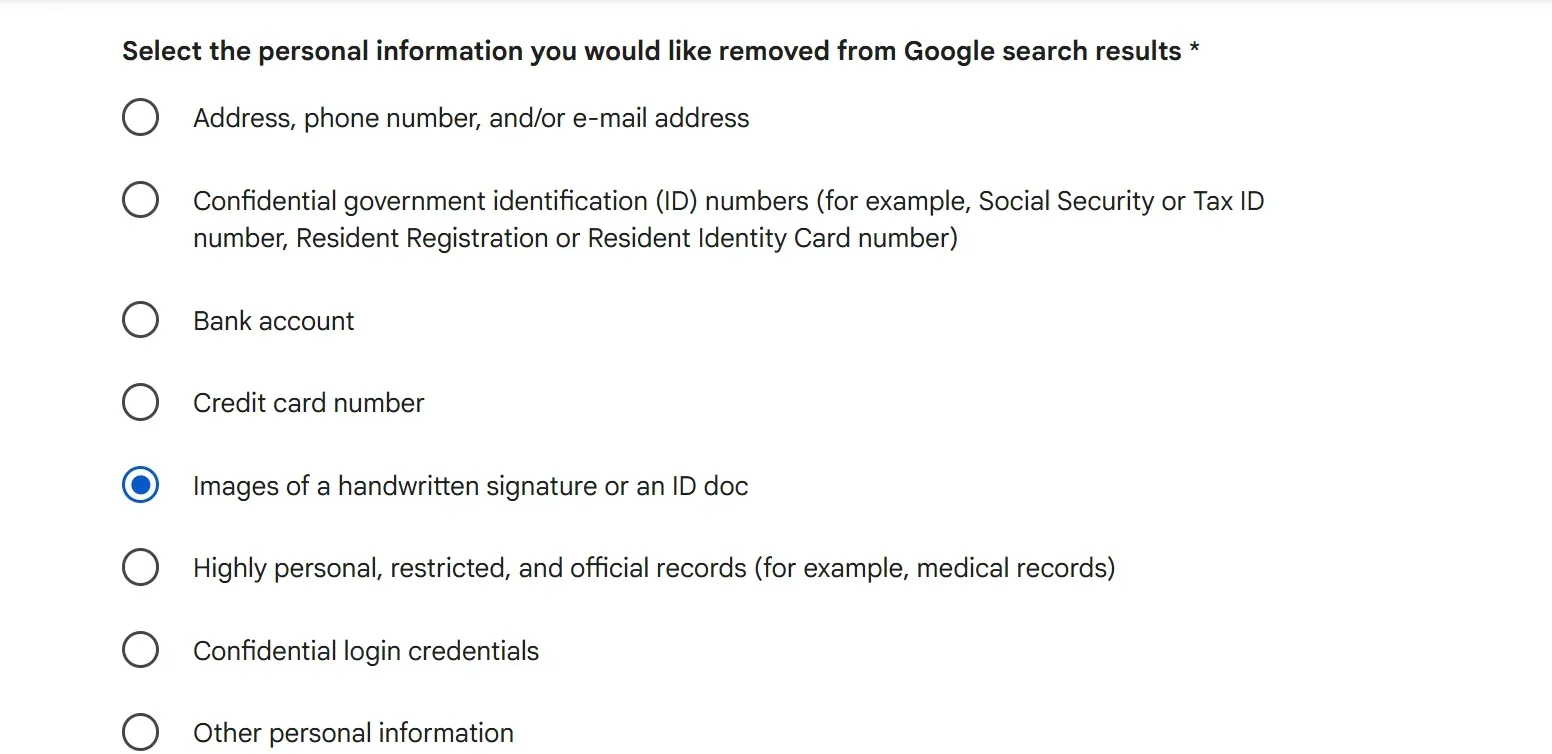
- After that, you can indicate whether there is malicious intent behind the content on the domain’s part.
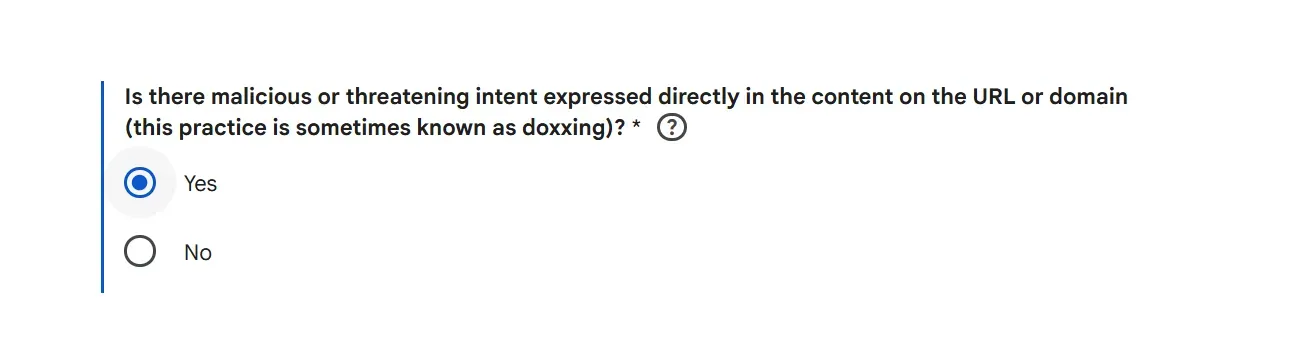
- Next, Google will ask you to include the URLs of the content you want removed and, if applicable, its text or screenshots.
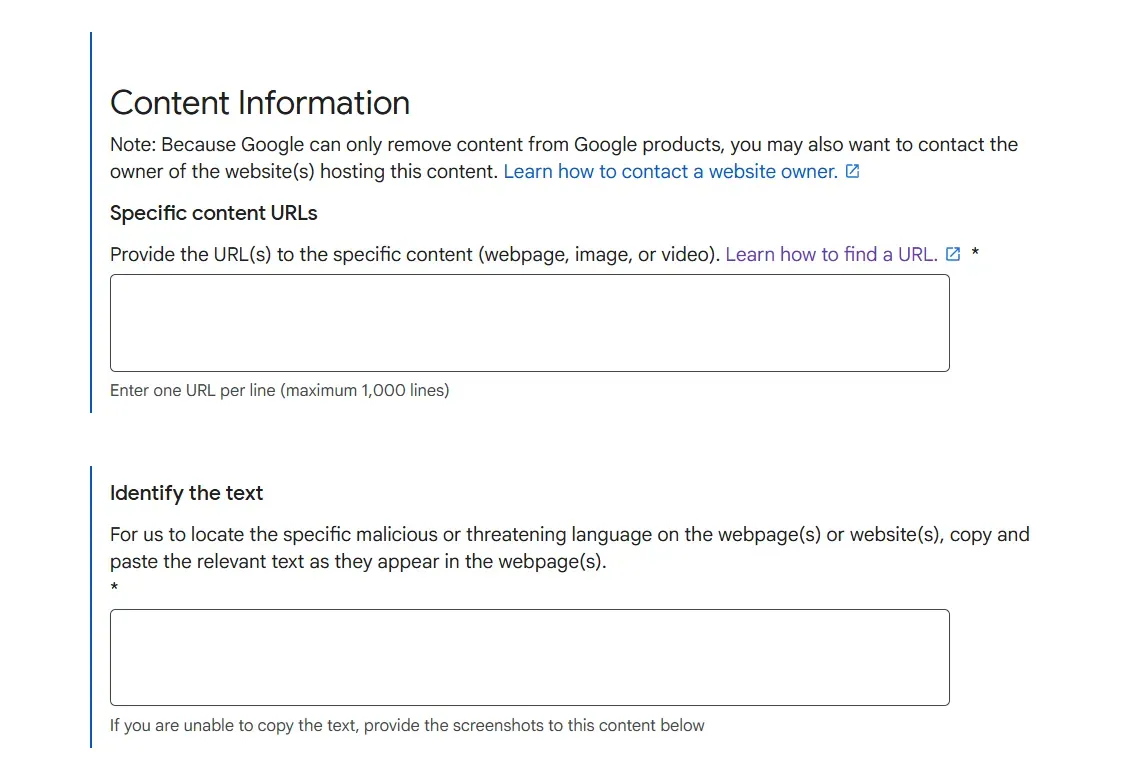
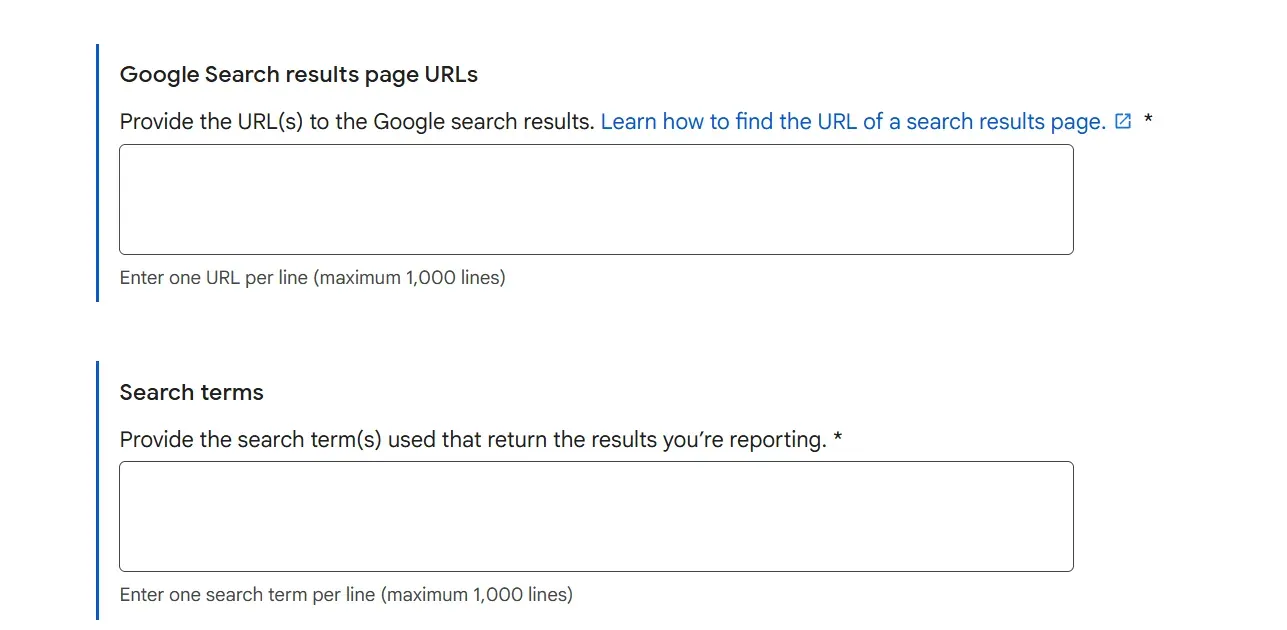
- After that, you will need to include the URL of the content as it appears in the search results, along with the keywords you used to find it.
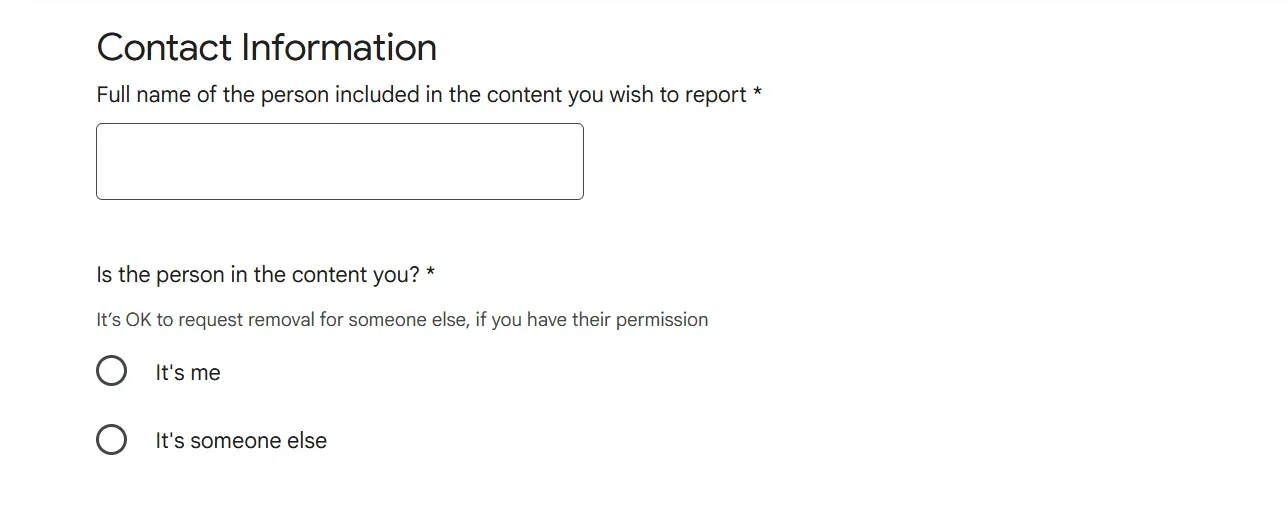
- On a new page, Google will ask you to include the name of the person shown in the content and specify whether you are that person or an authorized representative.
- Finally, you need to confirm that the information provided is accurate, and that you are the person affected by the content or someone authorized to act on their behalf.
Google’s team will send you an automated email confirming receipt of the information and letting you know they are starting to gather details on your case, without giving an estimated response time.
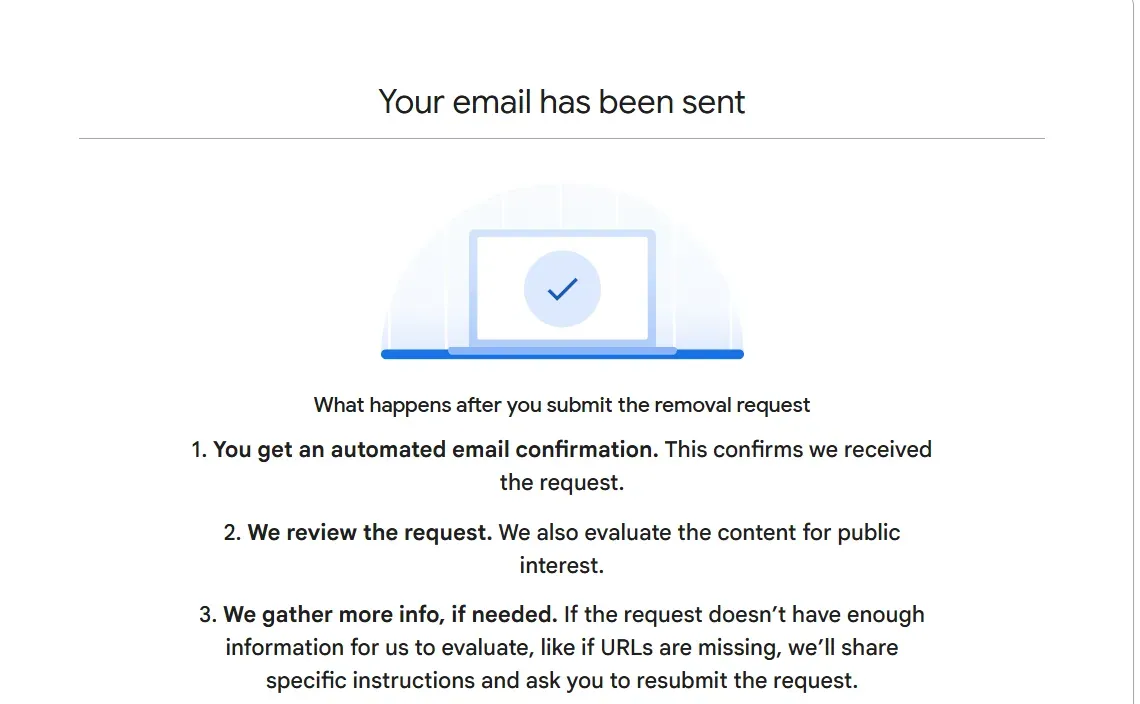
If Google’s team determines that the content violates its policies, Google will automatically remove the mugshot from its results, and the next step will not be necessary.

Take back control of your online reputation
We can review your case and offer a personalized solution to take back control of what’s said about you or your business online.
Get a quote in less than 24 hours
Second step: deindexing the mugshot from Google
If the website hosting the mugshot removed the image without needing to go through Google’s removal form, the next step is deindexing the image from the search engine’s results.
In many cases, Google will remove the mugshot from its results on its own as part of its recurring update process, without requiring any additional action from you.
Can I force the deindexing of the mugshot if it was already removed from the original source?
If you need the mugshot removed as quickly as possible, or if the search engine keeps it indexed long after it was deleted from its original source, Google’s outdated content removal tool can be a solution.
Google states that users can only use this option if they meet these two conditions:
- They do not own the website hosting the content.
- The content was removed from its original source or changed significantly.
To properly use this search engine tool, you can follow these steps:
- First, you need to create a new request in the outdated content removal tool.
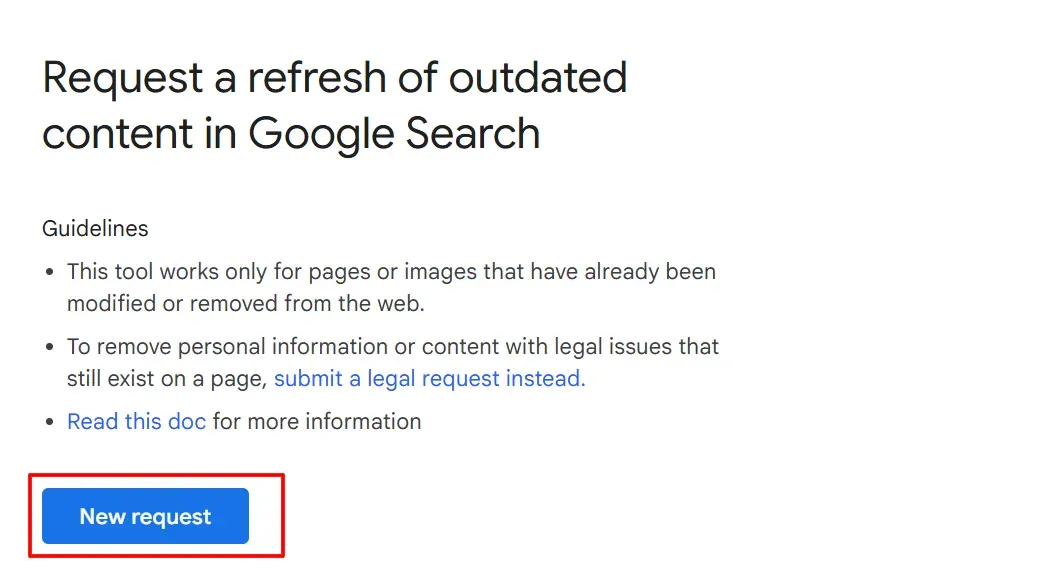
- Next, Google will ask you to indicate your main reason for using the tool. Here, we suggest choosing the first option.
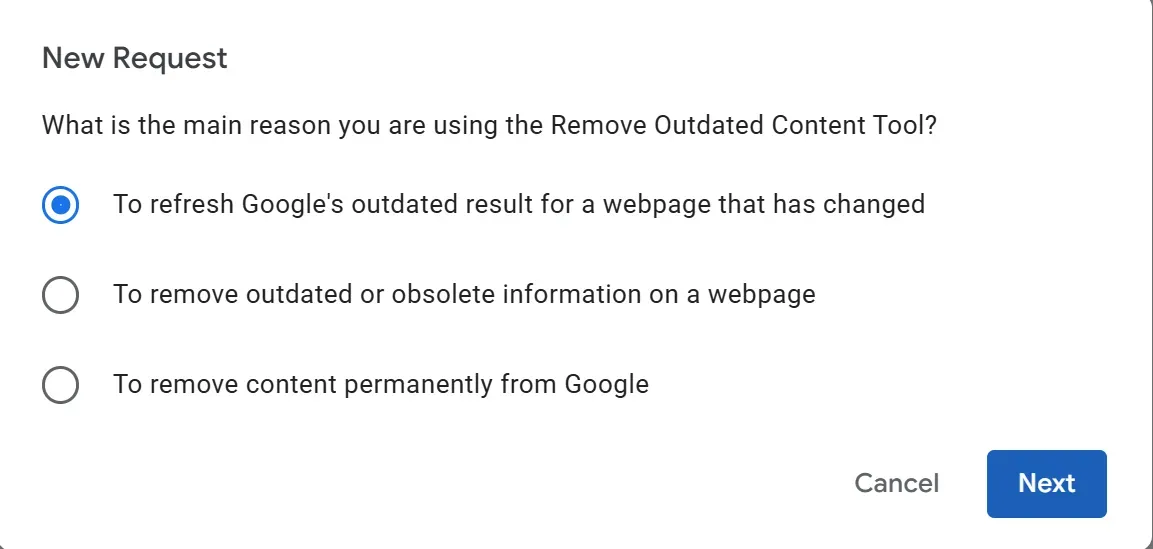
- After that, the search engine will ask you to include the URL of the domain hosting the image and the URL of the photo you want removed.
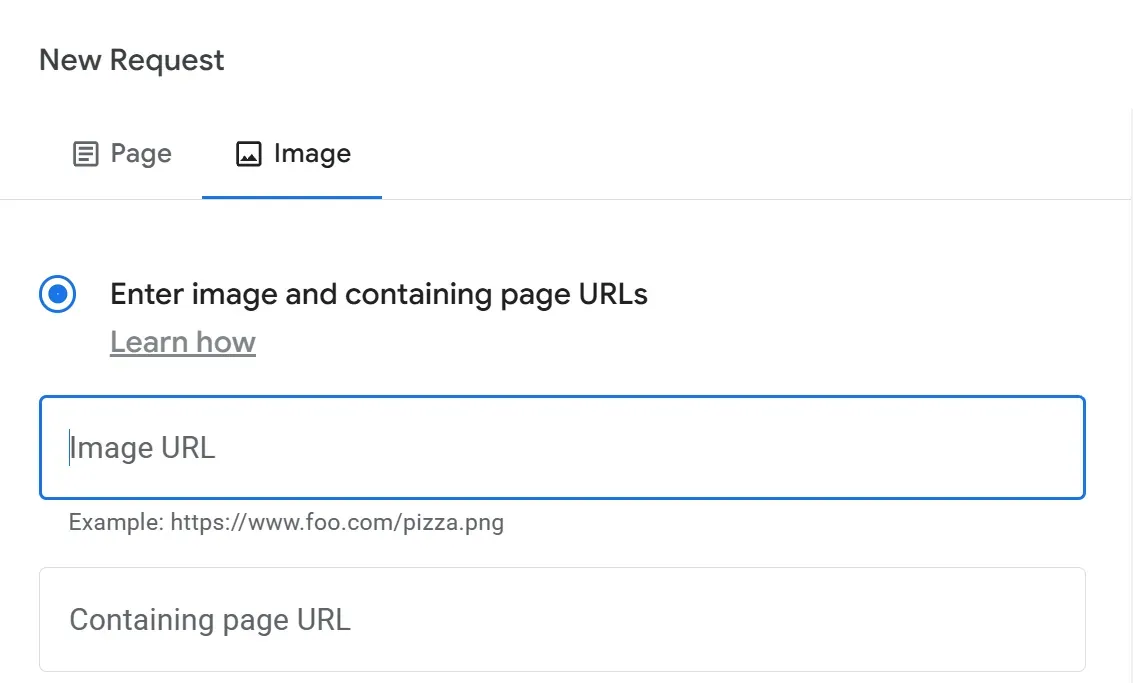
- The final step is to confirm the information provided and click “Submit.”
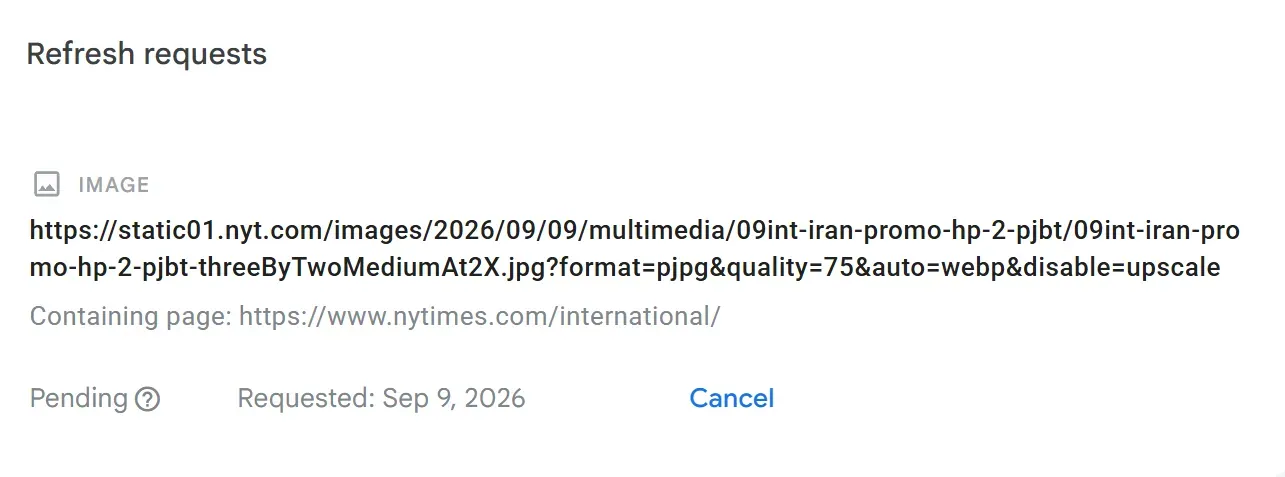
Once you complete this process, a new request will appear at the bottom of the tool showing its status, creation date, and the details you provided. If your request is approved, Google will no longer show the mugshot in its search results.
How long does Google take to remove a mugshot from its results?
Google does not provide an estimated timeframe for removing content from its results pages, since this depends on the deindexing methods used and how quickly Google can recrawl the page.
If a person uses the outdated content removal tool, and depending on the details provided and the information they want deleted, removal can take place between 1 and 7 days after the request is submitted.
What can I do if Google does not remove the image from its results?
If you cannot get your mugshot removed from Google’s results through conventional methods, there are other options you can turn to for the sake of your online reputation:
- Suppress the mugshot with positive content: when you fill the results tied to your name with favorable information, Google may reduce the mugshot’s visibility by pushing it further down the results page.
- Start a legal process for defamation: if the mugshot is accompanied by false information that damages the individual’s dignity, the person can pursue a legal claim for defamation.
- Look for specialized support in content removal: companies that focus on removing harmful and defamatory content from the internet often have specialized methods for erasing this type of information.
A specialized company can also help you suppress the mugshot through professional guidance on the matter, as well as by preparing a statement to help you address the situation publicly, respectfully, and responsibly.
Final thoughts on removing mugshots from Google’s results
A mugshot published in Google’s results can be quite damaging to a person, but it is not a problem without a solution.
Before turning to the search engine, the first thing you can do is contact the website or websites hosting the image directly and politely request its removal, along with the corresponding reasons.
After the mugshot is removed from the source, Google may deindex the image from its results naturally or through its tool for removing outdated content.
That said, if the mugshot is not removed from the results, or if it appears on more websites than you can reasonably contact, turning to a content removal expert is often a good option.
At Media Removal, we work on image removal cases that standard procedures might not resolve correctly, since we have processes specifically designed for these scenarios.
If there is a mugshot you urgently need removed from Google’s results, you can schedule a meeting with our team of experts so we can develop a solution in your favor.
 Subscribe to our newsletter
Reputation insights and industry news from the Media Removal team, straight to your inbox.
No spam. Unsubscribe anytime.