Summarize this post with:
If you are a service provider listed on G2, chances are you have received a harmful review more than once.
While it is normal to receive negative reviews occasionally, when those reviews start piling up for no reason, it is very important that you know how to act to protect your image both on and off the platform.
That said, having information on how to remove reviews on G2 tends to be helpful for knowing which solutions are viable in this scenario.
Is it possible to remove a review from G2?
While it is possible to remove a review from G2, this can only be done with direct intervention from the platform.
That said, regular users are not allowed to take down a review they wrote themselves, and companies are not authorized to delete a comment received on their public profile in the directory.
What methods exist to take down a review on G2?
The method for deleting a review on G2 depends on the type of account you have on the platform, whether you are a regular user or an organization that manages its services in the directory:
- If you are a regular user, you can ask G2 to delete your review from the vendor’s public profile.
- If you are a vendor, you have the option to report a review so that G2 moderators take it down only if it violates the site’s rules.
- Regardless of the type of account you have, the support request form is a third alternative within your reach.
G2 moderators have the final say on each removal procedure, and once they issue a response, it is not possible to appeal through the directory’s internal mechanisms.

Take back control of your online reputation
We can review your case and offer a personalized solution to take back control of what’s said about you or your business online.
Get a quote in less than 24 hours
Step-by-step guide to requesting the deletion of your own review on G2
The G2 Documentation Center indicates that users interested in removing their own review from this directory can contact the Customer Support virtual assistant directly to submit their request.
We’ll walk you through this request step by step:
- Once you are on the G2 Customer Support portal, the first thing you should type in the chat is your request to remove the review you wrote.
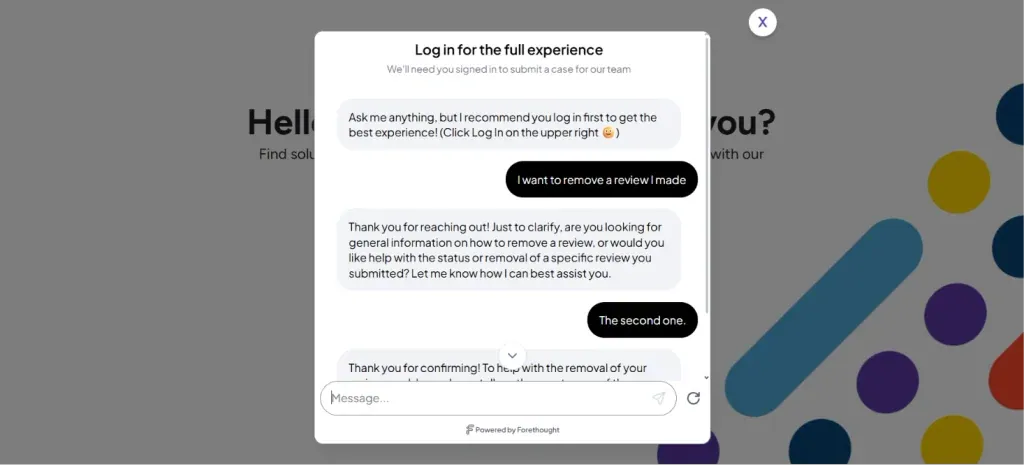
- Then, the G2 assistant will ask you for the service or product whose review you want to delete, and will recommend that you copy the name directly from its product page.
- Finally, the chat will ask you for the reason you want your review deleted from the directory, and will let you know that the directory’s moderators will review your request.
G2 moderators usually respond to this type of request within 3 business days of its original submission.
What happens when G2 approves your deletion request
When the directory approves your removal request, your review is completely deleted from the public profile of the company you reviewed.
That said, your review may remain visible only in your account’s private history. If you don’t want to leave any trace of the review, a viable solution is to delete your account on this website.
How to report a G2 review from my company profile
Every company registered on G2 has the option to report a received review to the directory if they suspect it violates the site’s community guidelines, and the procedure is as follows:
- After logging into your vendor account, go to your management dashboard and open the “Reviews” tab.
- In this tab, locate the comment that may violate G2’s community guidelines.
- In the upper right corner of the comment you will find three horizontal dots. If you click them, a short menu will open that includes the “Report a Concern” option.
- The previous action will take you to a new page with a short form that you must fill out with the possible reason for your report, a brief comment justifying your action, and a title for your complaint.
- To send your complaint to G2 moderators, click “Submit Your Concern“.
G2 will send a notification to your email address to let you know that the platform is already reviewing your case.
How long will it take to get a response from G2 about my request?
G2 moderators tend to respond within 2 business days after the report is submitted.
Once the directory’s moderators reach a clear verdict on your report, they will send it to you through the email address you registered on the website.
What is prohibited in G2 reviews?
According to G2’s community guidelines, a valid G2 review must not include any of the following:
- Offensive or vulgar language.
- Confidential information that the person is not authorized to disclose.
- Text plagiarized from other sources.
- Promotional content.
- Signs of harassment or hate toward ethnic or religious groups.
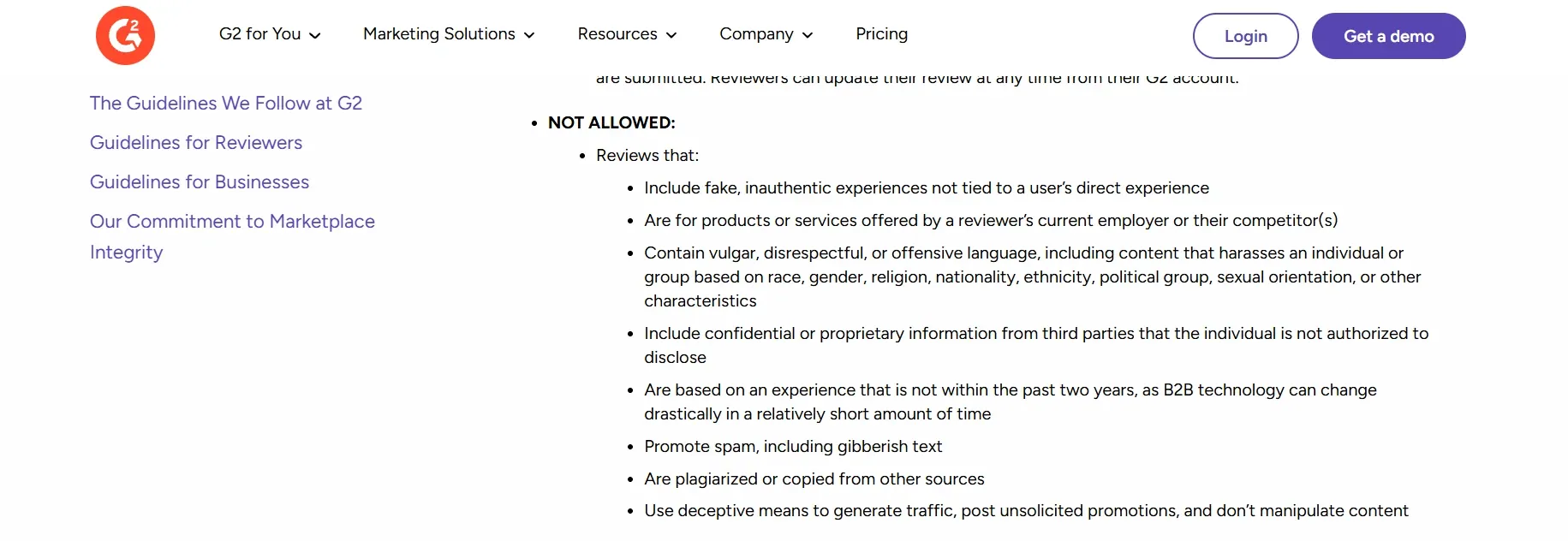
G2 moderators are also authorized to remove a review if it is based on an experience more than 2 years old, since they recognize that the quality of a technology provider can change a lot over that period of time.
How to use the support request form for G2 review moderation?
The G2 review support request form is an additional method available to both regular users and organizations active in the directory.
We’ll walk you through completing this form step by step:
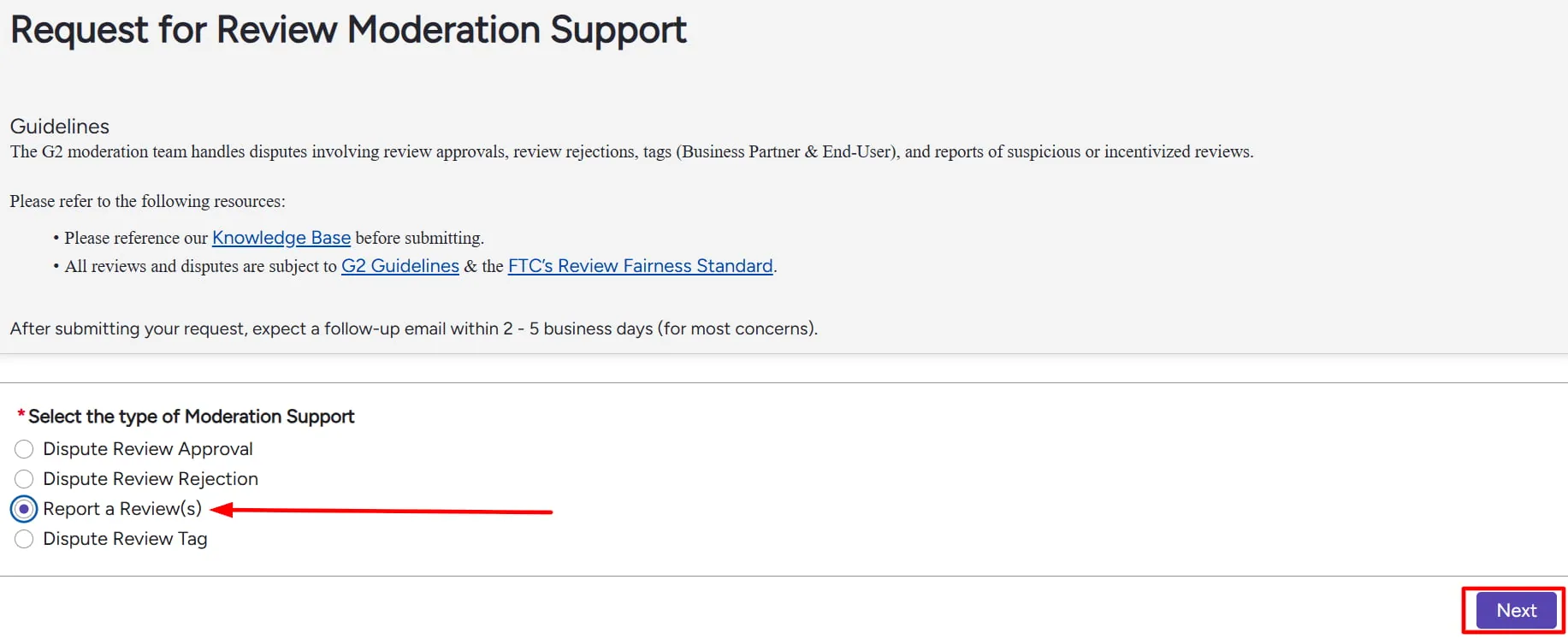
- The first thing you should do in this form is choose the “Report a Review(s)” option and click “Next“.
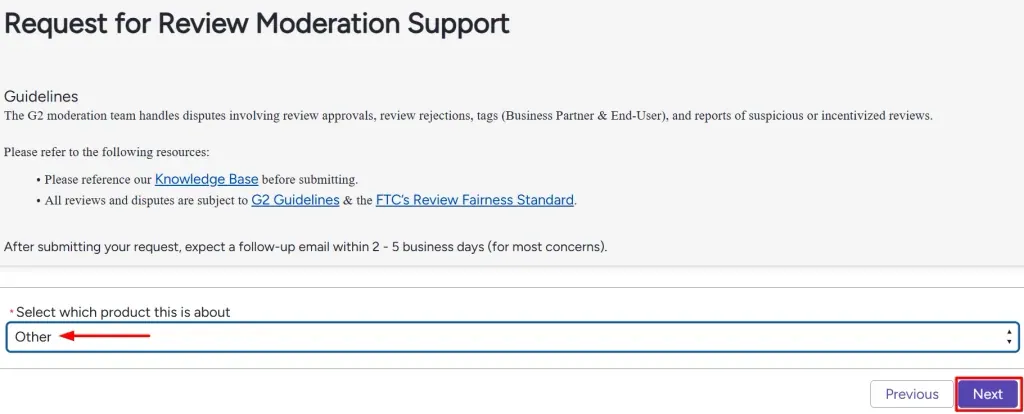
- Then, G2 will ask you which product you need support with. Here, you have to select “Other” and click “Next“.
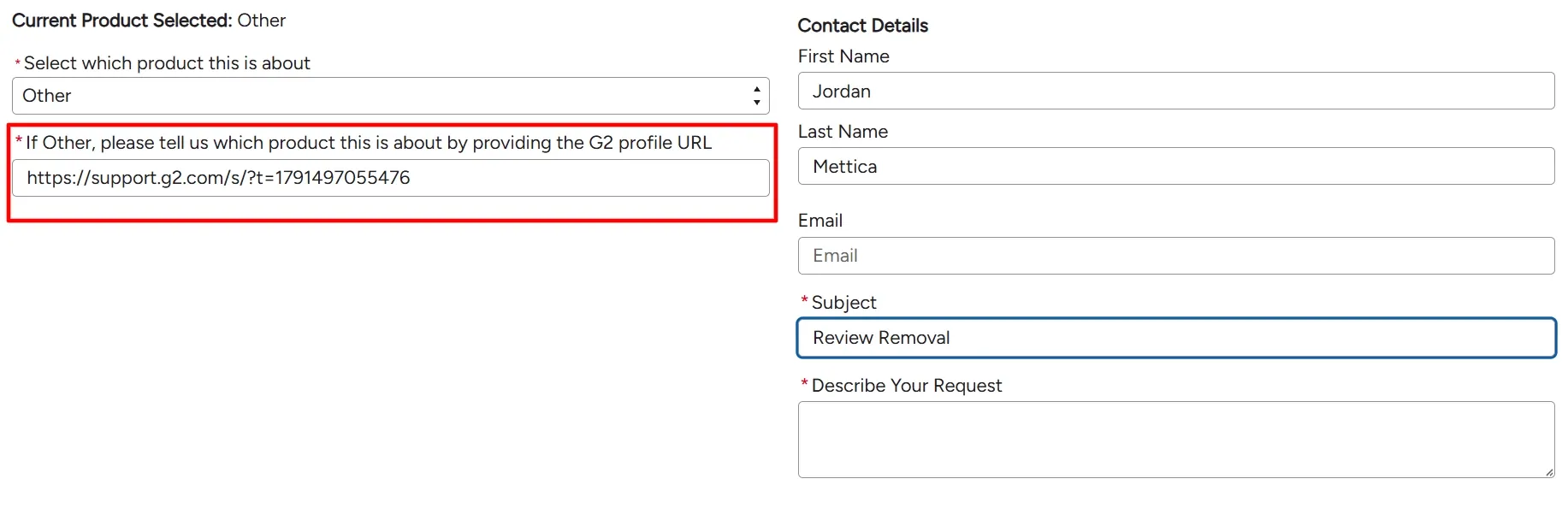
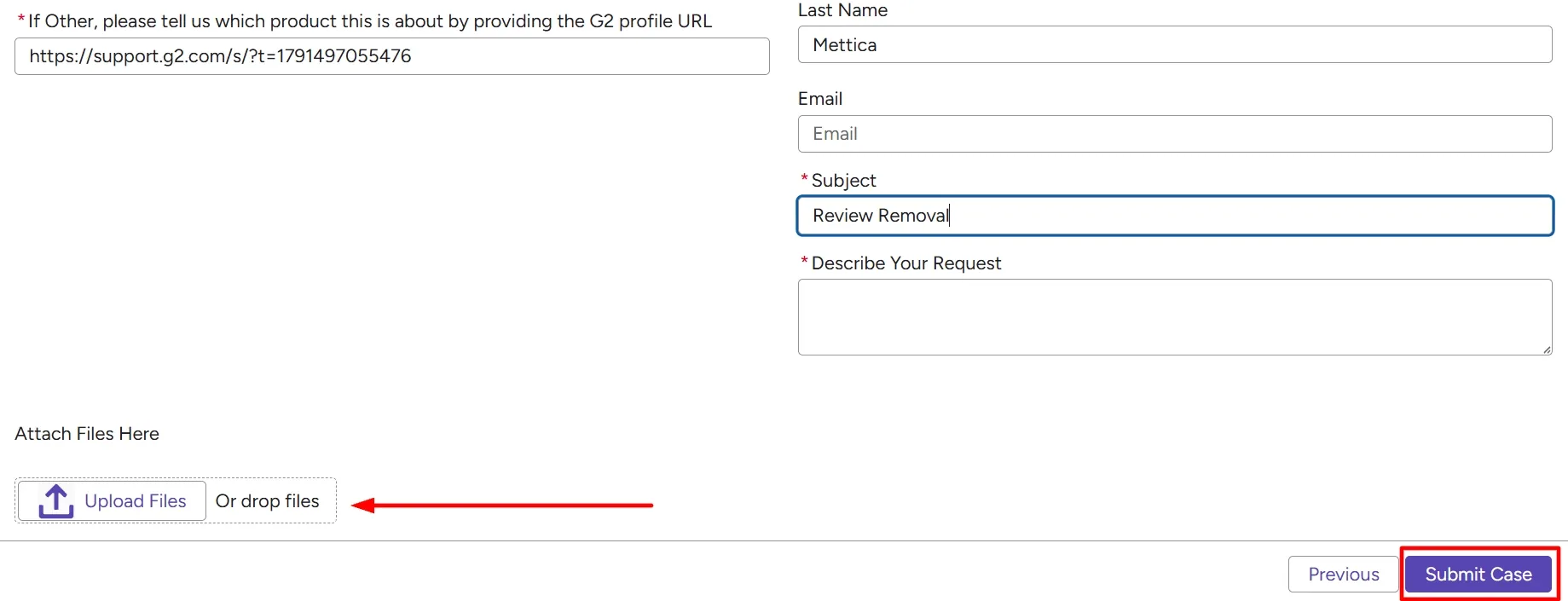
- On the next screen, G2 will ask you to include the URL of the product or, in this case, the review you want to report, as well as your name, email address, and a brief explanation of the reason for your complaint.
- If applicable, you can use the “Upload Files” button to upload files that support your request.
- To finish the procedure, click “Submit Case“.
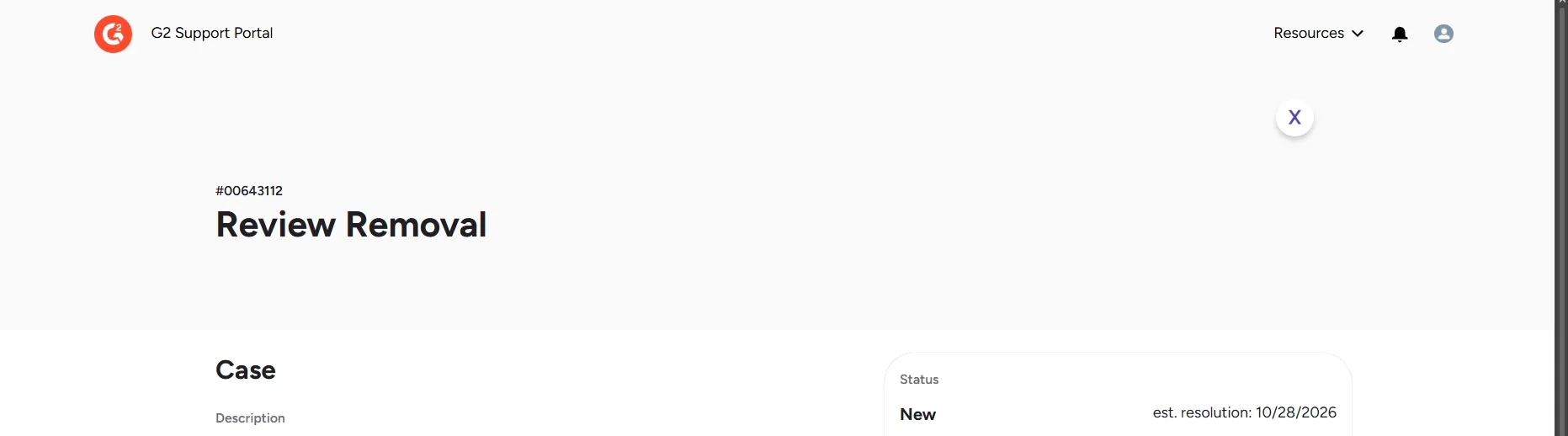
G2 will show you a summary of the case you just created with its form. Although it indicates a likely response date, the platform usually responds between 3 and 7 business days after the request is submitted.
What to do if G2 doesn’t remove the review I reported?
If G2 doesn’t approve your report on the comment, you can try submitting a new request through the review support request form or through the report option that every review includes by default.
However, in many cases, the most practical option is to respond to the review in an honest, professional, and transparent way to mitigate its possible effect on your reputation on G2 and outside the directory.
Related guide: Companies that specialize in removing G2 reviews: which ones to choose in 2026
Final thoughts on removing reviews on G2
Removing a negative review from G2 can help you defend your brand from a possible coordinated defamation attack aimed at discrediting you.
That said, it is important to consider that G2 moderators have the final word on review deletion, and that it is not possible to appeal their decision once it has been made.
With that in mind, an alternative you can consider when evaluating the deletion of a review on your profile is to delegate this task to a company specialized in removing harmful content.
At Media Removal we have helped various vendors remove negative reviews they unfairly received on G2 and, in doing so, helped them preserve their reputation on the platform.
If you have an issue with G2 and would like personalized support from specialists, we invite you to schedule a meeting with our team of experts to tell us about your situation.
 Subscribe to our newsletter
Reputation insights and industry news from the Media Removal team, straight to your inbox.
No spam. Unsubscribe anytime.