Summarize this post with:
For a company that has a presence on Glassdoor, receiving a negative comment for no apparent reason can be a cause for alarm.
The situation usually gets worse when several reviews of this kind pile up on the organization’s profile, as this may negatively affect the company’s reputation on the platform.
Fortunately, Glassdoor offers different procedures that both regular users and companies have the opportunity to use to remove unjustified negative comments from their profile.
Is it possible to delete a review on Glassdoor?
While it is possible to delete a review on Glassdoor, the procedure is different for companies and for individuals:
- Organizations must report the review so that Glassdoor’s Trust & Safety team decides whether or not it should be removed.
- An individual is allowed to directly delete their own comment on a company’s profile without Glassdoor’s intervention.
Institutions are not authorized to directly delete a negative review on their profile, while individuals are allowed to delete their reviews without the platform having to intervene.
Community guidelines Glassdoor applies to its content
Glassdoor’s community guidelines help the platform’s moderators determine whether a reported review should be removed from a company’s profile or not.
In this regard, the restrictions included in these guidelines are:
- False or misleading information.
- Harassment and offensive language.
- Content unrelated to the review.
- Promotional content.
- Negative comments about specific employees.
- Images with commercial logos or employees’ faces.
- Images with minors.
It is worth clarifying that Glassdoor’s moderators will only remove negative reviews that violate the site’s guidelines, and will never delete a comment simply because it is harmful to the organization that receives it.

Take back control of your online reputation
We can review your case and offer a personalized solution to take back control of what’s said about you or your business online.
Get a quote in less than 24 hours
Step by step to delete a review as a user
A Glassdoor user can directly delete their own review on a company’s profile through a short series of steps:
- The first thing you need to do is go to your Glassdoor profile by clicking on the following icon in the upper right corner of the screen.
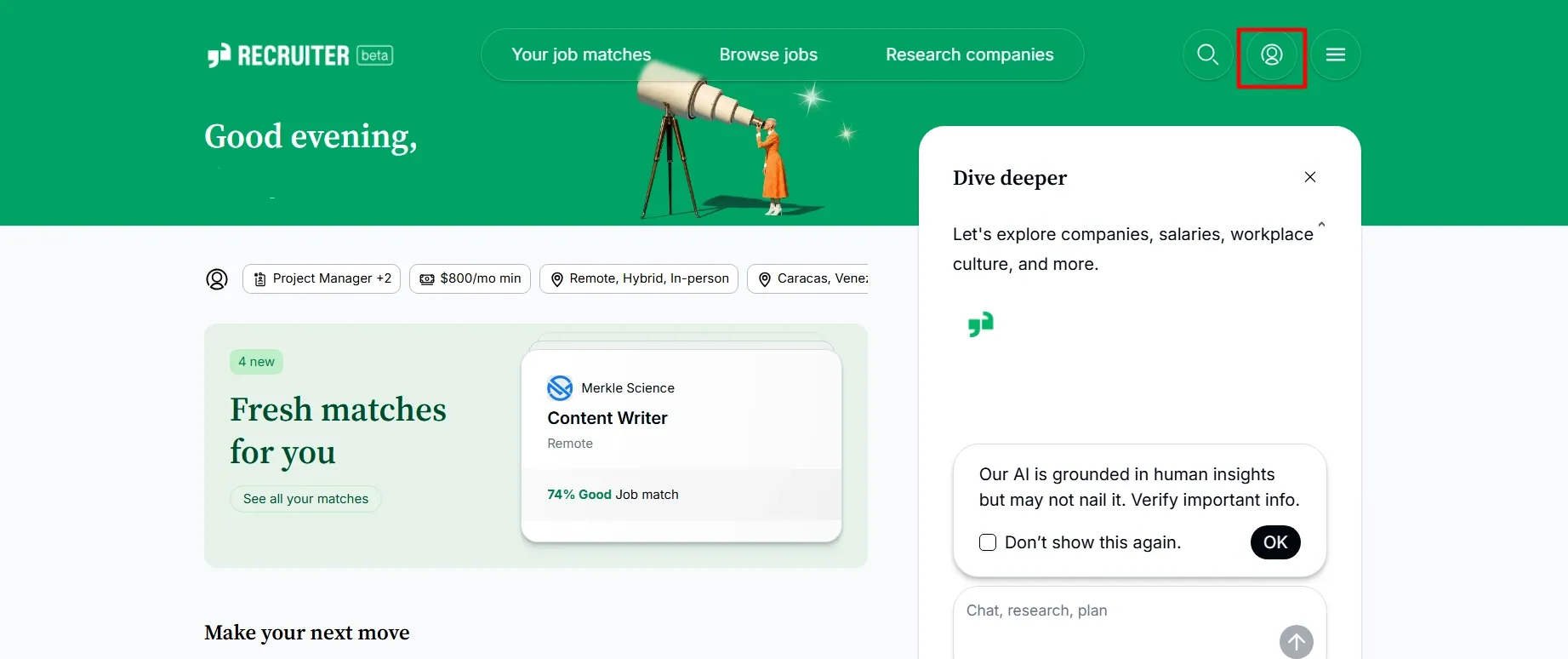
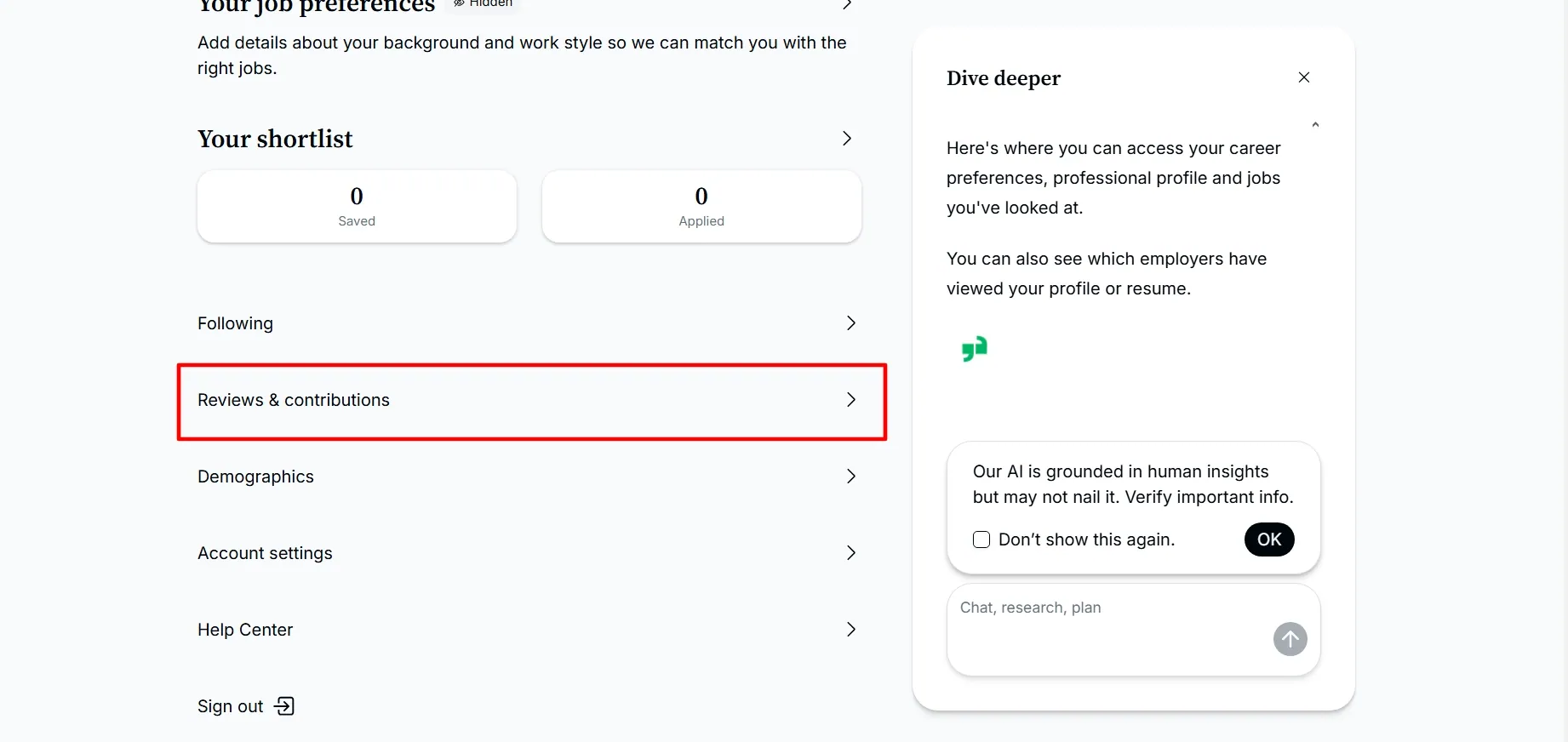
- Once you are on your profile, you have to scroll down and click on the “Reviews & Contributions” section.
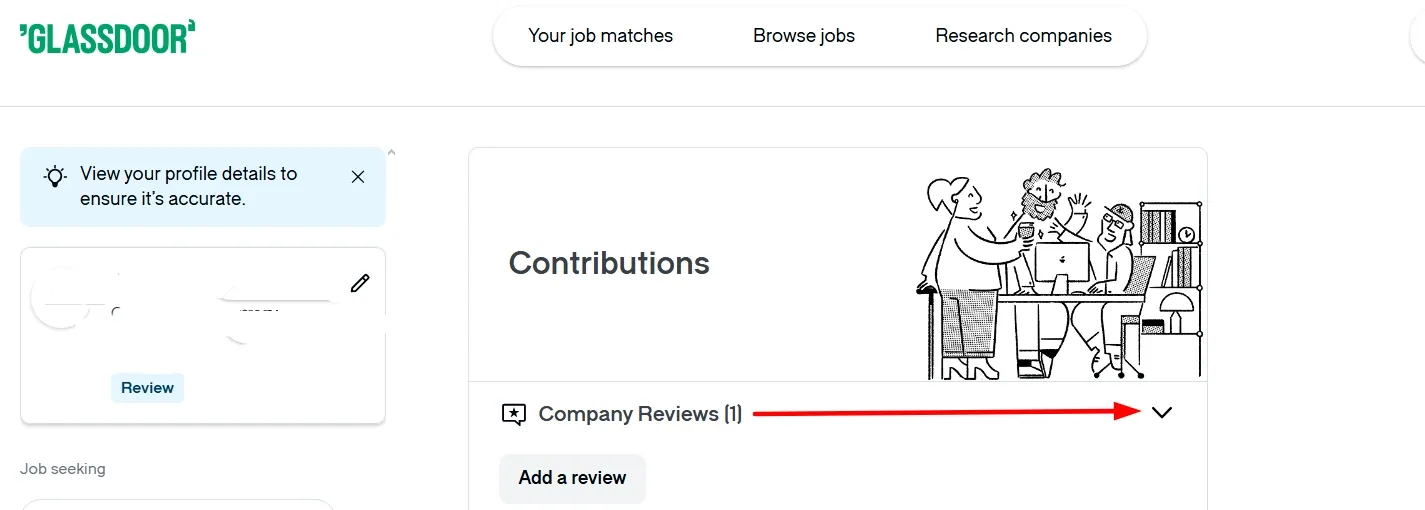
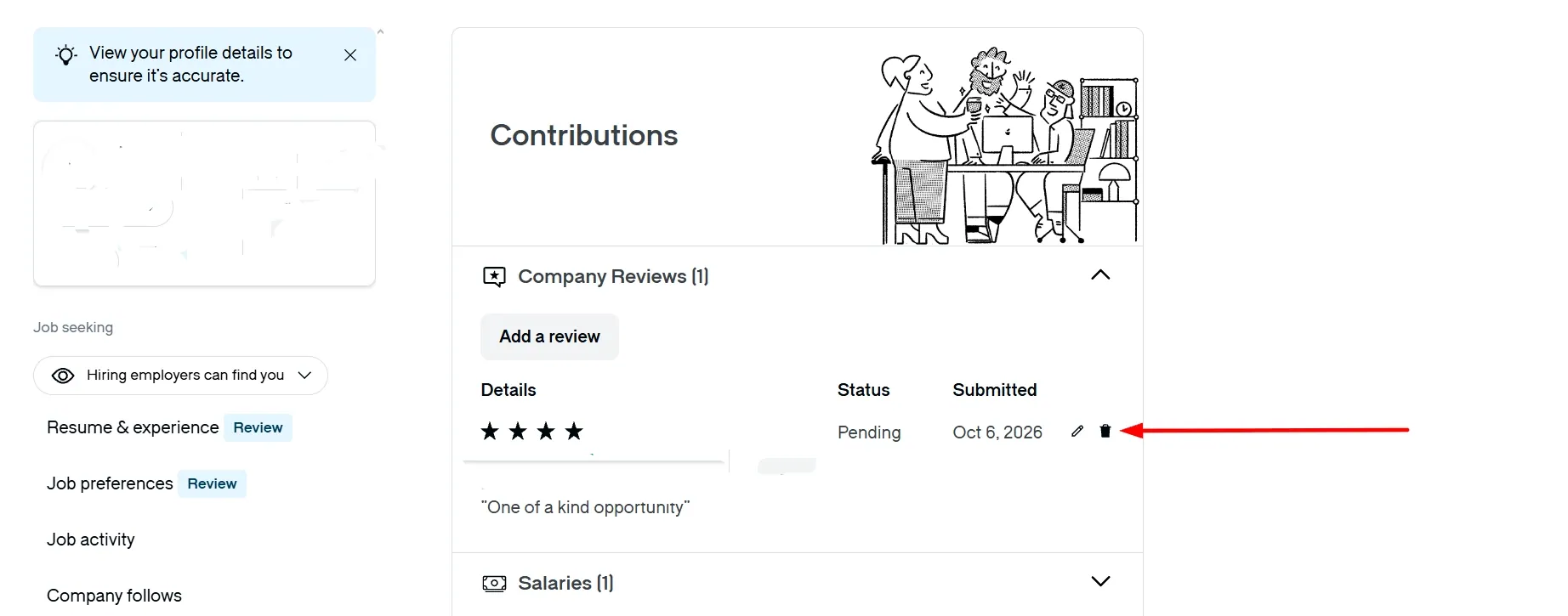
- In the contributions section, there is an arrow on the right side of the “Company reviews” tab that will display the reviews you have written on Glassdoor.
- Once you select the review you want to delete, you have to press the corresponding icon.
- Glassdoor will display a confirmation window. To complete the deletion of the comment, you can click on “Yes, delete“.
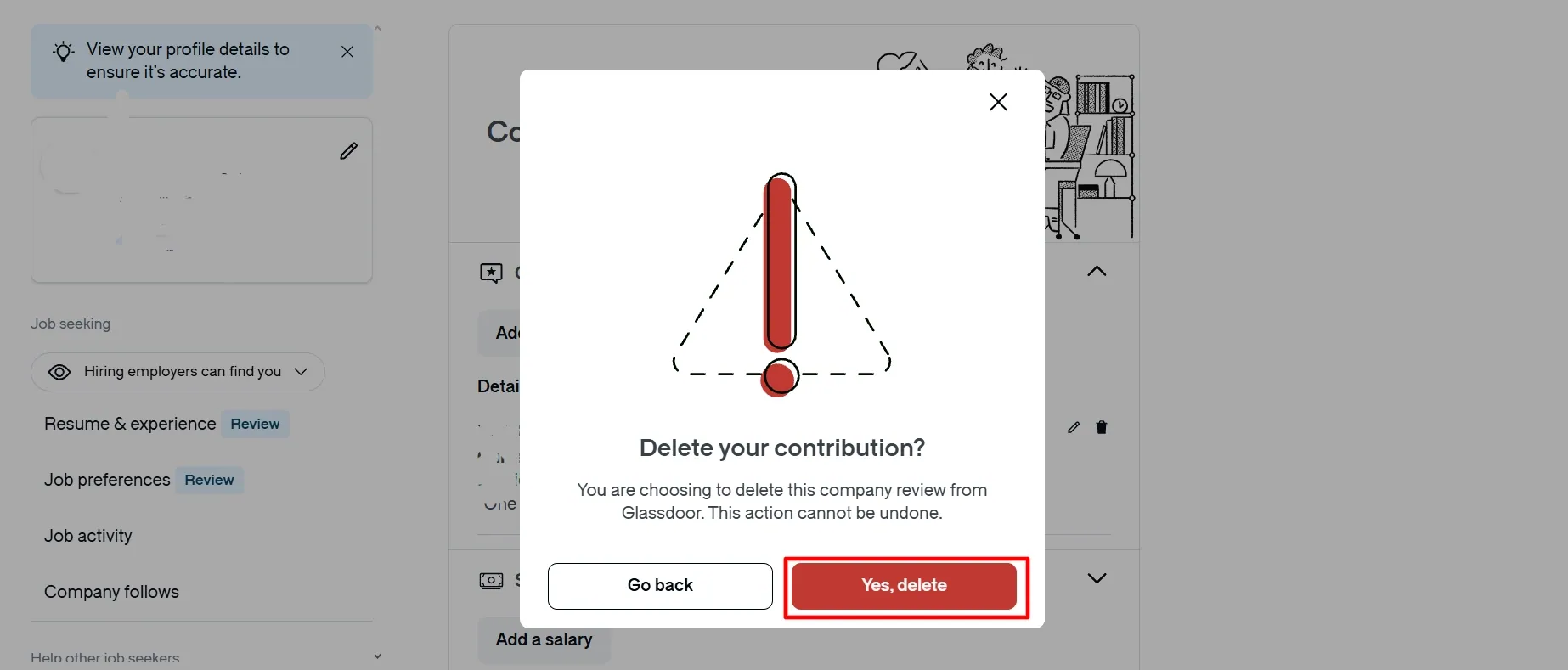
The deletion of the comment is immediate, and Glassdoor allows this procedure even when the review has not yet been officially published on the organization’s profile.
How to report a Glassdoor review as a company?
Although companies are not allowed to directly delete a negative review, they can report these comments to the Trust & Safety team through the following procedure:
- First, you must log in to your company account on Glassdoor and go to your profile on the platform.
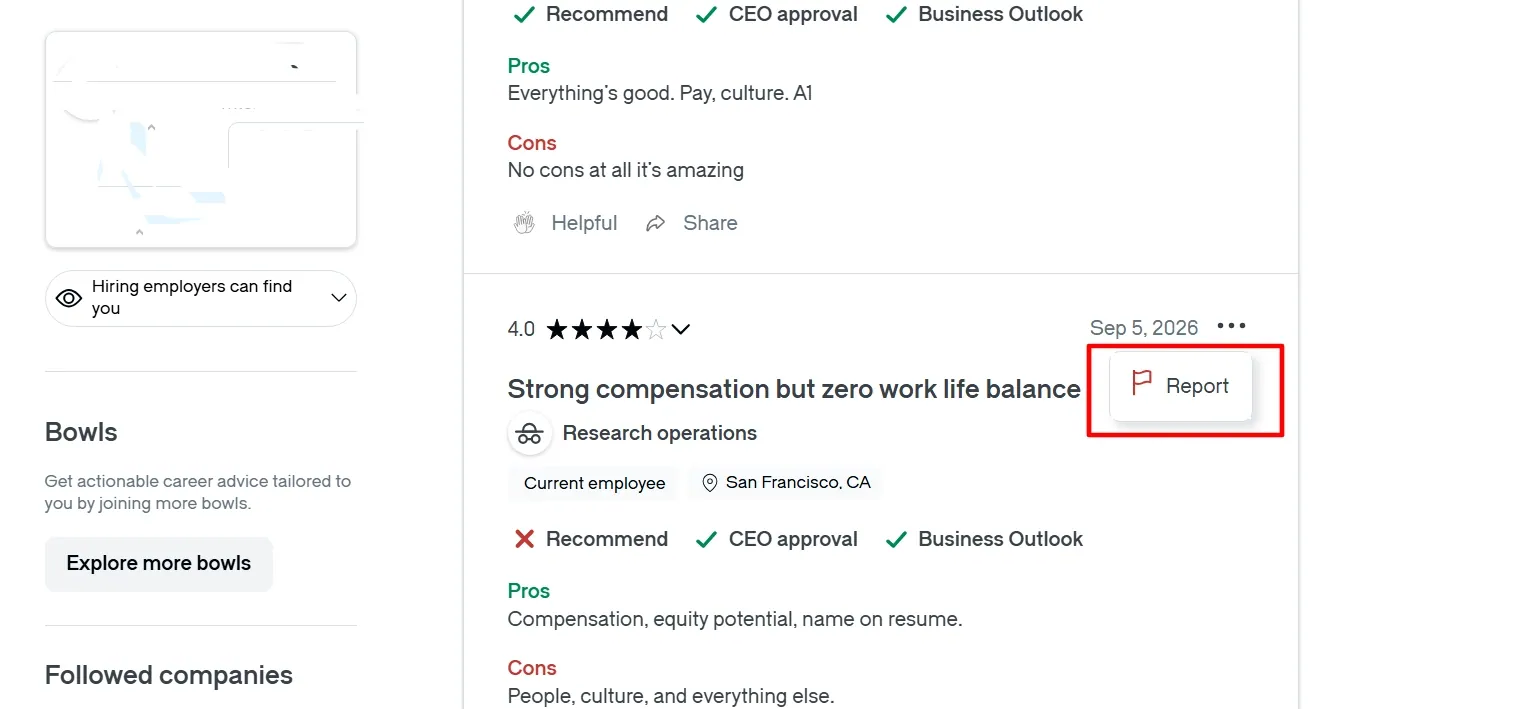
- Once on your profile, you have to locate the review you want to report and click on the three horizontal dots to display the “Report” button.
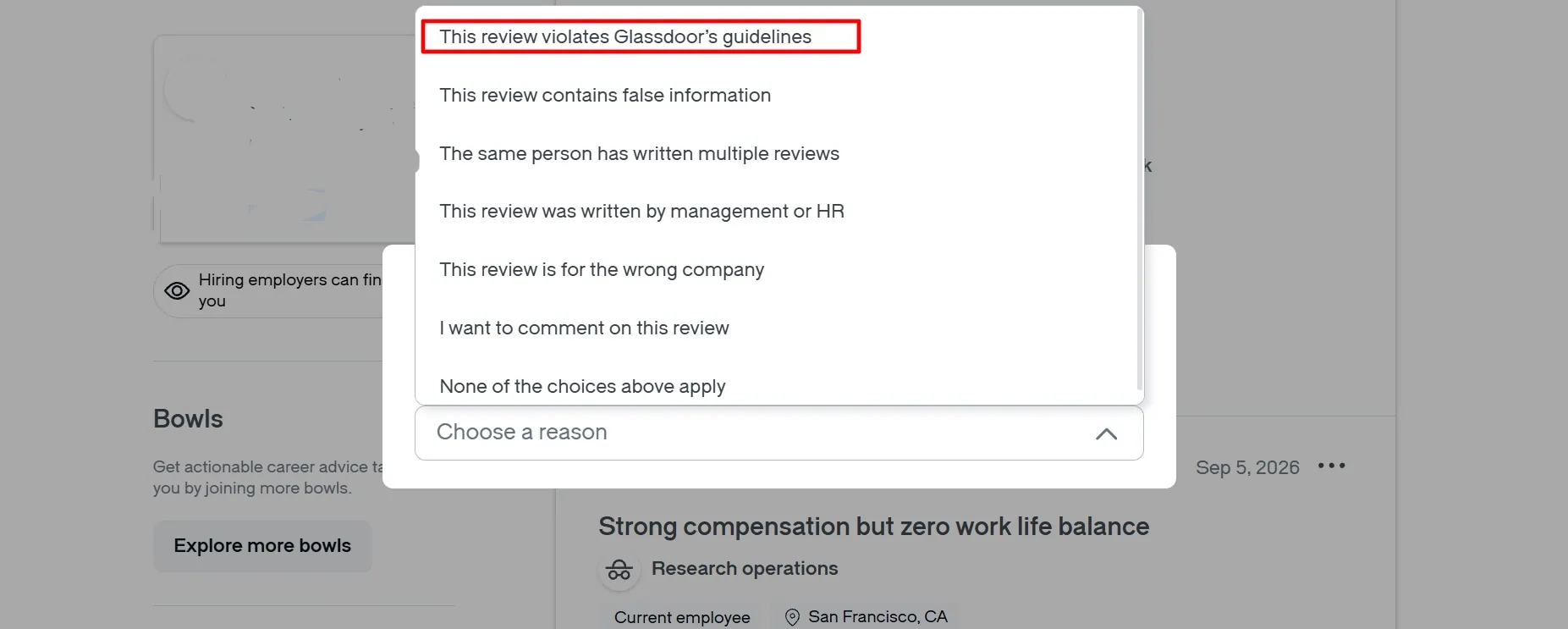
- Glassdoor will show a pop-up window with possible reasons for the report. Here, it is important that you select “This review violates Glassdoor’s guidelines“.
- The platform will ask you to describe the case in more detail. To complete your request, you can click on “Submit“.
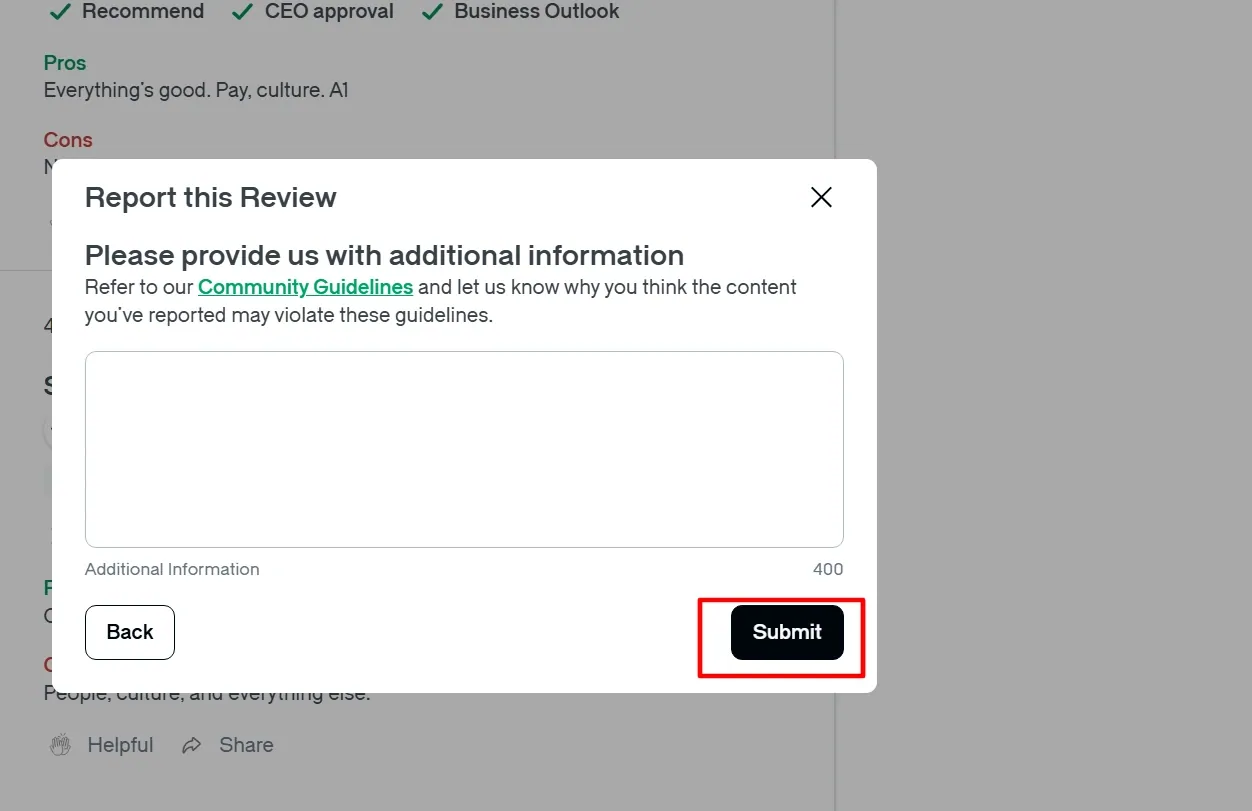
After submitting the request, Glassdoor will display a window thanking you for reporting the potentially malicious content, and will let you know that you will receive a response via email within a maximum of 72 business hours.
How to use Glassdoor’s contact page to report a negative review?
Glassdoor’s contact form is another channel that employees, candidates, and organizations alike have at their disposal to report a negative review on this platform.
To get the most out of this Glassdoor form, we recommend following these steps:
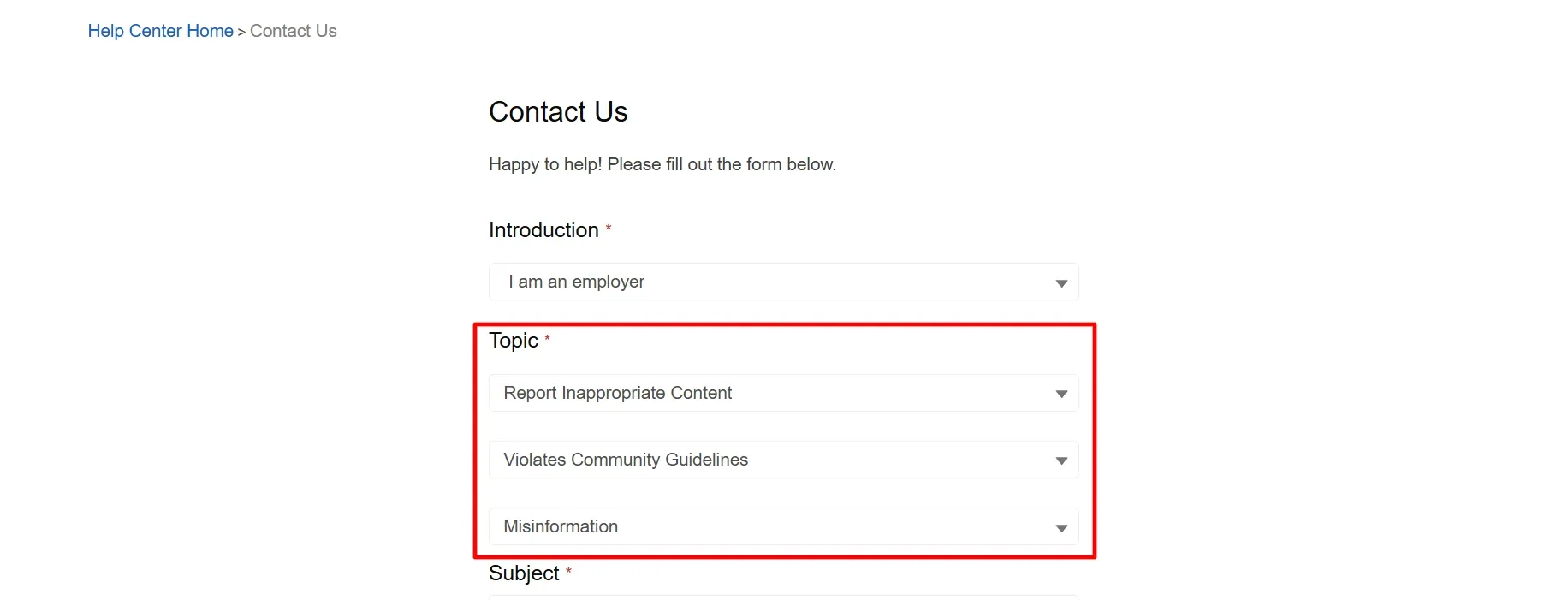
- First, you must indicate whether you are an employer or a person who is looking for a job or currently employed.
- Then, the form will ask you to indicate the topic of your inquiry. Among the options, you must choose “Report Inappropriate Content“.
- In the next field, it is important that you choose the “Violates Community Guidelines” option.
- Then, the form will ask you to choose the violation that best fits your report.
- In the next text field, you have to add more details about your request.
- Next, you will need to add your first name, last name, and contact email.
- The form will ask you to indicate the language you are using to prepare the inquiry.
- If applicable, you can upload multimedia files related to your report with the “Drop files” button.
- To complete the request, you need to successfully complete a captcha and click on “Send“.
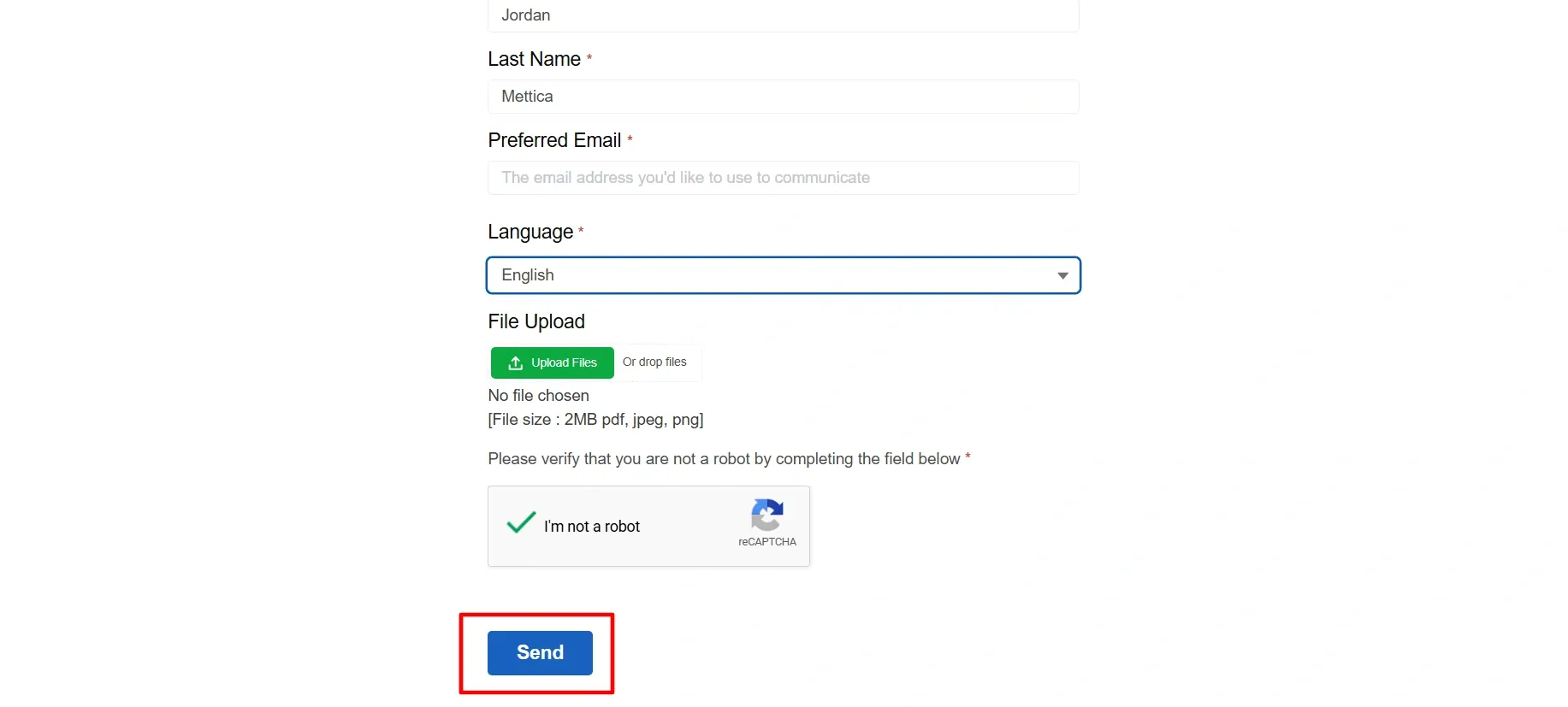
It is important to note that Glassdoor tends to respond to inquiries made through this form within 48 hours or less, a shorter time frame than the one established for reports.
What to do if Glassdoor does not remove the comment from the profile?
If Glassdoor’s Trust & Safety team decides not to remove the review you reported from your company profile, you have the option of responding to the comment publicly and professionally.
That said, you can also complement your public response with a campaign to encourage positive reviews on your Glassdoor profile, which usually helps minimize the visibility of the harmful review.
Is it possible to request a second review?
All of Glassdoor’s decisions on reports are final, and there is no possibility of requesting an additional evaluation.
If a comment you reported was not removed, the Trust & Safety team will not review your request again or proceed with deleting the review.
Final comments on removing reviews on Glassdoor
The procedures Glassdoor offers to remove reviews from its directory are, in general, very easy to follow.
Whether you are a company or an individual who has detected content that potentially violates the website’s guidelines, Glassdoor will likely give you possible solutions to your problem.
However, some comments may be harder to delete than others. For these more complex cases, turning to a content removal company tends to be a good option.
At Media Removal we have extensive experience handling cases of negative, fake, and defamatory review removal on Glassdoor and similar sites, which allows us to identify the best approach for each particular case and why.
We invite you to schedule a meeting with our team to share more details about your needs and start developing a solution tailored to what you need to move forward.
 Subscribe to our newsletter
Reputation insights and industry news from the Media Removal team, straight to your inbox.
No spam. Unsubscribe anytime.