Summarize this post with:
A cybersecurity threat capable of affecting companies and individuals alike is phishing.
When an institution or public figure falls victim to phishing, attackers gain access to valuable information that can leave the victim’s reputation and integrity in a difficult position.
Fortunately, services like Outlook include options that help users identify possible phishing attempts when they receive emails with suspicious links or messages, making it easier to report a phishing email in Outlook as soon as it’s spotted.
What is phishing?
Phishing is a type of cyberattack that consists of tricking a person into voluntarily giving access to their personal information.
When a cybercriminal resorts to phishing, they usually pose as a trusted person or service to manipulate their target and, in that way, gain access to the victim’s confidential data.
How does phishing work?
For cybercriminals to successfully trick a person into giving up the information they need, they design plans to earn their victim’s trust and get them to lower their guard.
Broadly speaking, it’s possible to summarize a conventional phishing attack as follows:
- First, the attacker designs a website, message, or email that serves as bait and imitates the identity of a trusted service used by the victim.
- The attacker sends the bait to hundreds or thousands of people through text messages, social media, or email.
- The victim receives the bait, which tends to be accompanied by an alarming pretext to persuade the user to take action without verifying the authenticity of the email or message.
- The phishing victim enters their credentials, and the attackers use that data to steal their information.
Depending on the cybercriminals’ goal, the victim may end up handing over access to different platforms, banking credentials, personal information, or any other sensitive data.
How to identify a phishing email before reporting it
While phishing attempts tend to become more sophisticated over time, cybercriminals still leave behind clues that give them away compared to authentic messages and links.
That said, and with the help of the Microsoft Help Center, here are some of the signs that indicate a phishing attack:
- Fake sender: the sender’s name looks real, but includes swapped letters, unofficial characters, and strange domains.
- Suspicious links: when you hover your cursor over the hyperlink, the link doesn’t match the company or service’s official page.
- Generic greetings: the email or message doesn’t address the person by name, but instead uses generic expressions like “Dear user”.
- Writing inconsistencies: the message or email has wording problems or grammar errors that the authentic sender wouldn’t make.
- Formatting errors: the email’s colors and calls to action don’t match the brand’s official communications.
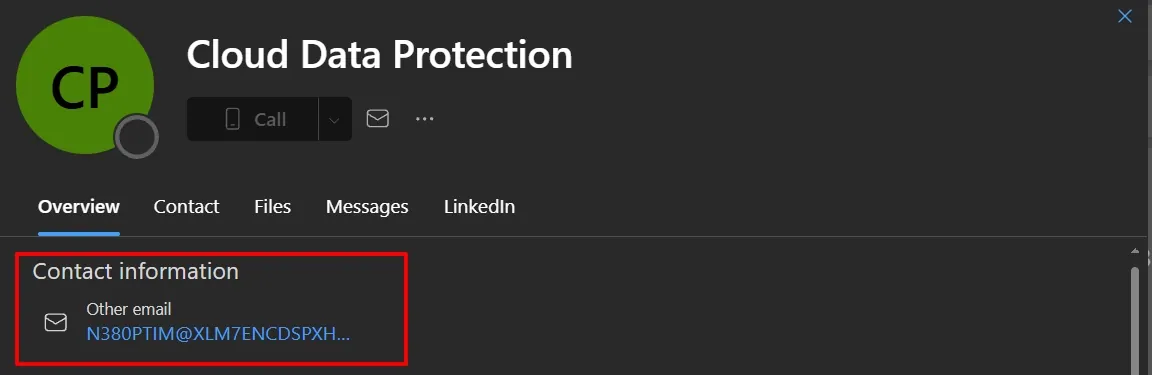
Keeping these signs in mind makes it much more likely that you’ll avoid falling victim to a phishing attempt by spotting the weak points that cyberattackers still haven’t resolved.

Take back control of your online reputation
We can review your case and offer a personalized solution to take back control of what’s said about you or your business online.
Get a quote in less than 24 hours
Steps to report phishing in Outlook from the browser or desktop
Outlook is an email service that includes very simple processes users can rely on to report possible phishing attempts to the platform.
In the browser and desktop version, the outlook report phishing procedure consists of the following steps:
- First, you need to locate the email that may be the potential bait for a phishing attack.
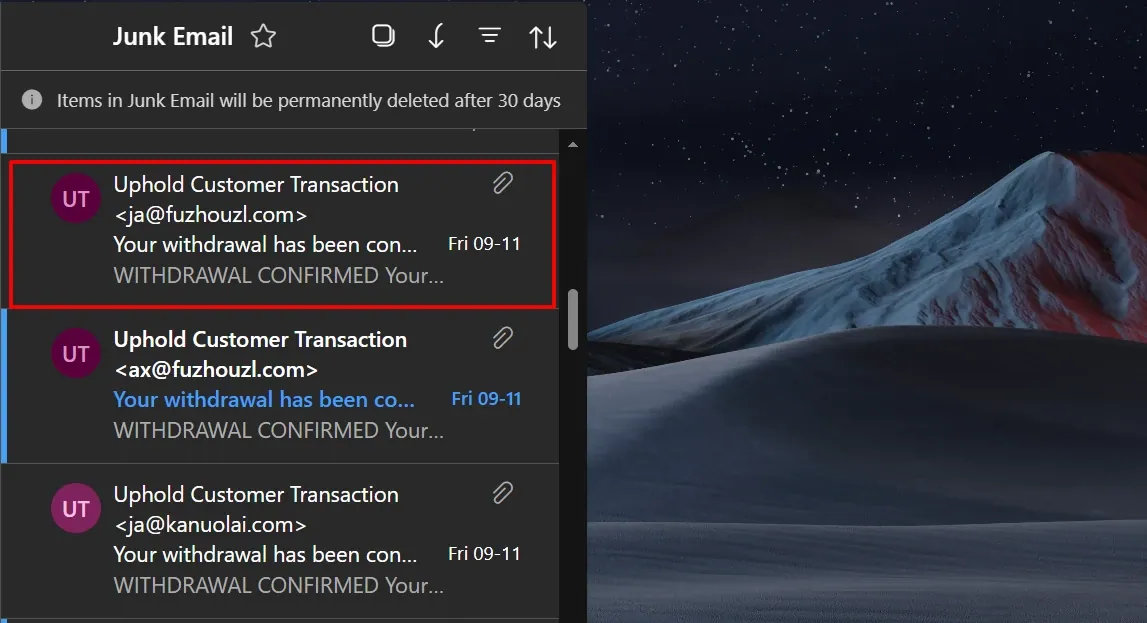
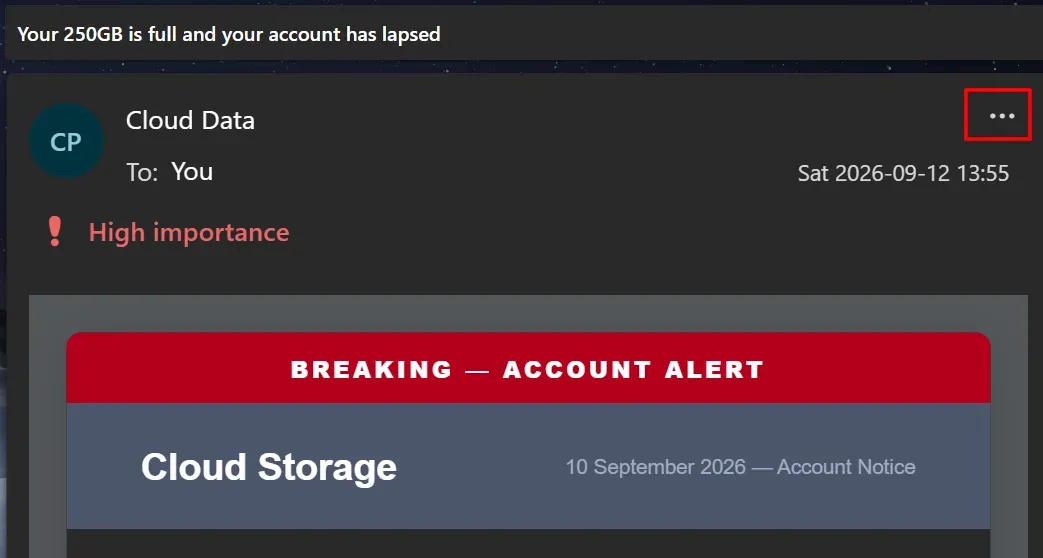
- Once you select the email, you need to click the three horizontal dots located in the upper right corner of the message to reveal a drop down menu.
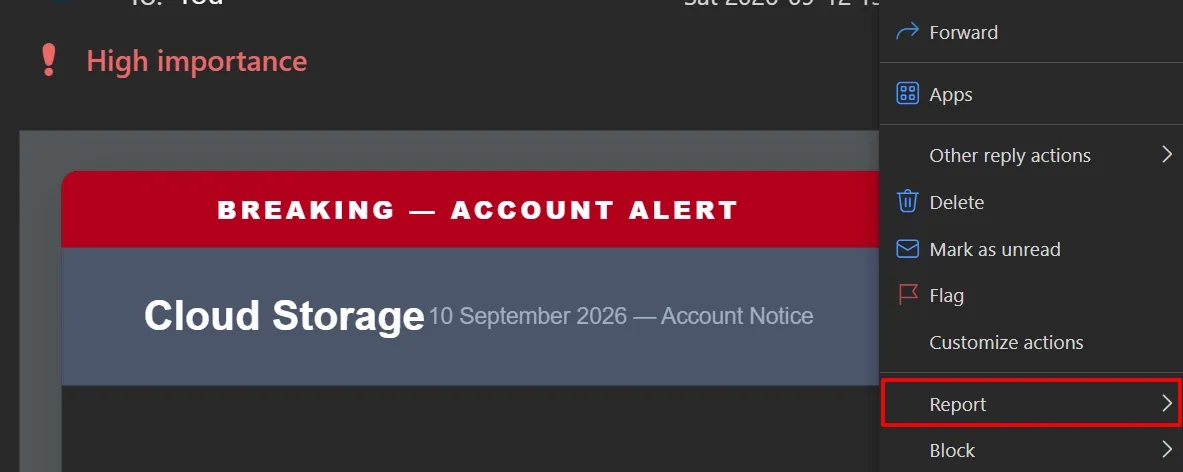
- In the drop down menu, you need to click the “Report” button and, next, click “Report phishing“.
- Outlook will display a window to let you know it will block the sender of the email. If you agree with this, you can click “Report and block“.
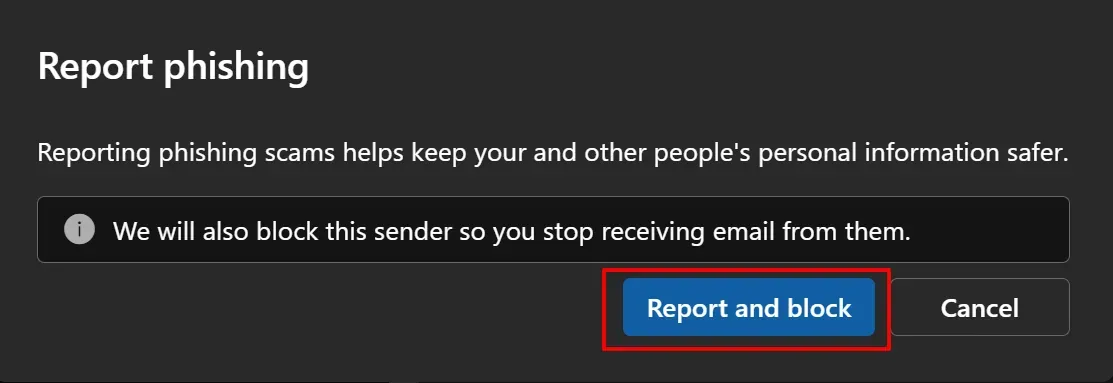
With this procedure, Outlook will prevent you from receiving further messages from the sender of the email you selected, which are likely to be new attempts to obtain your information.
What happens to the email I report as phishing?
When you report an email as phishing in Outlook, the message leaves your inbox and lands in the spam folder. In that folder, you have the option to delete the threat or simply leave it there.
If you mark an email that’s already in spam as phishing, the message will remain there.
Steps to report a phishing email in Outlook from mobile
If you’re someone who’s used to relying heavily on your phone, the good news is that the Outlook mobile app also has a procedure for reporting phishing attacks.
You can follow these steps on your phone to report a phishing email in Outlook:
- First, once inside the Outlook app, you need to locate the suspicious email.
- At the bottom of the screen, you need to tap the three dots to open a new menu.
- In this menu, you need to find the “Report Phishing” option.
- Outlook will show you a window with the same information it offers in its desktop version. To finish reporting the message, you can tap “Report and Block“.
As in the browser version, Outlook will let you know that you won’t receive any more messages from the sender you just reported.
What’s the difference between reporting an email as phishing or as spam in Outlook?
Besides the option to report an email as phishing, Outlook users also have the option to mark a given message as spam.
For practical purposes, both options prevent a suspicious email from landing directly in your inbox. However, there are differences worth keeping in mind:
| Criteria | Report as phishing | Report as spam |
|---|---|---|
| Purpose | Flag an attempt to deceive or steal data | Mark an email as unwanted or promotional |
| Who receives the report? | Microsoft and, if applicable, the organization’s IT team | Outlook’s unwanted mail filter |
| Effect on the email | Moved to trash and analyzed as a threat | Moved to the junk mail folder |
| When to use it? | Suspicious emails and requests to share sensitive data | Unsolicited advertising and annoying but non malicious emails |
If the email you receive is suspicious and you consider it a real danger, the most advisable action is to report it directly as phishing so that Microsoft and your work team are aware of the threat.
Final thoughts on phishing attempts in Outlook
Phishing attacks remind us that, on the internet, letting your guard down isn’t a good option.
If you’re not attentive enough with the emails you open or the pages you visit, cyberattackers may take advantage of your carelessness to steal your credentials and leak information that shouldn’t be public.
Fortunately, services like Outlook offer ways to report phishing attempts and block these threats so that you don’t have to deal with them and can browse with greater security.
However, if you weren’t able to identify a phishing attack in time and gave up access to information capable of compromising your reputation, it’s important that an online reputation company supports you in mitigating the repercussions.
At Media Removal we can offer you the guidance you need if you suffered a phishing attack or another threat that left you in a vulnerable position in front of your audience, your partners, or your competitors.
You can schedule a meeting with us so we can start developing an action plan that allows you to regain control of your online reputation and strengthen your prevention measures against future threats.
 Subscribe to our newsletter
Reputation insights and industry news from the Media Removal team, straight to your inbox.
No spam. Unsubscribe anytime.