Summarize this post with:
Sometimes, the online reputation of a company or public figure can be put at risk by the comments and content of a group of users on Facebook.
When a group of people creates a community whose sole purpose is to harm the image of a public figure or institution, the reach of the group is usually greater than what those same people could achieve by acting separately.
That said, let’s take a closer look at how these Facebook groups work and the tools this platform offers companies and individuals to counter their potential impact on their reputation.
What is a reputation crisis in Facebook groups?
An online reputation crisis in a Facebook group is the spread of negative reviews or defamatory content within a private or semi-public community of users.
This situation can become a threat to organizations because of the direct interaction between users and the potential viral effect of their comments, both inside and outside Facebook.
How do these groups emerge on Facebook?
Usually, these types of Facebook groups start when a group of people comes together to damage the reputation of an organization or a particular employee.
After that, the people create the group on Facebook by combining the company’s name with a false accusation, such as:
- [Company name] scams.
- [Company name] scammers.
- [Company name] reviews.
This is a strategy to attract more users to the group and also to have a better chance of ranking in Facebook’s internal search engine and in Google results.
Are these user communities a real threat to your online reputation?
Facebook groups dedicated to spreading harmful information can be a real threat to the online reputation of companies and individuals for reasons such as the following:
- These groups work as echo chambers capable of validating their members’ existing biases.
- The content or mentions from these communities may be indexed not only in Facebook’s search engine, but also in Google’s.
For companies, these user communities tend to become sources of conflict prone to escalation; for individuals, these groups are likely to give rise to systematic harassment.

Take back control of your online reputation
We can review your case and offer a personalized solution to take back control of what’s said about you or your business online.
Get a quote in less than 24 hours
How to respond to a Facebook group that spreads harmful information?
A company or public figure looking to counter a Facebook group dedicated to spreading negative reviews has three specific options:
- Creating and directly managing a Facebook group with users who share positive reviews and experiences.
- Reporting the group of negative opinions directly to Facebook for removal.
- Using Facebook’s defamation form to channel defamation reports.
Regarding the second option, it is important to clarify that Facebook will only delete a group when its content violates Meta’s community standards.
What situations or content does Facebook reject in its user groups?
Meta’s community standards prohibit any content that compromises the safety and authenticity of users on Facebook, Instagram, Messenger, and Threads.
That said, among the prohibitions Meta lists for content published on these platforms, the following are usually the most closely related to online defamation cases:
- Harassment and bullying.
- Human exploitation.
- Privacy violations.
- Hurtful conduct.
- Misinformation.
- Spam.
- Incitement to violence.
- Promotion of hate groups.
If the content of a Facebook group meets one or more of these items, the community is likely to be removed after a user’s report.
Step-by-step guide to reporting a Facebook group for false or harmful information
The procedure for reporting a Facebook group to the platform’s moderators takes only a few steps. We walk you through them one by one:
- First, you must go to the main page of the Facebook group you want to report.
- Then, you need to click the three-dot button located on the right side of the page to open a new menu.

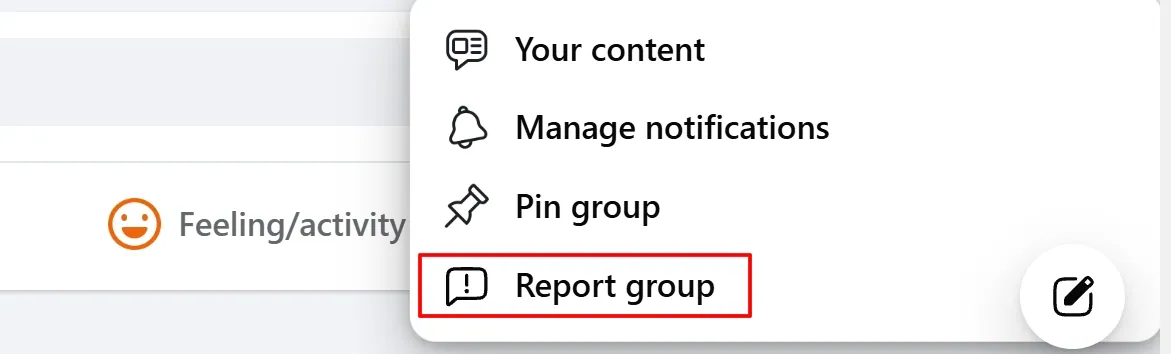
- In the menu you just opened, you need to select the “Report Group” option.
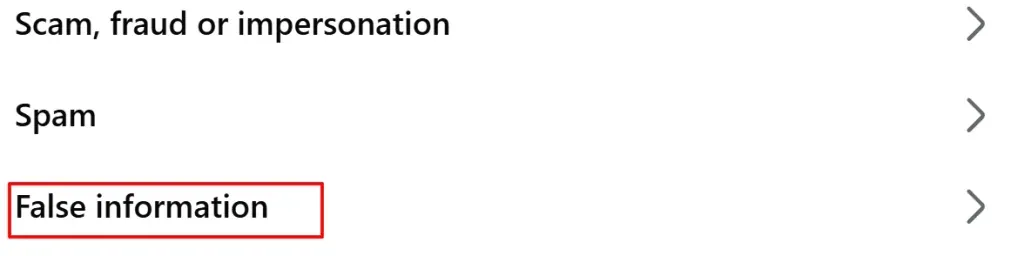
- Facebook will show you a list of possible reasons for reporting the group. We suggest choosing “False Information”.
Facebook will thank you for submitting the report and, if you are a member of the group you just reported, it will give you the option to leave it and prevent other members from adding you again.
How long can it take Facebook to remove a reported group?
Facebook does not have a fixed timeframe for removing a community reported on its platform.
However, in many cases, reports of serious violations of community standards tend to be processed faster than relatively minor infractions.
How to use Facebook’s defamation form to report groups?
Facebook’s defamation form is a second procedure the platform makes available to users to report communities on the social network that spread content harmful to an organization or person.
That said, we help you use this tool successfully with the following step-by-step guide:
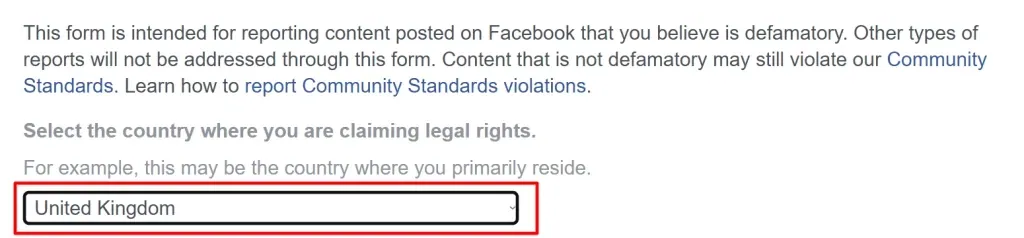
- First, you must indicate which country you currently reside in so you can assert your legal rights.
- Then, Facebook will ask whether you are using this tool on your own behalf or representing your organization.

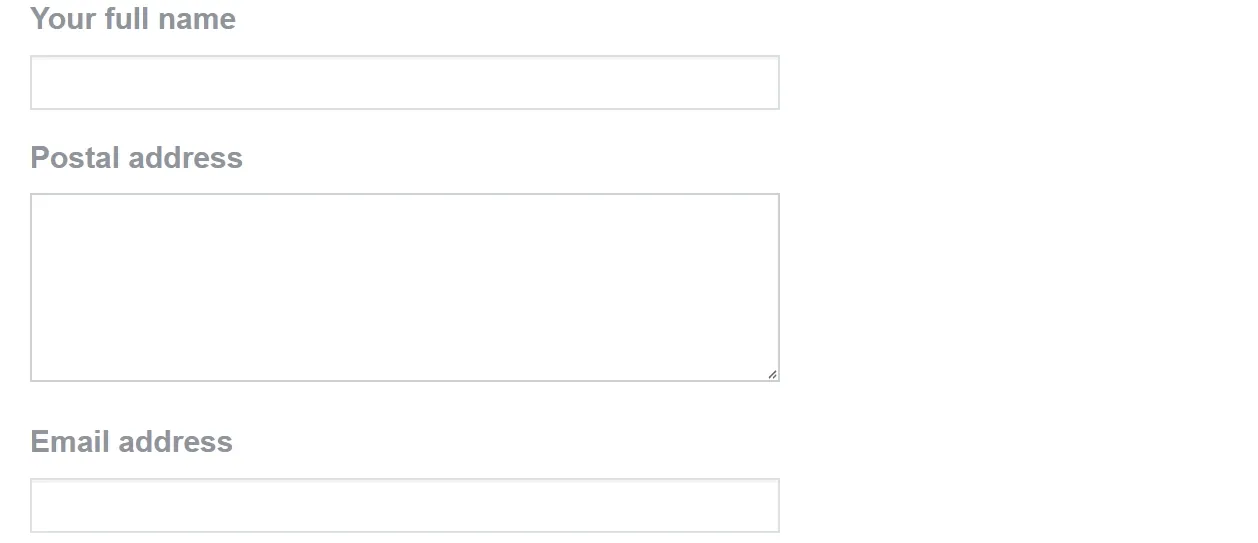
- Next, the form will ask you to include your correct name, postal address, and an email address that you manage directly.
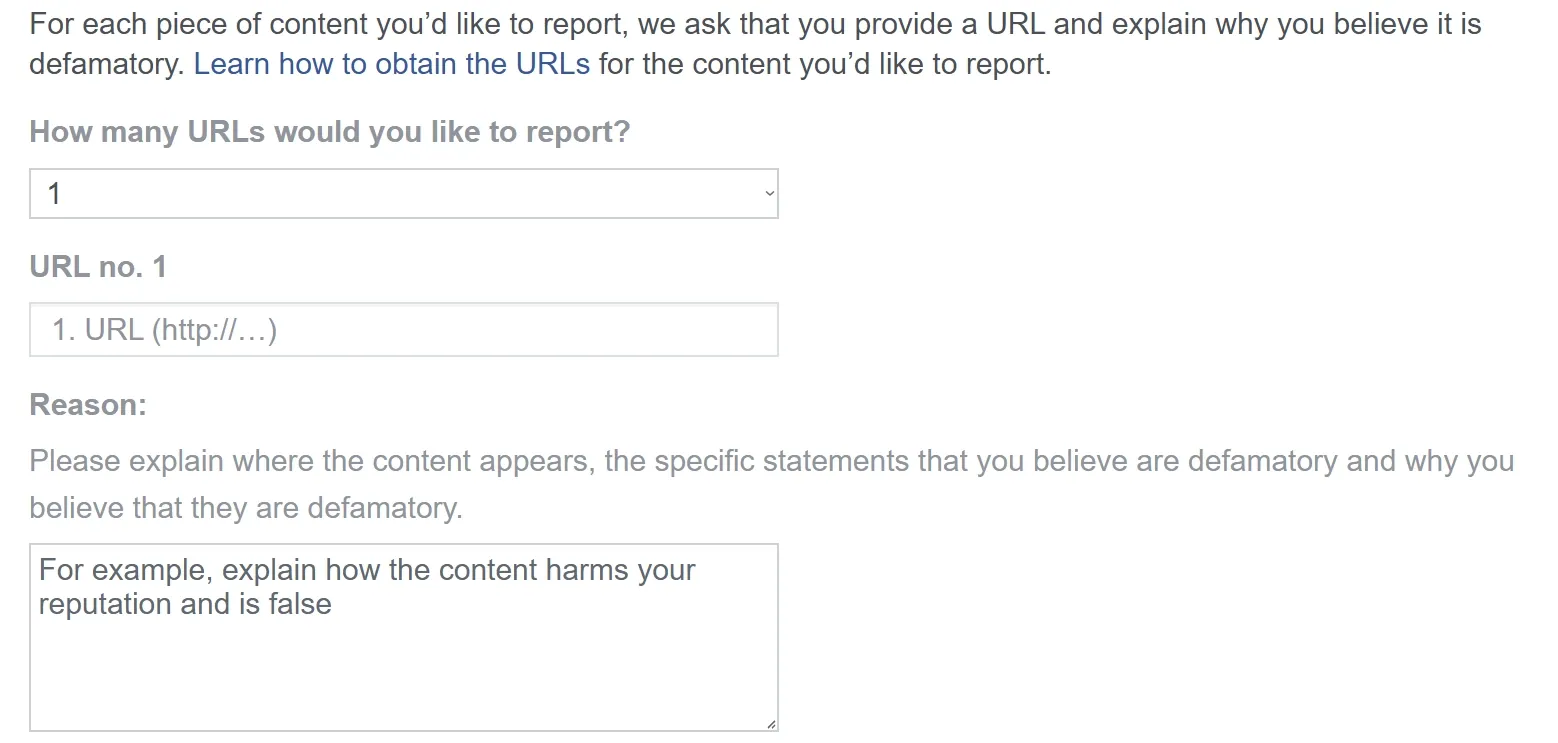
- After that, you must include one URL for each defamatory piece of content in the group that you want to report and explain, individually, why each piece of content constitutes a case of defamation.
- If you have additional files that confirm that such content is defamatory, the “Choose Files” button will let you include them in the form.

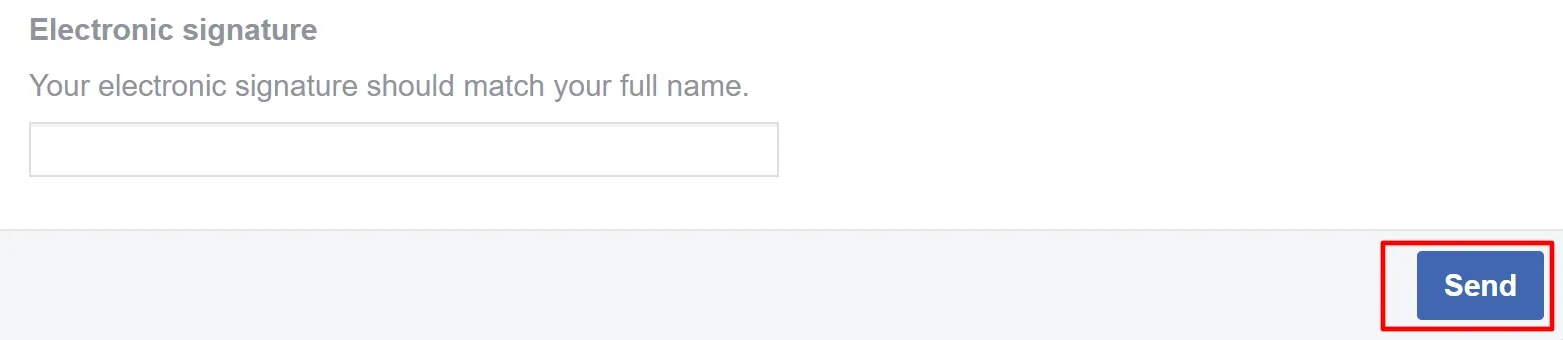
- Finally, the defamation form will ask you to include your electronic signature. To complete the procedure, you can click “Send”.
It is important to clarify that the availability of this form depends on the country where you reside. However, the option to report a group tends to be accessible regardless of where the user is located.
When is it advisable to use this Facebook form?
Using this social network’s defamation form is usually advisable when you have evidence that the Facebook group is spreading defamatory information against you or your organization.
This procedure also tends to be useful when the affected person or organization has links to defamatory posts made within this community.
What you can do if Facebook does not remove the group
If the Facebook group remains active after your report, you have the option to request a second review of your complaint.
If you still disagree with Facebook’s decision after the second review, your case may qualify to be reviewed by Meta’s Oversight Board and, in this way, receive a more favorable response:
Final thoughts on reputation crises in Facebook groups
A Facebook group that spreads false and negative information about you can trigger a reputation crisis if you do not take action.
These communities tend to become hubs of negative comments and harmful content prone to grow in size and damage the trust that established customers and prospects may have in you.
That said, discovering and countering the effect of these communities may be too heavy a burden for day-to-day operations. Therefore, in many cases, turning to a team of online reputation experts to take on this task tends to be the better option.
At Media Removal, we develop specialized procedures to help our clients get rid of Facebook groups that spread harmful and false information about them and threaten to affect their reputation on the Internet.
If you need personalized support with a Facebook group or any other potential threat to your online reputation, we invite you to schedule a meeting with our team of experts.
 Subscribe to our newsletter
Reputation insights and industry news from the Media Removal team, straight to your inbox.
No spam. Unsubscribe anytime.