Summarize this post with:
Did you delete a tweet by mistake, or do you need to check a post that another user removed from X? In both cases, you’re probably wondering if there’s still a way to see it again.
A deleted tweet can matter for different reasons, such as keeping a post of your own or gathering evidence in a matter that affects your reputation or someone else’s.
In this guide, you’ll find out whether it’s possible to recover deleted posts from X and which tools you can use to try.
Is it possible to see deleted X posts?
Yes, it’s possible to find deleted tweets from this platform using third-party tools and X’s backup system.
To recover other users’ posts, you can use tools like the Wayback Machine or Digital Digging to look for possible backed-up versions of the content online.
However, if the tweet you want to find is yours, one option within your reach is to check a backup of your X account to find the tweet.
How to find deleted tweets with the Wayback Machine
The Wayback Machine lets you find deleted tweets by searching for archived versions of the tweet thanks to its crawler.
Below, we share the steps to follow when using this tool to find deleted tweets:
- First, go to the Wayback Machine homepage and paste the link of the tweet you want to recover into its search bar.
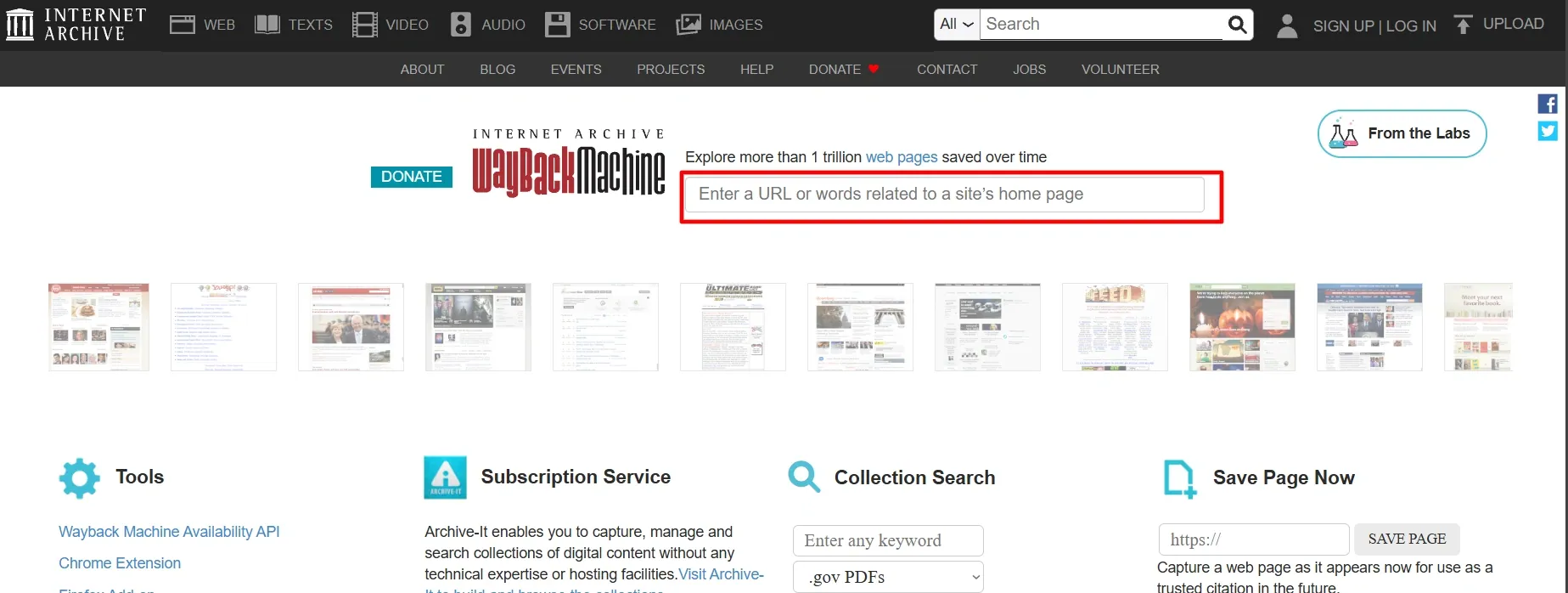
- The Wayback Machine will show you a timeline with the archived versions of the tweet available in its database.
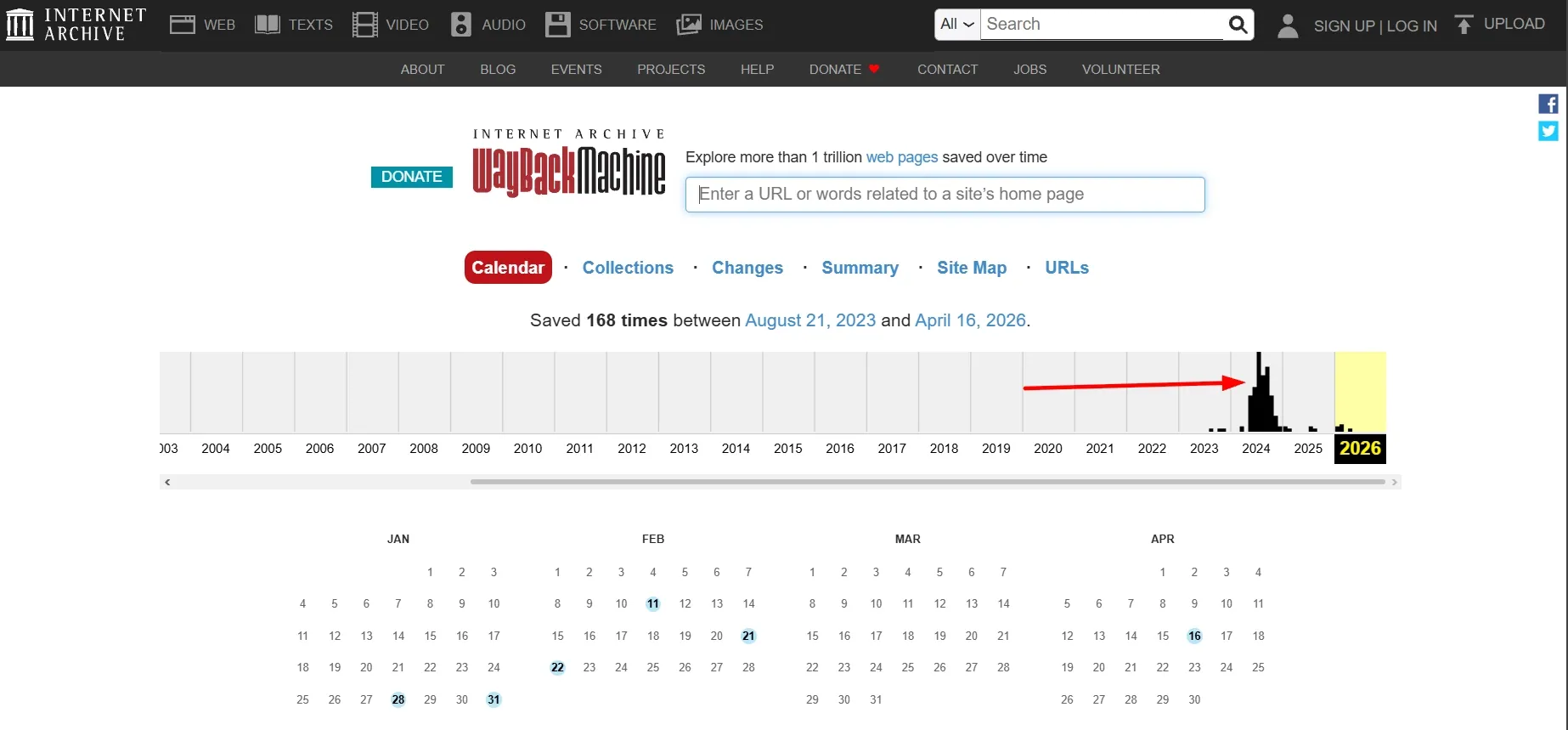
- Finally, you can check the archived versions of the tweet one by one to find the version you want to recover.
Another way to use this tool to find a deleted tweet is by pasting the link to the profile that published the content.
However, in this case, you’ll likely need to browse the account’s feed to find the tweet you’re interested in.
Step-by-step guide to see deleted tweets with Digital Digging
A second alternative available to you for finding deleted tweets is the Digital Digging search tool.
You can follow these instructions to use this tool easily:
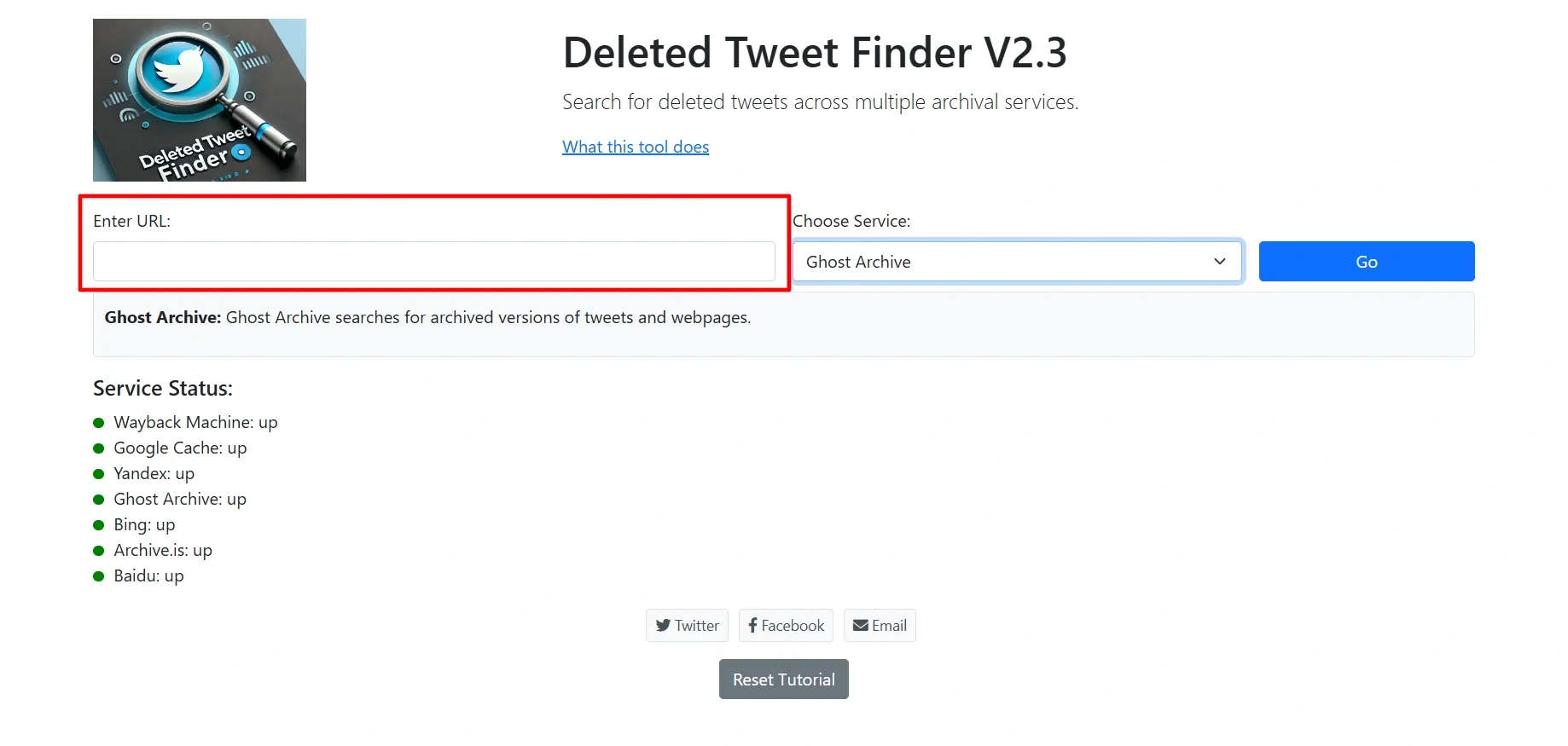
- The first thing to do to search for the tweet you’re interested in is go to the Digital Digging website and paste its link into the Digital Digging search bar or, if you don’t have it, the link to the X profile that published it.
- Then, the tool will ask you to choose the internet archive you want to use for your search.
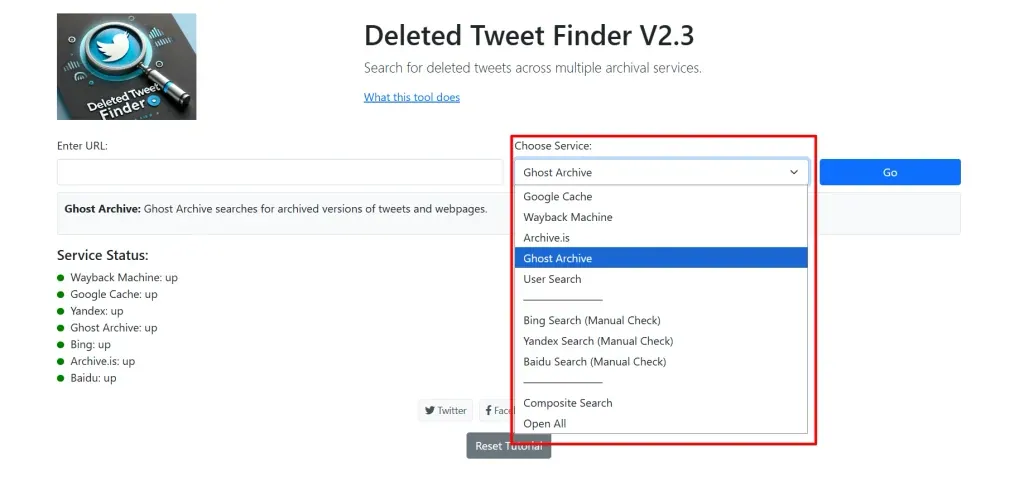
- After selecting a database, you need to click the “Go” button to open a new tab in your browser with the archive you chose.
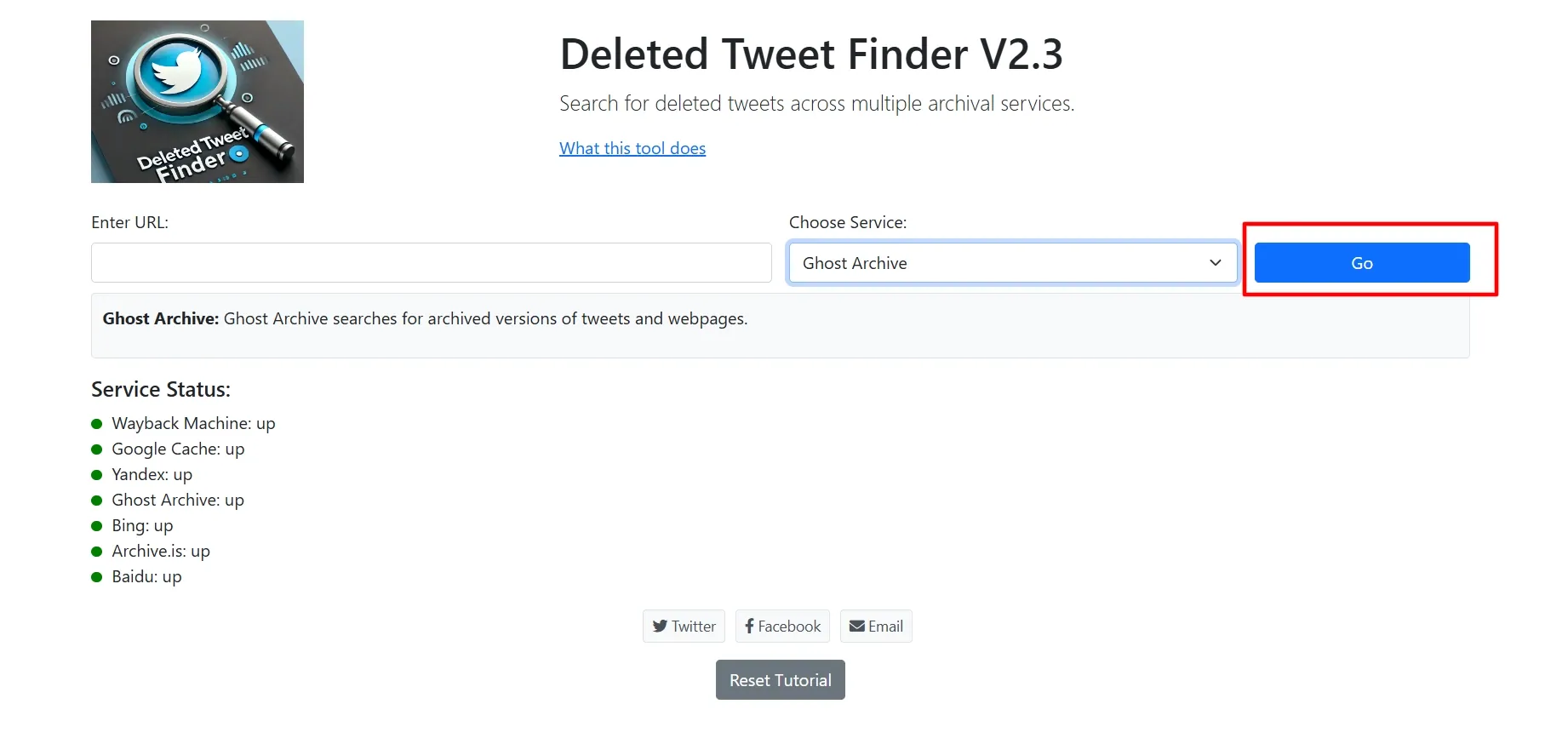
The main advantage of Digital Digging is that it lets you search for the deleted tweet across multiple internet archives, which gives it broader coverage than the Wayback Machine.
Databases available in Digital Digging
Currently, this tool lets you search for deleted tweets in the following archives:
- Google Cache.
- Wayback Machine.
- Archive.is.
- Ghost Archive.
- User Search.
Digital Digging also lets you check the cached memory of search engines like Bing, Baidu, and Yandex to find the deleted content.
How to use your X account archive to find deleted tweets
If the X post is yours, you can use your account archive on this social network to find a tweet of your own that you deleted by mistake.
In the following steps, we share what you need to request this archive from X:
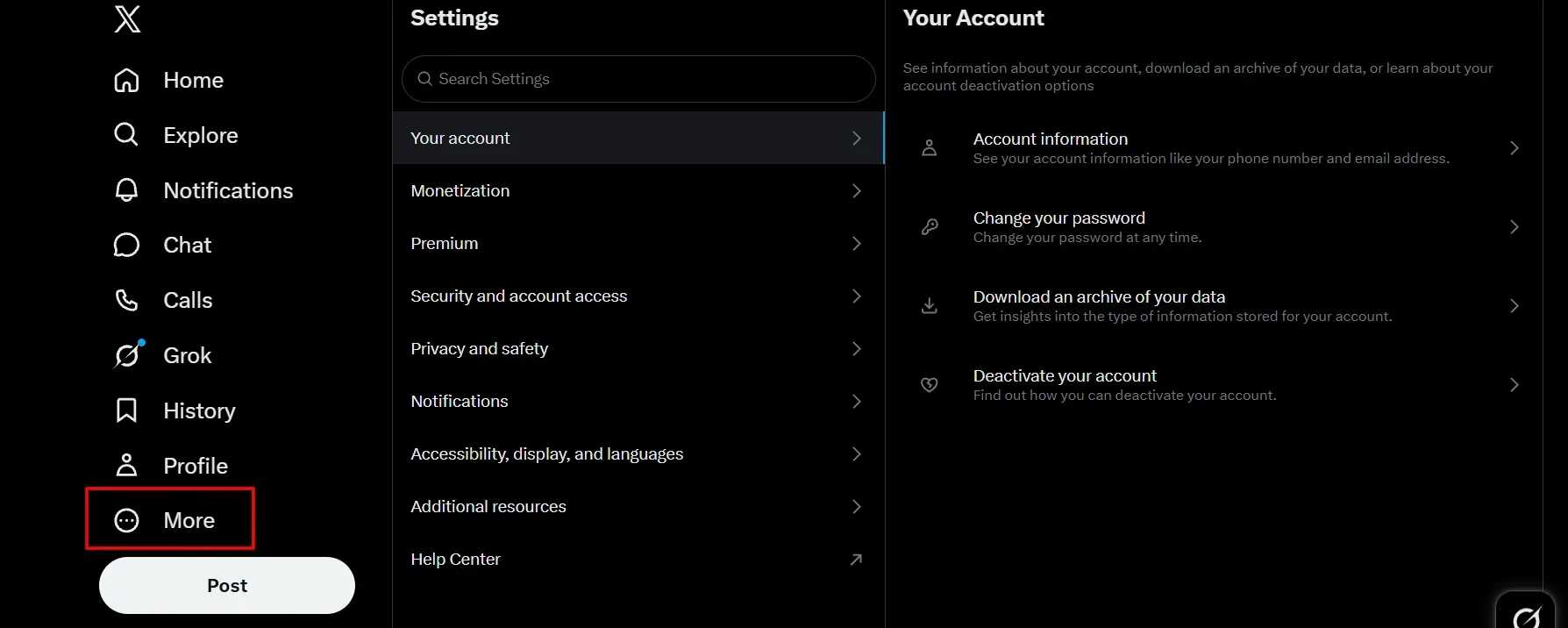
- After logging in to your X account, click the “More” button located on the left side of the screen.
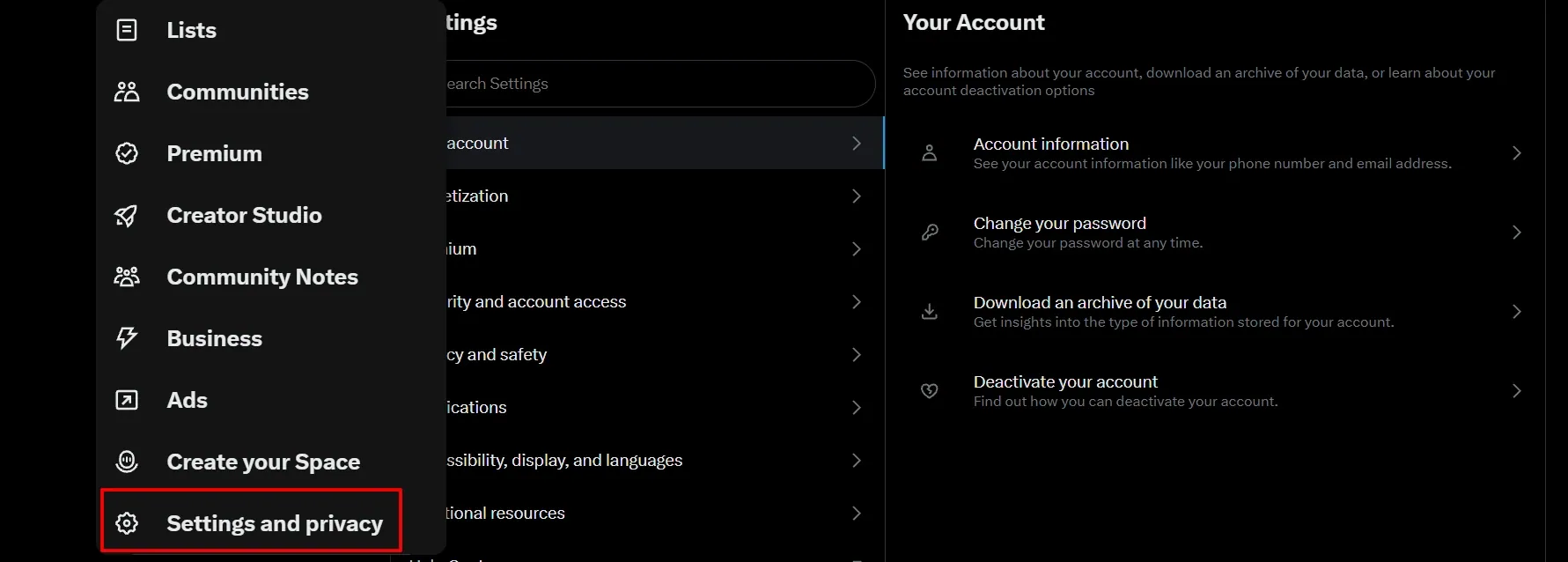
- Then, X will display a menu with several options. Among them, click “Settings and Privacy“.
- You’ll reach a page with different tabs. First, click “Your Account” to open a new menu with options about your X profile. One of them is “Download an archive of your data“.
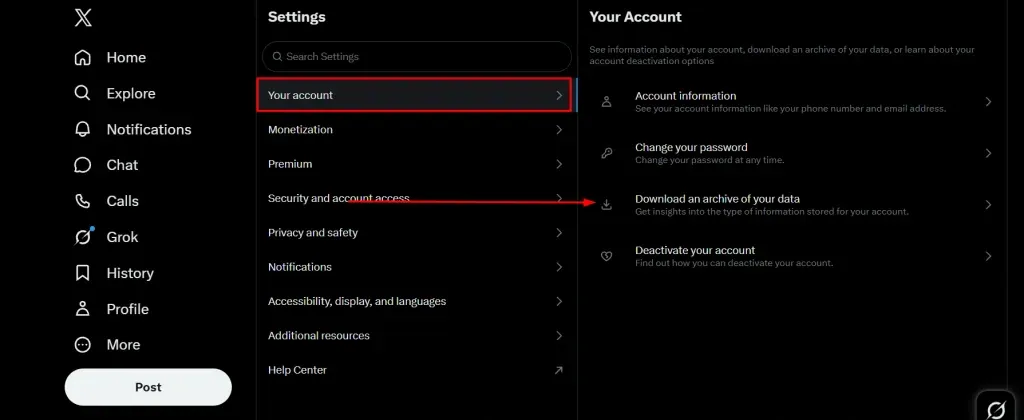
- After clicking the download button, X will ask you to enter your account password again.
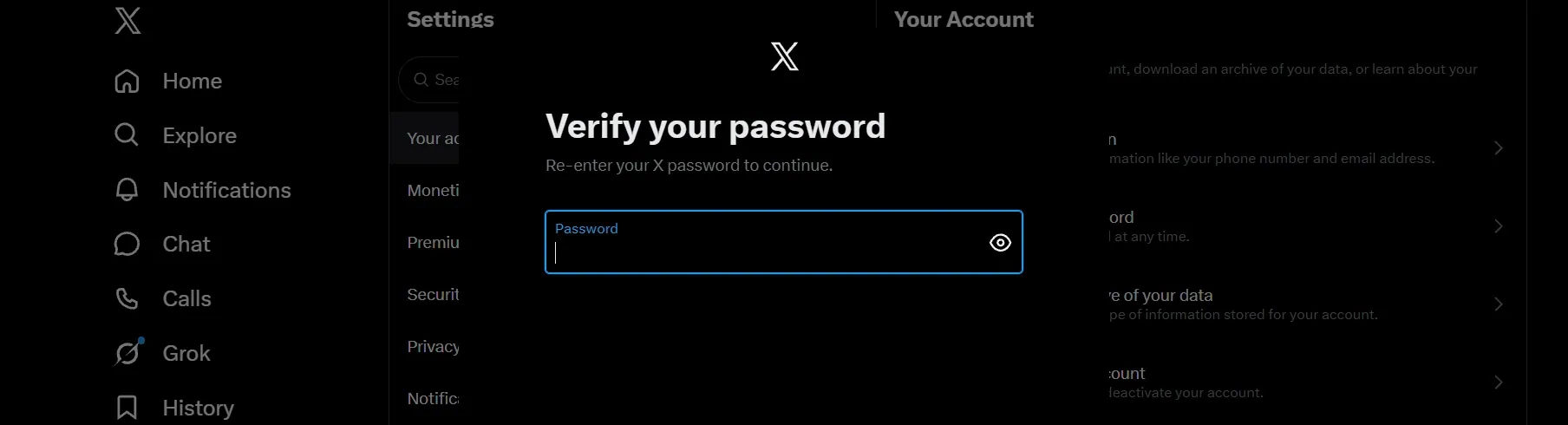
- Finally, you’ll reach a page that lets you request the full archive of your profile on this social network. You can request it by clicking “Request archive“.
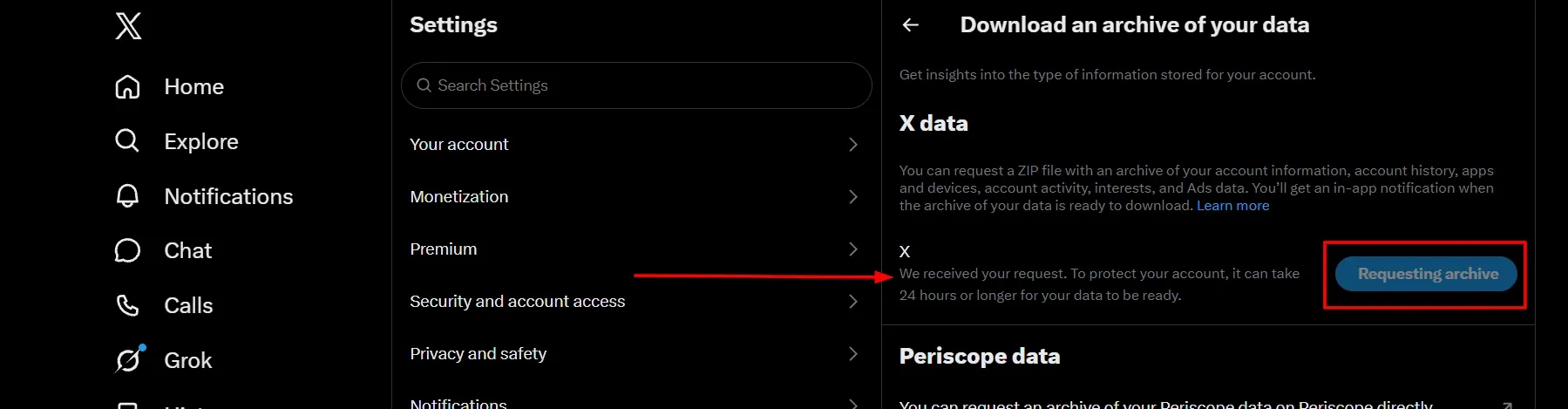
X will let you know that, to protect your account, the archive with your information may be ready within 24 hours after you submit the request.
What information does the X archive contain?
The X Help Center has a list of the data this backup holds about your account on the platform:
- Username, emails, and phone numbers associated with your profile.
- History of sessions opened on your account.
- Published tweets and replies to other users’ tweets.
- Retweets.
- Direct messages.
- Apps and devices associated with your profile.
- X accounts you blocked or muted.
- Interests that X and its partners identified based on your activity.
X will send this information as a compressed file to the email associated with your account. To use it, you need to download it to your computer and use a program to view all the information it contains.

Take back control of your online reputation
We can review your case and offer a personalized solution to take back control of what’s said about you or your business online.
Get a quote in less than 24 hours
Main similarities and differences between the recovery methods above
In the following table, you can compare the similarities and differences between the tweet recovery methods we reviewed above:
| Feature | Wayback Machine | Digital Digging | X backup |
|---|---|---|---|
| What is it? | Public web archive from the Internet Archive. | Free tool that searches several archive services at once. | Official download of the account’s data. |
| Who can use it? | Anyone. | Anyone. | Only the profile owner. |
| Does it work for other users’ tweets? | Yes. | Yes. | No. |
| What can it recover? | Tweets captured in a snapshot before being deleted. | Tweets saved in any of the archives it checks. | Recently deleted posts, in some cases. |
| Main limitation | It only works if someone archived the page before the deletion. | It depends on third-party archives, with no guarantee of results. | Older deletions are usually not included. |
| Ideal for | Public tweets from well-known accounts. | Hard-to-find tweets or broken links. | Recovering your own recent posts. |
If you’re interested in recovering content from another account, the Wayback Machine and Digital Digging may be good alternatives. On the other hand, the X backup is likely your best option if your goal is to see your own content again.
Why might you not find any deleted tweet?
It’s possible that none of the methods above will help you find a deleted tweet, which can happen for the following reasons:
- The tweet was posted by a private account that was never publicly crawled.
- The content was deleted so quickly that no service could archive it.
- The copy of the tweet in search engines was replaced by more recent information.
- The X post didn’t have enough relevance and visibility to be crawled and backed up.
Finally, if the post isn’t in your X account archive, it’s because the copy was made before you published the tweet and, therefore, it wasn’t backed up.
Frequently asked questions about finding deleted tweets
The process of finding a deleted tweet can be complicated and raise many questions for you.
That’s why we share below answers to some of the most common questions on this topic.
Final thoughts on how to find deleted tweets
Finding a deleted tweet depends, to a large extent, on who it belongs to and how much time has passed since it was deleted.
If it’s a post from another account, tools like the Wayback Machine and Digital Digging can be a good starting point.
On the other hand, if you’re looking for your own tweet, your X account archive could be the most direct option.
In any case, it’s important to act as soon as possible if this X post could affect your online reputation.
If the tweet affects your reputation or your business’s, support from a specialized team could help you define the best path forward. At Media Removal, we analyze your case and guide you through the available alternatives to recover or manage that content.
You can schedule a meeting with our experts to learn about the options that best fit your situation.
 Subscribe to our newsletter
Reputation insights and industry news from the Media Removal team, straight to your inbox.
No spam. Unsubscribe anytime.