Over 300 companies trust Media Removal. Get a Quote Now >
How to Remove Negative Trustpilot Reviews: The Ultimate 2026 Guide

By Pablo M.
Posted

Estimated reading time
A negative Trustpilot review can show up right when a potential customer searches for your brand on Google, and completely change their buying decision.
The problem goes beyond the platform itself. Trustpilot reviews appear in Google snippets, in Shopify and WooCommerce store widgets, in AI assistants like ChatGPT and Perplexity, and even circulate in forums like Reddit.
A single negative review has the power to multiply across different channels and hurt your sales, your rankings, and your customers’ trust.
The good news is that you’re not entirely at the mercy of whoever left that review.
Trustpilot has internal mechanisms for reporting these reviews, and there are legal and reputation strategies that can help you remove them if they’re harmful to you.
Can you actually delete a Trustpilot review?
The short answer is no.
If someone left a negative review about your business on Trustpilot, you cannot delete it directly.
So, who can delete a Trustpilot review?
Only two parties can do that: the person who wrote the review (who can edit or delete it from their profile) or Trustpilot’s own moderation team if they determine it violates their policies.
This doesn’t mean you can’t do anything. Trustpilot allows businesses to report (or “flag”) reviews they consider fake, defamatory, or in violation of the platform’s guidelines.
How to claim your Trustpilot business account (the first step)
Before you can report a review, respond to comments, or manage your Trustpilot reputation, you need to have an active business account.
Without one, you have no access to the review management tools and you’re basically operating blind.
If someone has already left a review about your company, Trustpilot has likely created an automatic page for your business. But that doesn’t mean you control it. To take control, follow these steps:
- First, visit Trustpilot Business and click “Log in” or “Sign up” to create your account.
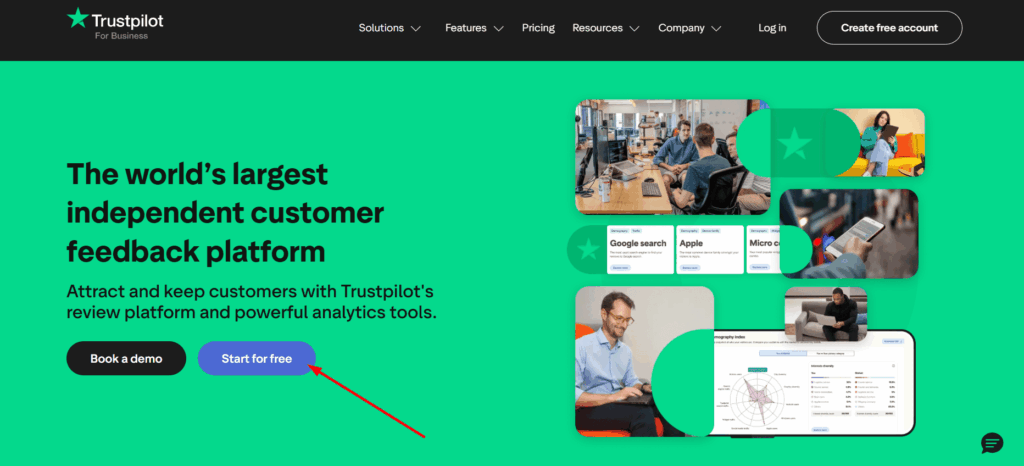
- Then, search for your company name or web domain to check if a business page already exists.
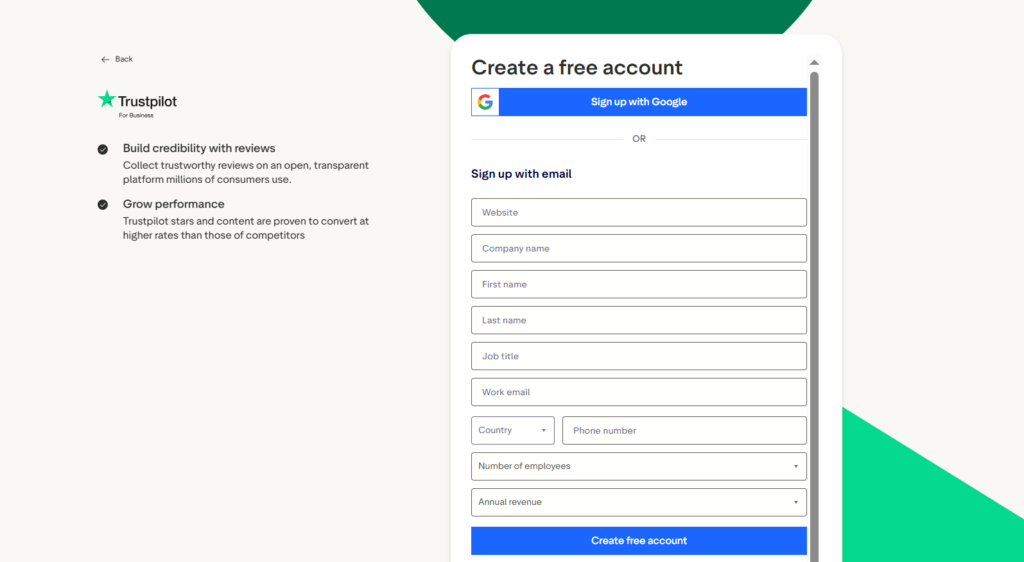
- If the email you use to sign up matches your website’s domain, verification will be automatic. If it doesn’t match, Trustpilot will ask you to verify your domain through an additional process (usually a DNS record or a file on your server).
- After verification, set up your profile: add your logo, business description, category, and contact information.
- Finally, access the reviews section to start managing your existing reviews.
The entire process is free and usually takes less than 10 minutes. Once you claim your account, you’ll be able to publicly respond to reviews, report those that violate the guidelines, and access analytics tools.
How to spot fake Trustpilot reviews: red flags to watch for
Not all negative reviews are legitimate. Before reporting, you should learn to tell a fake review apart from a genuine (though negative) opinion from a real customer. This will save you time and prevent you from misusing the reporting system.
These are the most common signs of a fake or suspicious review:
- The reviewer’s profile has only one review and was recently created.
- The reviewer has left multiple reviews for completely unrelated businesses within a very short period of time.
- The review language is generic, with no specific details about the product or the experience (“Terrible service”, “Worst company ever” with no context).
- The reviewer’s name doesn’t appear in your customer database or transaction records.
- The timing pattern is suspicious (several negative reviews published on the same day or within a very short period).
- The review comes from an ex-employee, a competitor, or someone with an obvious conflict of interest.
If you spot several of these red flags in the same review, you have a solid basis to report it. Trustpilot takes these behavioral patterns into account (account activity, IP data, reviewer history) when evaluating reports.
Trustpilot’s guidelines: when are you allowed to flag a review?

You already have your business account active and you’ve spotted a suspicious review. Now you need to know under what conditions Trustpilot will accept your report.
The platform does not remove Trustpilot reviews simply because they’re negative or because you don’t like them. It only acts when a review violates its Content Guidelines.
These are the categories under which you can flag a review:
The review contains harmful or illegal content
If the review includes hate speech, threats, defamatory language, obscenities, or content that targets people based on their race, gender, or orientation, you can report it under the harmful or illegal content category.
Trustpilot prohibits this type of content and usually acts relatively quickly when the evidence is clear.
It includes personal information (PII)
Trustpilot does not allow reviews to contain personally identifiable information such as phone numbers, physical addresses, private emails, or third-party financial data.
If a review exposes this kind of information (yours or an employee’s), you have a legitimate reason to report it.
It’s a fake review or spam
This is one of the most frequent reasons for reporting.
If the review doesn’t reflect a real buying or service experience, if it was posted by a bot, or if it contains promotional links to another business, it qualifies as a fake review or spam and Trustpilot should take it down.
The reviewer had no genuine experience with your business
If you can prove that the person who left the review was never your customer (their name doesn’t appear in your CRM, there’s no transaction record, there’s no documented interaction), you can report the review as “not based on a genuine experience”.
Trustpilot has a tool called “Find Reviewer” specifically for these cases, which we’ll cover later.
Incentivized or biased reviews
Trustpilot prohibits reviews that were motivated by incentives such as discounts, gifts, or any type of compensation.
If you have evidence that a negative review was incentivized (for example, a competitor paying for fake reviews), select the “Incentivized or biased” option when reporting.
Conflict of interest (competitors or affiliated parties)
Reviews from direct competitors, former partners, or people affiliated with your business represent a conflict of interest.
If you can demonstrate the relationship between the reviewer and a competing entity, Trustpilot may remove the review under this category.
Promotional or off-topic content
If a review doesn’t talk about your business but instead promotes another product or service, or if the content is completely irrelevant to the experience with your company, you can report it as promotional or off-topic content.
Knowing these categories before reporting gives you an edge. Don’t submit a generic report saying “this review is fake”. Identify exactly which guideline it violates and prepare your evidence before starting the process.
How Trustpilot detects and removes fake reviews behind the scenes
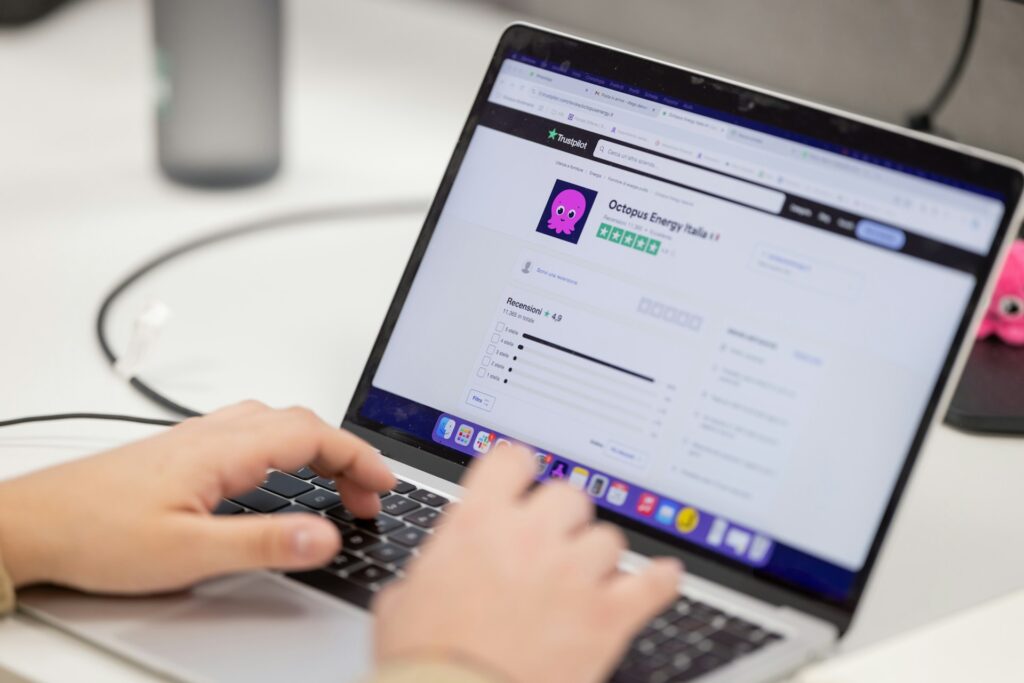
Trustpilot doesn’t rely solely on business reports to identify fraudulent content.
The platform uses an automated detection system powered by artificial intelligence that screens every review before it’s published.
This system evaluates behavioral patterns, IP data, reviewer account history, and text signals to detect suspicious activity.
What happens when Trustpilot evaluates a review?
When a review passes the automated filter and gets published, the second layer comes into play: the Content Integrity Team.
This is Trustpilot’s human team that reviews manual reports submitted by businesses and users. They’re the ones who make the final decision to keep or remove a review after analyzing the evidence presented.
According to their own Transparency Report data, Trustpilot processed over 60 million reviews in 2024, and out of those, removed 4.5 million for violating their guidelines, which represents about 7.4% of all submissions.
That shows the system works, but it also means millions of potentially problematic reviews can slip through the filters and require manual intervention.
Trustpilot review removal: easy vs. hard cases
Not all review removal cases have the same level of difficulty.
For example, at Media Removal we’ve handled multiple Trustpilot review removal cases and we’ve observed a clear pattern that will help you calibrate your expectations.
The easiest cases are usually ex-employee reviews. According to Trustpilot’s own guidelines, only customers who’ve had a buying or service experience can leave reviews.
Ex-employee opinions violate this policy, and these reports typically get resolved within a few days with a low rejection rate.
The hardest cases are reviews from real customers describing genuine experiences with detail and evidence.
Step-by-step guide: how to report a bad review on Trustpilot
This is the exact process to report a review from your business account.
Make sure you have your evidence ready before starting, because once you submit the report, the quality of your argument determines the outcome.
- First, log in to your Trustpilot Business account and navigate to “My Reviews”.
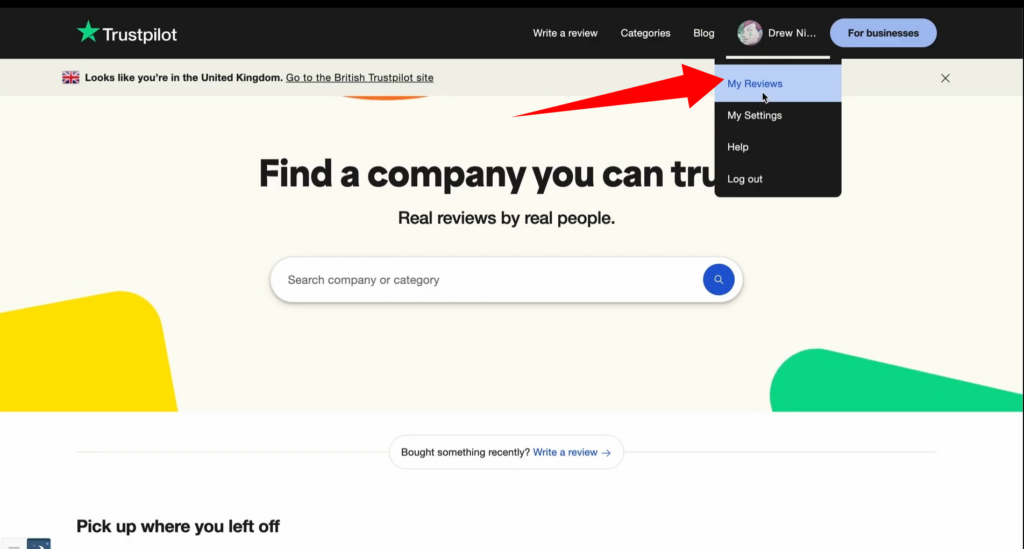
- Then, locate the specific review you want to report. You can use date or rating filters to find it faster.
- Click on the flag icon that appears at the bottom right of the review.
- Next, select the reason you’re reporting. Options include: harmful or illegal content, personal information, fake content or spam, non-genuine experience, incentivized review, conflict of interest, or promotional content.
- After that, Trustpilot will walk you through a specific set of questions based on the reason you selected. Complete each step as precisely as possible.
- Finally, click “Submit” and you’ll receive a confirmation that your report has been sent to the Content Integrity Team.
After submitting the report, the review will remain visible on your profile throughout the investigation. You won’t see it disappear right away.
Reporting as a regular user vs. reporting from your business account
There’s a difference between reporting a review as a regular user and doing it from your business account.
When you report as a user, Trustpilot will ask if you’re affiliated with the business being reviewed. If you say yes, it will redirect you to the business reporting process.
Reporting from a business account carries more weight because Trustpilot understands you have access to customer records and information that backs your case.
The success rate of reports from business accounts is significantly higher than reports submitted as a regular user. If you have the option, always use your business account.
Using Trustpilot’s “Find Reviewer” tool for non-genuine reviews
When you report a review under the “Not based on a genuine experience” category, Trustpilot activates a tool called “Find Reviewer”.
This feature lets you search for the reviewer in your customer database to verify whether they actually had a business interaction with you.
If the reviewer’s name doesn’t appear in your records, this becomes direct evidence that the review isn’t based on a real experience. Document this search and attach it to your report. The more concrete your evidence, the more likely Trustpilot will act in your favor.
What happens after you submit a report?
Once you submit your report, the case goes to Trustpilot’s Content Integrity Team. This team evaluates whether the reported review actually violates the platform’s Content Guidelines.
During the investigation, the review stays visible and continues counting toward your TrustScore. There’s no way to temporarily hide it while the case is being resolved.
You can monitor the status of your report in the “Reporting Activity” section of your Trustpilot Business dashboard.
Some cases get resolved in a few days, while others can take several weeks. Trustpilot may contact the reviewer directly to ask for proof of their experience. If the reviewer doesn’t respond or can’t demonstrate they had a genuine interaction with your business, the balance tips in your favor.
The risks of misusing the flagging tool
Before you go ahead and report every negative review on your profile, you need to know that Trustpilot actively monitors how businesses use the reporting tool. Misusing the flagging system has real consequences.
If you flag reviews repeatedly without justification, or if you only report negative reviews that actually comply with the platform’s guidelines, Trustpilot may take the following actions:
- Issue a Consumer Warning visible on your business profile (a public warning that damages your credibility).
- Restrict access to features on your business account.
- In severe cases of repeated abuse, terminate your contract and suspend your account.
Trustpilot’s software detects patterns: if all your 1-star reviews are flagged but none of your 5-star reviews, that raises a red flag.
The rule is simple: only report when you have a legitimate reason and evidence to back it up. Never use flagging as a strategy to censor genuine negative opinions.
What to do if Trustpilot refuses to remove the review
Trustpilot doesn’t always remove the reviews you report. If the team determines that the review complies with their guidelines (even if it’s negative and hurts your business), that review stays.
But that doesn’t mean you’ve run out of options.
There are several strategies you can use to minimize the impact of a negative review that can’t be removed, and some go beyond what most Trustpilot reputation management guides recommend.
How to craft the perfect professional response
Responding publicly to a negative review might seem counterproductive, but it’s one of the most powerful reputation management tactics out there. The response isn’t for the reviewer, it’s for every potential customer who will read that review in the future.
Follow this structure:
- First, address the reviewer by name (if available) and thank them for taking the time to share their experience.
- Then, acknowledge the issue without getting defensive. Something like “We’re sorry your experience didn’t meet expectations” works better than “That’s not true”.
- After that, offer a concrete solution or invite the reviewer to contact you privately to resolve the matter. Include a support email or phone number.
- Finally, close with a professional tone that shows your commitment to customer satisfaction.
A study cited by multiple industry sources indicates that nearly 1 in 5 consumers changes their perception of a business based on how it responds to reviews.
Your response is your opportunity to demonstrate professionalism to an audience much larger than the original reviewer.
Bury the negative feedback by collecting positive reviews
The math is straightforward: if you have 3 reviews and one is negative, your profile looks terrible.
If you have 50 reviews and one is negative, the impact gets diluted. The strategy of generating positive reviews doesn’t erase the negative one, but it drastically changes the overall perception of your brand and improves your TrustScore.
Some ways to do this:
- Send a post-purchase email or message asking your satisfied customers to leave an honest review on your Trustpilot profile.
- Include a direct link to your Trustpilot page in your order confirmation emails, your email signature, and your website.
- Never offer incentives in exchange for positive reviews (this violates Trustpilot’s guidelines and can result in penalties).
What you’re aiming for isn’t to manipulate your score, but to make sure the ratio of reviews reflects your business’s reality.
If most of your customers are satisfied but don’t leave reviews, the problem is volume, not quality.
Set up Trustpilot’s free Automatic Feedback Service (AFS) to generate verified reviews
There’s a free Trustpilot tool that most businesses don’t know about and that no other guide on how to remove Trustpilot reviews usually mentions: the Automatic Feedback Service (AFS).
The AFS lets you automate sending review invitations to your customers after every purchase.
And the best part: reviews generated through this system show up as “Verified”, which gives them more credibility with other users and with Trustpilot’s own algorithm.
To set it up, you need to do the following:
- First, you need to log in to your Trustpilot Business account and navigate to Get Reviews > Invitation Methods > Automatic Invitations (AFS).
- There you’ll find a unique email address assigned to your business (something like 52bxxxx93e@invite.trustpilot.com), you need to copy that address.
- Then, you need to add that address as a BCC on your transactional emails (order confirmations, delivery emails, receipts).
- Trustpilot automatically detects each email and schedules a review invitation to the customer after approximately 7 days.
The AFS integrates with platforms like Shopify, WooCommerce, and Magento. If you use any of these e-commerce platforms, the setup is even simpler through their native plugins.
This is one of the most effective ways to build a solid, verified review profile that offsets the impact of any negative review.
Legal options: defamation and the Consumer Review Fairness Act
When a review contains objectively false information that causes demonstrable harm to your business, the legal route can be an option. But it should be the last one you consider, not the first.
In the United States, the Consumer Review Fairness Act protects consumers’ right to leave honest reviews.
However, this protection does not extend to fraudulent or defamatory content. If a review presents false claims as facts (not as opinions) and you can demonstrate the damage caused, you may have a valid legal case.
That said, there are reasons why legal action should be your last resort:
- Legal proceedings are expensive and can take months or years.
- There’s the risk of the Streisand effect: suing over a review can attract more attention to the negative content.
- Consumers tend to view businesses that sue their customers over negative opinions unfavorably.
If you’re considering this option, consult with a lawyer who specializes in online defamation before taking any steps. A professional can evaluate whether your case has legal merit and whether it’s worth pursuing.
GDPR and the right to erasure: an overlooked path for EU and UK businesses
If your business operates in the European Union or the United Kingdom (or you have customers in those regions), there’s a path that virtually no one mentions when talking about Trustpilot review removal: Article 17 of the GDPR, known as the “right to be forgotten” or right to erasure.
Trustpilot is a company headquartered in Denmark, which means it’s subject to GDPR compliance.
Article 17 grants individuals the right to request the deletion of their personal data when it’s no longer necessary for the original purpose or when the data subject withdraws consent.
How to apply GDPR in cases of negative Trustpilot reviews
There are two practical applications of this:
The first is when a review contains identifiable personal data (your full name, address, phone number, or email) without your consent.
In this case, you can request the removal of that data directly from Trustpilot’s Data Protection Officer by writing to privacy@trustpilot.com.
The second applies if your company used Trustpilot’s invitation methods to send customer data to the platform.
Trustpilot acknowledges in its own white paper on GDPR and data protection the “delete invitation data” functionality, which allows you to delete invitation data sent up to a certain date.
This isn’t a magic solution that will remove any negative review, but it opens a door that most competitors in the reputation management space completely overlook.
Request Google to deindex your Trustpilot page from search results
If the review can’t be removed from Trustpilot and your Trustpilot profile page appears on the first page of Google when someone searches for your brand, there’s a “Plan C”: request Google to deindex that URL from its search results.
Trustpilot pages frequently rank high on Google for brand searches.
This means that even if the negative review is just one of many, the snippet Google displays can highlight the worst opinion.
Deindexing that URL from Google doesn’t remove the Trustpilot review, but it makes it invisible to the vast majority of people searching for your name or your company.
To explore more about how to address defamatory content online, you can check out our guide on how to remove defamatory content from Google.
Turning negative reviews into business opportunities
Not all negative reviews are a threat. Some are opportunities in disguise.
When a customer leaves a negative review detailing a real problem with your product or service, they’re giving you information you’d otherwise have to pay to get (surveys, focus groups, UX audits).
Use that feedback to improve your internal processes, and make that improvement visible.
If you resolve the issue and the customer is satisfied, don’t hesitate to politely ask them to update their review. Trustpilot allows reviewers to edit their reviews at any time.
Can you disable reviews or delete your Trustpilot business profile?
This is a question we get asked frequently: “Can I just disable reviews or delete my Trustpilot profile entirely?”
The reality is more complex than most people think.
Trustpilot keeps your business page active as long as there are published reviews, even if you never claimed that page. You cannot delete a profile that has active reviews.
What you can do is temporarily disable the reception of new reviews.
This can be useful if you’re in the middle of a reputation crisis and need time to regroup.
But keep in mind that disabling reviews doesn’t remove existing ones, and it can send a negative signal to consumers who visit your profile and see you’re not accepting new opinions.
What can I do if I want to remove or hide my Trustpilot profile?
If you’re considering this as a last resort, we recommend exploring the alternatives covered in the previous sections first.
In most cases, an active reputation management strategy (responding to reviews, generating positive opinions, reporting content that violates the guidelines) is far more effective than trying to disappear from the platform.
Frequently asked questions about removing Trustpilot reviews
Before wrapping up, here are some specific questions we didn’t cover in detail throughout the article.
Taking control of your online reputation on Trustpilot
Dealing with negative Trustpilot reviews is frustrating, especially when you know some of them don’t reflect your business’s reality.
The removal process isn’t always fast or guaranteed, but you have more tools than you think: from the reporting system and internal appeals to GDPR strategies, Google deindexing, and systematic generation of verified reviews.
What you can’t afford to do is ignore the problem. Every day a fake or defamatory review stays active is a day when potential customers can see it and make decisions based on information that isn’t true.
Proactive online reputation management isn’t optional, it’s an operational necessity for any business that depends on consumer trust.
If the situation has become too complex to handle on your own, or if you need results within a specific timeframe, our team of online reputation experts can help.
At Media Removal we specialize in removing negative reviews, Trustpilot reputation management, and suppressing harmful content in search engines.
You can request a quote with no commitment and share the links affecting your brand so our specialists can evaluate your case.